Public release: July 27th
Meet VRAC+, the Complete Drumify Solution
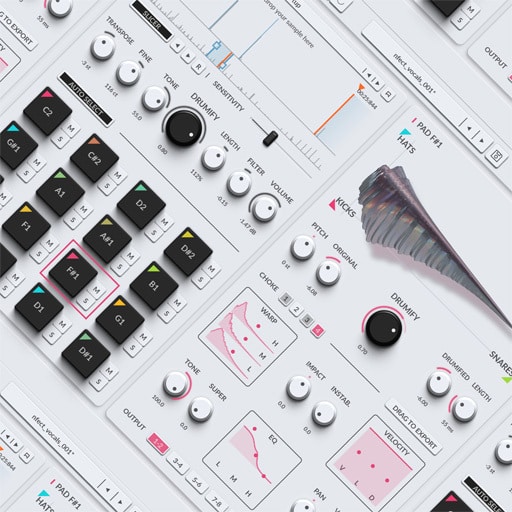
VRAC+ takes the same idea as VRAC, feed it any sound, get back a drum kit and gives you the full toolkit to push it further. Load a sample, auto-slice it to find every hit, and sculpt each pad by morphing across a full bank of kick, snare, hat and clap models.
Where VRAC gets you a kit fast, VRAC+ lets you actually design the sound behind it, hit by hit, output by output.
Why VRAC+?
Kits in minutes: skip the sample-browsing rabbit hole and get to a playable kit fast.
Any audio becomes drums: raw, unprocessed sound turned into expressive, stage-ready material.
A full bank of morphing models: blend across kicks, snares, hats and claps to land on the exact character you’re after.
Real sound design, not just presets: open the hood on every model, reshape tone, texture, transient and dynamics until the kit is unmistakably yours.


Principales fonctionnalités
Drumify Any Sample: your own recordings, DAW input, or the VRAC+ sample library, anything can become the seed of a kit.
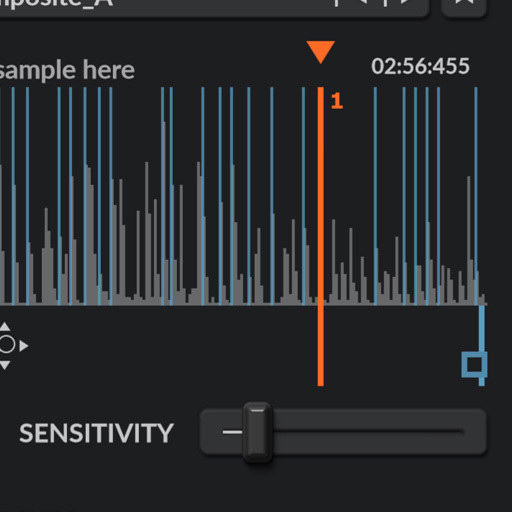
Auto Slicing: the slicer finds every percussive, with a sensitivity control to tune how many slices it detects.
Drumification Models: morph across a large bank of kick, snare, hat and clap models to sculpt every hit.
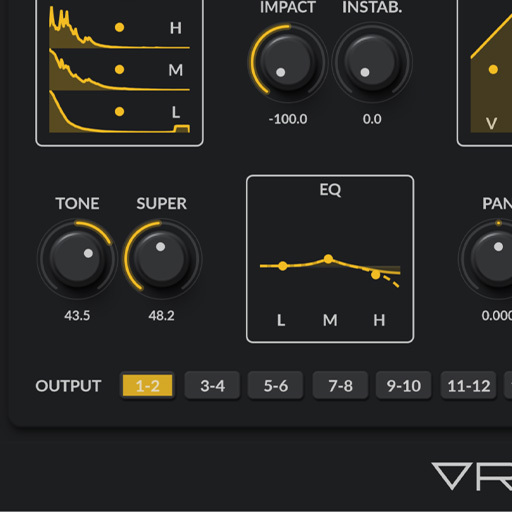
Sound Design Tools: get under the hood of each model, Warp its dynamic envelope, shape its Impact, add Instability for human variation, and push Tone Shift, Super and EQ to finish the sound.
Global Shaping: steer the whole kit at once with global Tone Shift, Filter, Transpose and Volume, mix-ready in seconds.
What's New in VRAC+ ?
VRAC+ isn’t just an augmented version of VRAC, it’s a deeper instrument built for people who want to live inside the sound. Here’s what sets it apart:
Auto-Slicing. Instead of hunting for the sample start by hand, let VRAC+’s slicer detect every transient in your source, then jump between hits with the arrow keys or land on a random one to keep things fresh.
Record In. Capture audio directly from your DAW, route a track or a live input to VRAC+’s sidechain/audio input and hit REC. No more bouncing files back and forth: your takes land straight in your recorded-samples folder, ready to drumify.
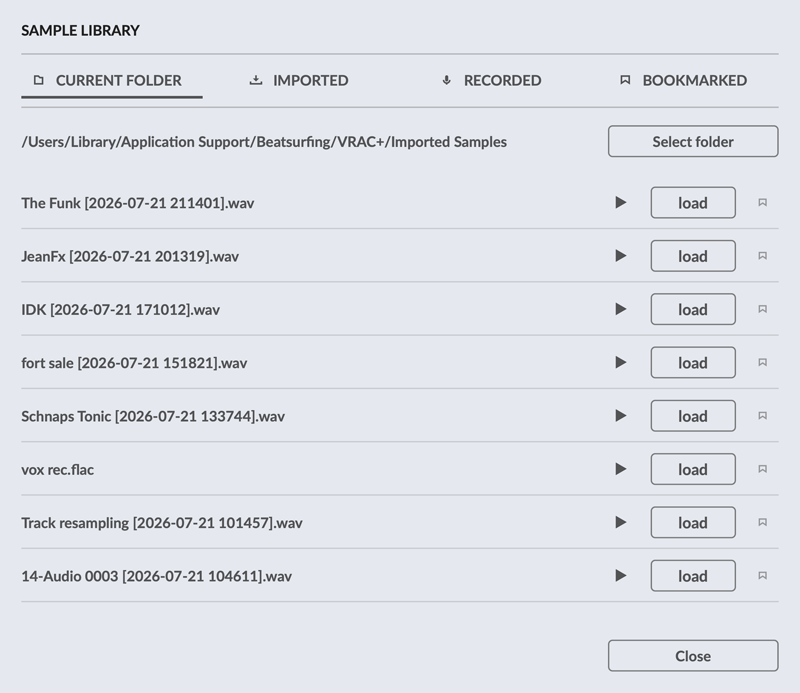
A real sample library. Beyond your own files and recordings, dig into a curated library of sounds recorded specifically for VRAC+.
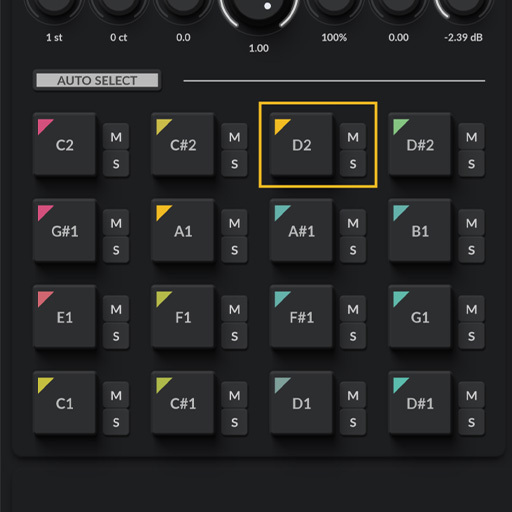
16 pads, full control. Double the pads of the free version, each with its own dedicated shaping tools : Warp, Impact, Instability, Tone Shift, Super, and a 3-band EQ.
Multi-Out Mixing. Every pad gets its own stereo output pair, 8 in total, so you can send each drum to its own channel and mix the kit like a real multitrack session, then drag to export the whole kit at once.
Built for Performance and Mixing
Every pad in VRAC+ can be triggered, automated and mixed like a proper instrument: MIDI Learn on any parameter, velocity mapped to Volume, Length and Tone Shift, choke groups, and one-click duplication of settings across pads or drumification models.
When the kit is ready, drag a single pad, or the whole 16-pad kit at once, straight into your DAW as audio files, with each pad routed through its own stereo output pair for full mixing flexibility.
Sound Library - We collaborated with Olivier Thys
We’ve known Olivier Thys for over twenty years. When we started dreaming up VRAC+, it just made sense: we had to build a sound library with him.
Olivier is a professional foley artist based in Brussels, and honestly one of the best in the film world, close to 300 productions under his belt, several nominations, and two Magritte Awards for Best Sound. He brought all of that knowledge, precision, and ear to this library
This library, available in VRAC+, isn’t just a pack of sounds, it’s real cinematic craft, rich and authentic textures ready for you to use and tweak right inside the plugin.
Upgrading from VRAC?
Already using VRAC? Every preset and preset pack you’ve built carries over — VRAC+ reads them natively, and VRAC can even load VRAC+ presets back (advanced settings are simply ignored on the free version). Making the switch removes the ceilings you’d hit with VRAC: 8 pads become 16, the single stereo output becomes 8 pairs, manual-only sample start becomes auto-slicing, and the fixed drumification blend becomes a full sound-design suite (Warp, Impact, Instability, Tone Shift, Super, 3-band EQ, Global Filter).
VRAC vs VRAC+ ?
VRAC is a free and easy way to create quick drum kits from any sample. VRAC+ gives you deeper access to both the performance and the sound design behind it. The list below shows the differences between the two versions.
SOUND SOURCES
Record from your DAW
Sample library: current folder, imported, recorded
Bookmark your samples
Sample length
max 60 seconds
up to 60 minutes
Record length
up to 2 minutes
SAMPLE START
Auto Slicer with sensitivity control
Jump to previous, next or random slice
Add, move and delete slices
PADS
Pads
8
16
Warp: 3-band dynamic reshaping
Impact: transient shaping
Instability: randomness at each hit
Tone Shift: spectral shifting
Super: saturation and stereo width
3-band EQ
Velocity sensitivity
Volume
Volume, Length, Tone Shift
GLOBAL CONTROLS
Global Tone Shift
Global Filter: DJ-style low-pass and high-pass
MIX AND EXPORT
Audio outputs
1 stereo pairs
8 stereo pairs
Drag to export all: the whole kit at once
VRAC vs VRAC+ ?
VRAC is a free and easy way to create quick drum kits from any sample. VRAC+ gives you deeper access to both the performance and the sound design behind it. The list below shows the differences between the two versions.
VRAC
VRAC+
SOUND SOURCES
Record from your DAW
Sample library: current folder, imported, recorded
Bookmark your samples
Sample length
max 60 seconds
up to 60 minutes
Record length
Up to 2 minutes
SAMPLE START
Auto Slicer with sensitivity control
Jump to previous, next or random slice
Add, move and delete slices
PADS
Pads
8
16
Warp: 3-band dynamic reshaping
Impact: transient shaping
Instability: randomness at each hit
Tone Shift: spectral shifting
Super: saturation and stereo width
3-band EQ
Velocity sensitivity
Volume
Volume, Length, Tone
GLOBAL CONTROLS
Global Tone Shift
Global Filter: DJ-style low-pass and high-pass
MIX AND EXPORT
Audio outputs
1 stereo pairs
8 stereo pairs
Drag to export all: the whole kit at once
VRAC+: Original sound & Drumified sound — Hear the Difference
Navigate between ‘Original’ and ‘Drumified’ sounds to hear exactly how VRAC+ can transform any type of sound into a cohesive drum kit.
Video Walkthrough
Discover how VRAC+ plugin works with this walkthrough.
Installation requirements for VRAC+
Windows
Windows 10 ou version ultérieure
Processeur Pentium IV 2 GHz ou équivalent
At least 1.03 GB free disk space
Un DAW prenant en charge les plugins d’instrument dans l’un de ces formats :
Versioning and Updates of VRAC+
CLUF (Contrat de Licence Utilisateur Final)
IMPORTANT-READ CAREFULLY: This End User License Agreement (“EULA”) is a legal agreement between you (either an individual or a single entity) and DRUW Audio srl, also known as BEATSUFINRG (DRUW Audio) for the use of their plugin(s) (“Plugin”). By installing, copying, or otherwise using the Plugin, you agree to be bound by the terms of this EULA. This EULA has no relation to any separate purchase agreement when the Plugin was purchased.
By accepting this Agreement and/or installing or otherwise using the Plugin, you acknowledge that you have read this EULA, understand its terms and conditions, and agree to be bound by such terms and conditions. If you accept this EULA on behalf of a corporation, company, or entity other than an individual, you declare that you are authorized to do so.
1. DEFINITIONS
1.1. “Plugin” means DRUW Audio’s audio software products, bundles, or any other related DRUW Audio products, such as sample packs, frozen beats or loops and any associated documentation.
1.2. “Intellectual Property Rights” means collectively, copyright rights, trademark rights, patent rights, trade secrets, moral rights, rights of publicity, authors’ rights, goodwill, and all other intellectual property rights as may exist now and/or hereafter come into existence and all renewals and extensions thereof, regardless of the territory or jurisdiction.
1.3. “Use” means storing, loading, installing, executing, or displaying the Plugin as intended according to the terms of this EULA.
2. GRANT OF LICENSE
DRUW Audio grants you a non-exclusive, non-transferable license to use the Plugin on three different devices, subject to the terms and conditions of this EULA.
3. INTELLECTUAL PROPERTY RIGHTS
The Plugin and any copies that you make are the intellectual property of DRUW Audio and are protected by copyright laws and international copyright treaties.
You are granted the right to use the Plugin’s Sound Content to create original musical works, sample packs, or drum kits. Any original audio material, musical composition, or sample created using the Plugin is your property, provided that:
- The resulting work involves significant creative processing or transformation.
- The Sound Content is not redistributed in its raw or original form.
- The Sound Content is not used to develop, train, or produce another virtual instrument, sample library, or sound engine.
Example: If you create a drum kit using processed drum sounds from the Plugin, you hold the rights to that kit and may sell it commercially. However, you may not extract the raw sounds and use them as part of another instrument or sample library.
4. RESTRICTIONS
4.1. You may not rent, lease, sublicense, distribute, assign, or otherwise transfer the Plugin or this EULA. You may not copy or modify the Plugin, except as expressly permitted by this EULA. You may not reverse engineer, decompile, or disassemble the Plugin.
4.2. If the Plugin contains or includes audio content such as samples, sound sets, presets, and/or audio loops (“Audio Content”), you may use such Audio Content to create your own original soundtracks for your commercial or non-commercial projects. You may freely broadcast and/or distribute your own soundtracks that were created using the Audio Content. However, you may not distribute the Audio Content on a standalone basis, nor may such Audio Content be repackaged in whole or in part as audio samples, sound libraries, sound effects, music beds, audio plugins, virtual or other music instruments.
5. TRANSFERS
5.1. You may transfer the Plugin by contacting DRUW Audio. The transferee must have an active BEATSURFING account. Your license will automatically terminate upon any transfer of the Plugin. Upon transfer, you must: (i) completely unregister your license from the Plugin. The transferee must accept the terms and conditions of this EULA as a condition to the transfer.
5.2. A license to Use the Plugin for free, as a beta version, or labeled NFR (“Not For Resale”) may not be sold or transferred.
6. SUPPORT AND UPDATES
DRUW Audio may provide support and updates for the Plugin. Support and updates are provided at the sole discretion of DRUW Audio, and DRUW Audio has no obligation to provide support or updates. contact support@beatsurfing.com.
Licensee agrees that it is Licensee’s responsibility to implement Updates in a commercially reasonable time to the extent advised by DRUW Audio. Licensee acknowledges that any losses to the features or functionality of the Plugin due to Licensee’s own delay in implementing any Updates shall be no fault of DRUW Audio.
7. DISCLAIMER OF WARRANTIES
The Plugin is provided “AS IS” without warranty of any kind, either express or implied, including, but not limited to, the implied warranties of merchantability and fitness for a particular purpose. DRUW Audio does not warrant that the functions contained in the Plugin will meet your requirements or that the operation of the Plugin will be uninterrupted or error-free.
8. LIMITATION OF LIABILITY
In no event shall DRUW Audio be liable for any special, incidental, indirect, or consequential damages whatsoever (including, without limitation, damages for loss of business profits, business interruption, loss of business information, or any other pecuniary loss) arising out of the use of or inability to use the Plugin, even if DRUW Audio has been advised of the possibility of such damages.
9. TERMINATION
This EULA will terminate automatically if you fail to comply with any of the terms and conditions of this EULA. Upon termination, you must immediately cease using the Plugin and destroy all copies of the Plugin.
10. GOVERNING LAW
This EULA shall be governed by and construed in accordance with the laws of the city of Liège, Belgium without regard to its conflict of laws provisions.
11. ENTIRE AGREEMENT:
This EULA constitutes the entire agreement between you and DRUW Audio with respect to the Plugin and supersedes all prior or contemporaneous communications and proposals, whether oral or written, between you and DRUW Audio.
If you have any questions about this EULA, please contact DRUW Audio at support@beatsurfing.com.
By clicking “I agree” or installing or using the Plugin, you acknowledge that you have read this EULA, understand it, and agree to be bound by its terms and conditions.
Latest update: March 12th 2025
Questions fréquemment posées
Is there a trial version available for VRAC+?
We don't have a trial version for VRAC+, but we did a light version: VRAC. And guess what... VRAC is free.
And of course, as usual, if you acquire VRAC+, we do have a politique de retour de 14 jours. If you find that VRAC+ doesn’t fit your workflow, you can easily request a refund within 14 days of purchase—no questions asked!
Envoyez-nous simplement un e-mail à support@beatsurfing.com, et nous serons heureux de vous aider dans le processus.
Qu'est-ce que le « Programme Early Bird » ?
En tant que supporter de BEATSURFING, une fois que vous avez acheté l’un de nos produits, vous êtes automatiquement inscrit à notre programme Early Bird. Cela signifie que vous serez toujours averti en premier lors de la sortie de nos derniers plugins et à bénéficier de réductions exclusives avant tout le monde. La période Early Bird dure généralement 2 semaines avant une sortie publique, ce qui vous donne une longueur d'avance !
Pour être sûr de ne rien manquer, assurez-vous d'être inscrit à nos mises à jour par e-mail, sinon ces offres exclusives pourraient passer inaperçues !
Can I get a refund for VRAC+?
Oui, vous pouvez ! Nous avons une politique de remboursement de 14 jours pour tous nos plugins. Si vous demandez un remboursement dans les 14 jours suivant votre achat, nous le traiterons sans poser de questions !
Avant de soumettre votre demande de remboursement, veuillez vous assurer que vous avez unregister your license for VRAC.
Une fois votre demande reçue, son traitement peut prendre jusqu'à 72 heures.
Si vous avez d'autres questions, n'hésitez pas à contacter le support!
Install VRAC+... for macOS
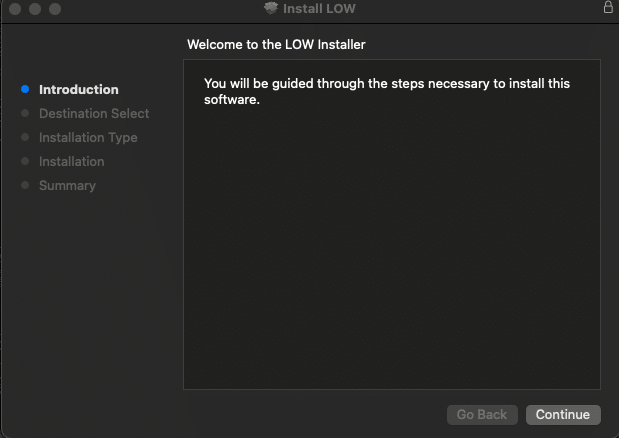
1. Téléchargez le fichier d'installation random.pkg à partir de votre compte BEATSURFING et double-cliquez dessus pour commencer le processus d'installation.
2. Cliquez sur « Continue »
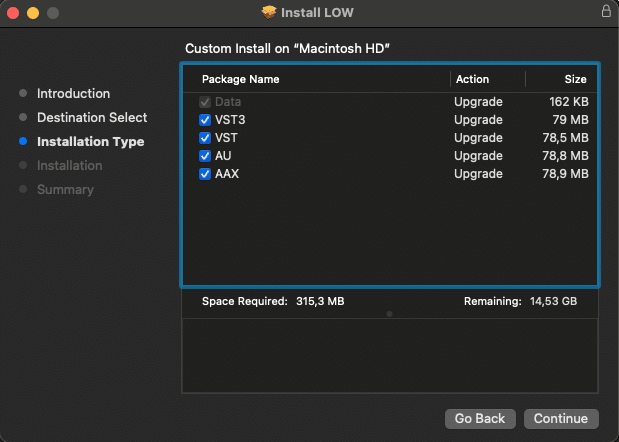
3. Sélectionnez le pack que vous souhaitez installer et cliquez sur « continue »
4. Cliquez sur « Install »
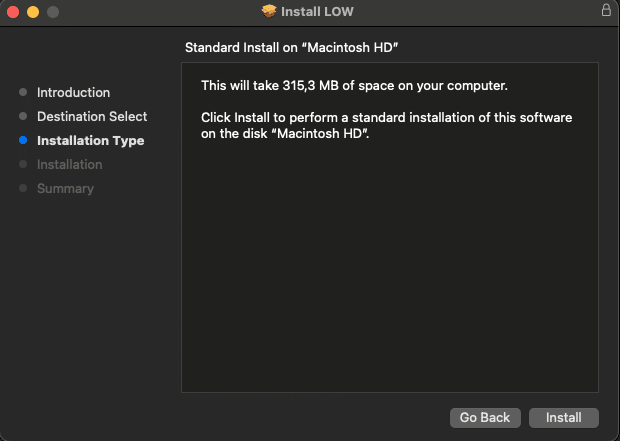
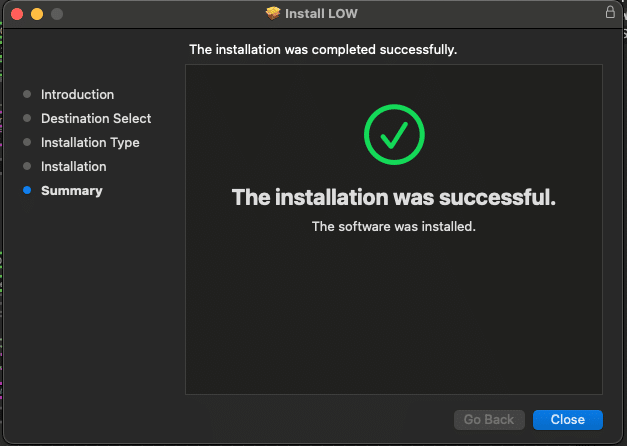
5. Cliquez sur « Close » et redémarrez votre ordinateur
Install VRAC+... for Windows
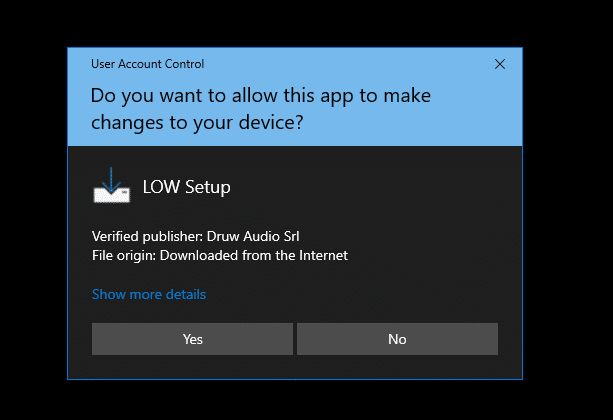
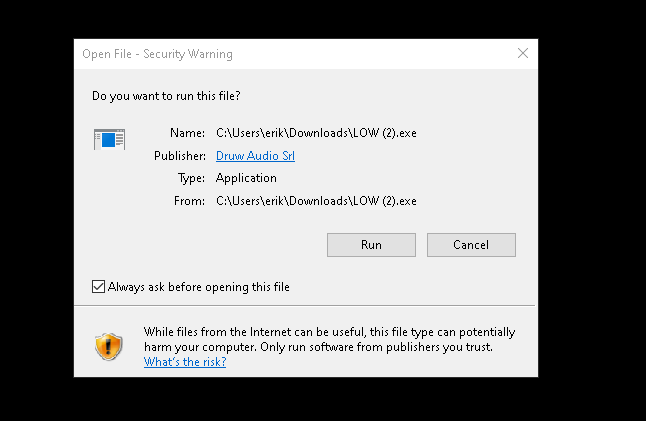
1. Download the zip file and unzip the installer file to a folder of your liking.
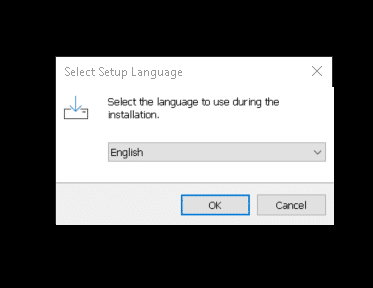
2. Ouvrez-le et sélectionnez la langue à utiliser lors de l'installation puis cliquez sur « OK »
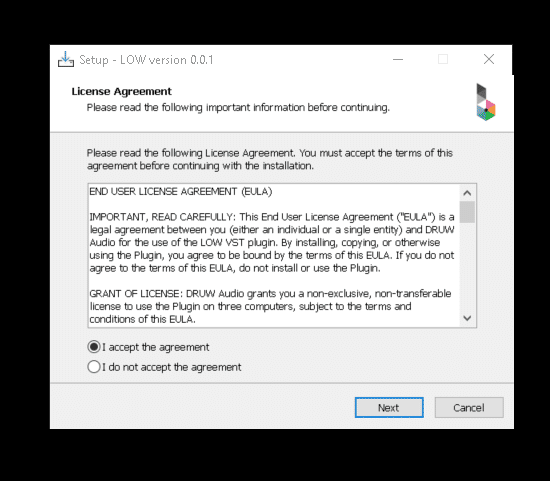
3. Lisez attentivement le contrat de licence (EN), sélectionnez si vous l'acceptez ou non, puis cliquez sur « Next »
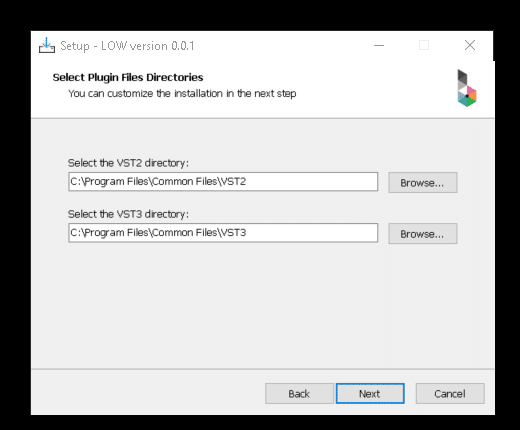
4. Choisissez le répertoire pour le VST, VST3, AAX, puis cliquez sur "Next".
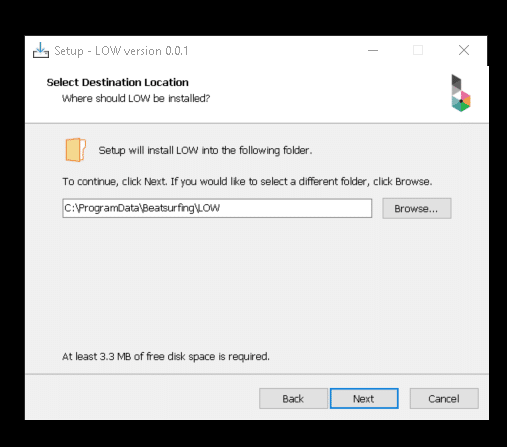
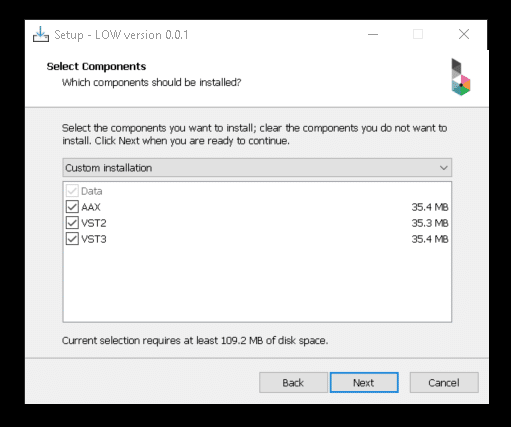
5. Sélectionnez les composants que vous souhaitez installer, assurez-vous de disposer de suffisamment d'espace sur votre ordinateur pour les installer. Cliquez ensuite sur « Next ».
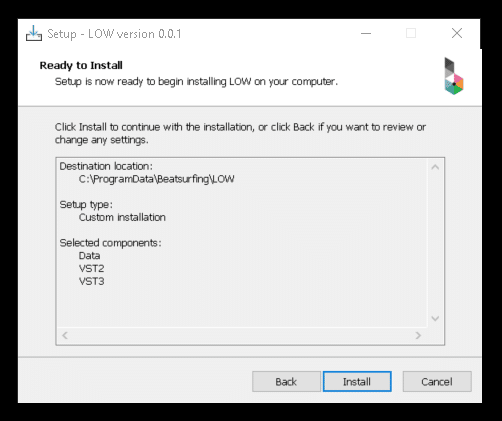
6. Après avoir vérifié vos choix, cliquez sur « Install ».
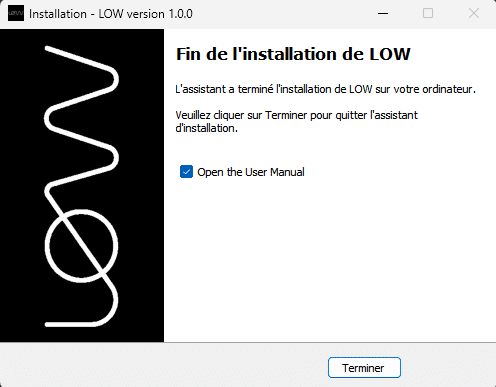
7. La configuration est maintenant terminée, vous pouvez fermer la fenêtre en cliquant sur « Finish ».
Activate VRAC+ on 3 appareils
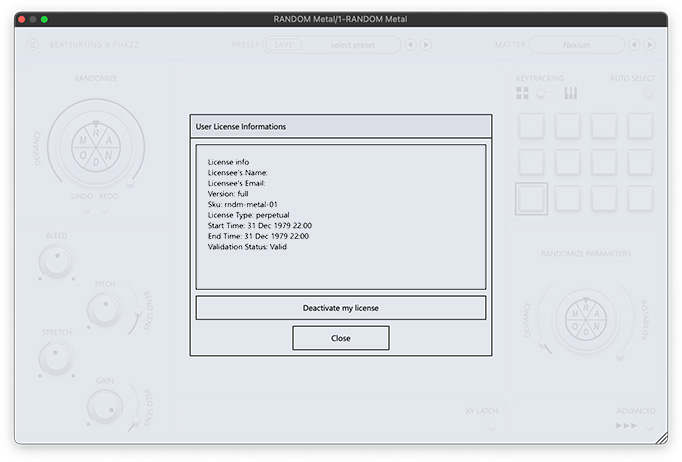
After purchasing VRAC+ your License key appeared on your Licenses page: https://beatsurfing.com/my-license/
Remarque : Chaque licence peut être activée sur 3 appareils pour macOS ou Windows.
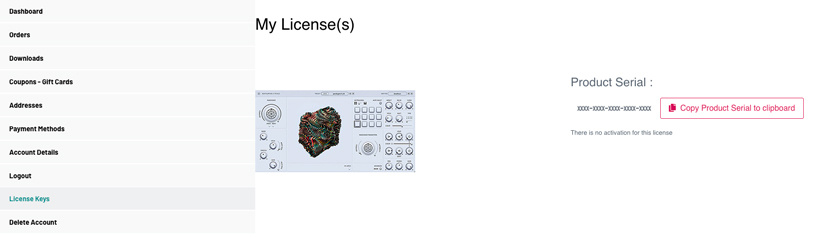
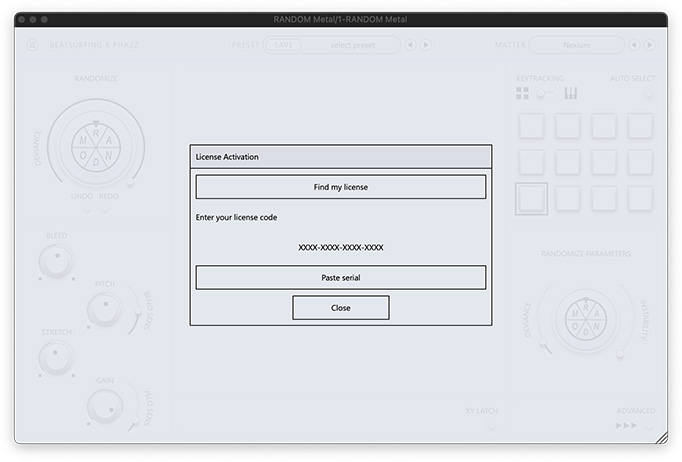
1. Copiez votre numéro de licence
2. Open VRAC from your DAW
3. Collez votre numéro de clé de licence lors du lancement de RANDOM Metal

Guide de l'utilisateur
Trouvez les réponses à vos questions dans notre VRAC+ user guide pdf file.
Vous n'avez pas trouvé ce que vous cherchiez ? Consultez notre base de connaissances et si vous ne trouvez pas votre réponse, envoyez un email à support@beatsurfing.com.
Restez informé!
Get notified when we release anything new.
Subscribe to our newsletter and never miss the great news.