Turn one sound into a cohesive drum kit.
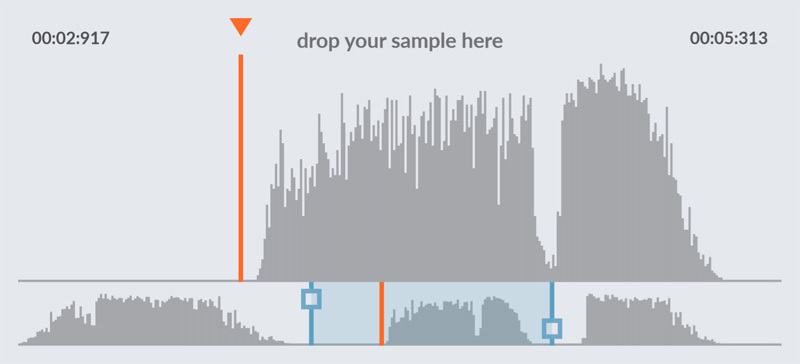
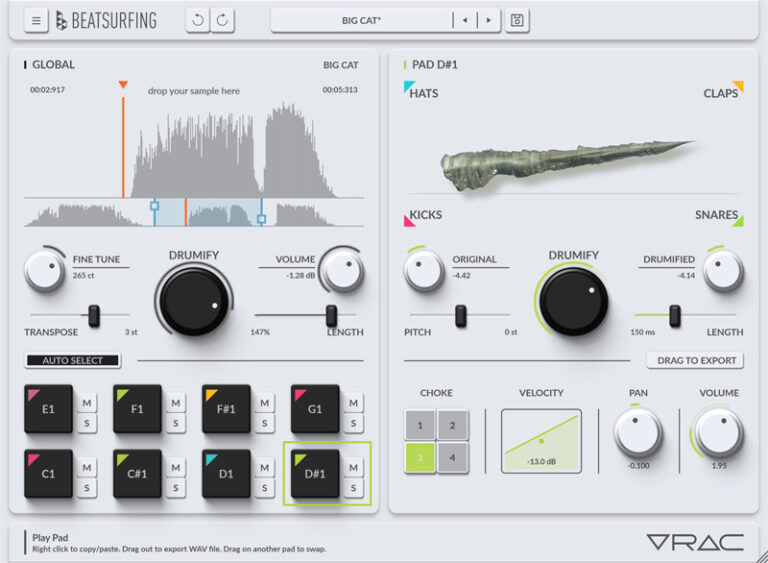
Import or record any sound, then select the fragment you want to transform. For each drum pad, choose the articulation you want: Kick, Snare, Clap or Hat to generate an entire drum kit that shares the same DNA.
With intelligent audio slicing and powerful sound shaping.
VRAC transforme n'importe quelle source audio into unique kicks, snares, claps and hi-hats.
Alimentez-le avec des enregistrements, chansons, textures, Foley, radio, ASMR ou une entrée en direct.
VRAC détecte les matières percussives cachées dans votre audio, les découpe et les remodèle en sons frais, prêts pour la production.
Créez un groove MIDI, Cliquez Learn, et explorez des variations de batterie infinies générées depuis votre matière source.
Sculptez le résultat avec des enveloppes personnalisées et un système de morphing XY expressif, conçu pour faire évoluer les sons du serré et percutant au lâche, noyé dans la réverbe, ou totalement inattendu.
VRAC n'est pas là pour faire de la musique à votre place.
Il est là pour vous donner des sons que personne d'autre ne possède !
Meet VRAC, the Drumify Instrument
VRAC is a sample-based drum machine designed to turn any sound into a drum kit. Drop a sample, set the sample start and shape each hit by morphing between kick, snare, hat and clap models. VRAC turns raw audio into punchy, original beats built for the stage, the studio or both.
Why VRAC?
Instant kits: Original drum kits in minutes, not endless sample browsing.
Raw-to-Drums: Turn raw audio into playable, expressive drum material.
Morphing Models: Morph between kick, snare, hat and clap models to shape every hit.
XY : Explore Drum Articulations
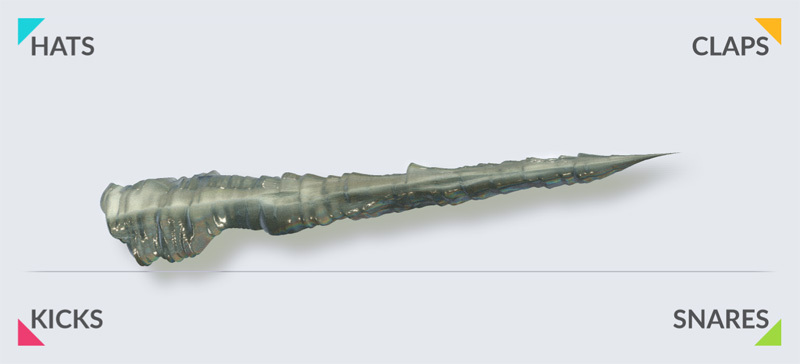
Navigate seamlessly between Kick, Snare, Clap and Hat articulations to discover the perfect drum character hidden inside your sound.
Explore a continuous space of drum articulations and discover sweet spots for your source material.
Principales fonctionnalités
Set the sample start: Choose your percussive moment and turn it into a playable slice.
Drumification Models: Morph between kick, snare, hat and clap profiles to sculpt every hit.
Adjust drumification: Adjust the blend and the intensity of the drum model.
Global shaping: Shape the entire kit with global controls.
Drumify Amount
Turn the Drumify control to move seamlessly from your original sound to its fully Drumified version. Use it globally or fine-tune each pad independently to preserve just the right amount of vibe from your source.


XY : Explore Drum Articulations
Navigate seamlessly between Kick, Snare, Clap and Hat articulations to discover the perfect drum character hidden inside your sound.
Explore a continuous space of drum articulations and discover sweet spots for your source material.


Principales fonctionnalités
Set the sample start: Choose your percussive moment and turn it into a playable slice.
Drumification Models: Morph between kick, snare, hat and clap profiles to sculpt every hit.
Adjust drumification: Adjust the blend and the intensity of the drum model.
Global shaping: Shape the entire kit with global controls.


VRAC: Before & After — Hear the Difference
Toggle between the ‘Original’ and ‘Drumified’ signals below to hear exactly how VRAC can shape any type of sounds.
Vidéos
Discover VRAC plugin in action
LE CONCEPT
VRAC détecte les matières percussives cachées dans votre audio, les découpe et les remodèle en sons frais, prêts pour la production.
COMMENT ÇA MARCHE ?
N'IMPORTE QUELLE SOURCE
Field rec, song, texture, ASMR…
DÉTECTER
Transient detection finds potential drum material
FAÇONNER
Custom dynamic shaping through XY morphing system
DRUMIFY
Turn any sounds into kicks, snares, claps & hi-hats
Installation requirements for VRAC
Windows
Windows 10 ou version ultérieure
Processeur Pentium IV 2 GHz ou équivalent
Au moins 23 Mo d’espace disque libre
Un DAW prenant en charge les plugins d’instrument dans l’un de ces formats :
Download, Updates and versioning of VRAC
CLUF (Contrat de Licence Utilisateur Final)
IMPORTANT-READ CAREFULLY: This End User License Agreement (“EULA”) is a legal agreement between you (either an individual or a single entity) and DRUW Audio srl, also known as BEATSUFINRG (DRUW Audio) for the use of their plugin(s) (“Plugin”). By installing, copying, or otherwise using the Plugin, you agree to be bound by the terms of this EULA. This EULA has no relation to any separate purchase agreement when the Plugin was purchased.
By accepting this Agreement and/or installing or otherwise using the Plugin, you acknowledge that you have read this EULA, understand its terms and conditions, and agree to be bound by such terms and conditions. If you accept this EULA on behalf of a corporation, company, or entity other than an individual, you declare that you are authorized to do so.
1. DEFINITIONS
1.1. “Plugin” means DRUW Audio’s audio software products, bundles, or any other related DRUW Audio products, such as sample packs, frozen beats or loops and any associated documentation.
1.2. “Intellectual Property Rights” means collectively, copyright rights, trademark rights, patent rights, trade secrets, moral rights, rights of publicity, authors’ rights, goodwill, and all other intellectual property rights as may exist now and/or hereafter come into existence and all renewals and extensions thereof, regardless of the territory or jurisdiction.
1.3. “Use” means storing, loading, installing, executing, or displaying the Plugin as intended according to the terms of this EULA.
2. GRANT OF LICENSE
DRUW Audio grants you a non-exclusive, non-transferable license to use the Plugin on three different devices, subject to the terms and conditions of this EULA.
3. INTELLECTUAL PROPERTY RIGHTS
The Plugin and any copies that you make are the intellectual property of DRUW Audio and are protected by copyright laws and international copyright treaties.
You are granted the right to use the Plugin’s Sound Content to create original musical works, sample packs, or drum kits. Any original audio material, musical composition, or sample created using the Plugin is your property, provided that:
- The resulting work involves significant creative processing or transformation.
- The Sound Content is not redistributed in its raw or original form.
- The Sound Content is not used to develop, train, or produce another virtual instrument, sample library, or sound engine.
Example: If you create a drum kit using processed drum sounds from the Plugin, you hold the rights to that kit and may sell it commercially. However, you may not extract the raw sounds and use them as part of another instrument or sample library.
4. RESTRICTIONS
4.1. You may not rent, lease, sublicense, distribute, assign, or otherwise transfer the Plugin or this EULA. You may not copy or modify the Plugin, except as expressly permitted by this EULA. You may not reverse engineer, decompile, or disassemble the Plugin.
4.2. If the Plugin contains or includes audio content such as samples, sound sets, presets, and/or audio loops (“Audio Content”), you may use such Audio Content to create your own original soundtracks for your commercial or non-commercial projects. You may freely broadcast and/or distribute your own soundtracks that were created using the Audio Content. However, you may not distribute the Audio Content on a standalone basis, nor may such Audio Content be repackaged in whole or in part as audio samples, sound libraries, sound effects, music beds, audio plugins, virtual or other music instruments.
5. TRANSFERS
5.1. You may transfer the Plugin by contacting DRUW Audio. The transferee must have an active BEATSURFING account. Your license will automatically terminate upon any transfer of the Plugin. Upon transfer, you must: (i) completely unregister your license from the Plugin. The transferee must accept the terms and conditions of this EULA as a condition to the transfer.
5.2. A license to Use the Plugin for free, as a beta version, or labeled NFR (“Not For Resale”) may not be sold or transferred.
6. SUPPORT AND UPDATES
DRUW Audio may provide support and updates for the Plugin. Support and updates are provided at the sole discretion of DRUW Audio, and DRUW Audio has no obligation to provide support or updates. contact support@beatsurfing.com.
Licensee agrees that it is Licensee’s responsibility to implement Updates in a commercially reasonable time to the extent advised by DRUW Audio. Licensee acknowledges that any losses to the features or functionality of the Plugin due to Licensee’s own delay in implementing any Updates shall be no fault of DRUW Audio.
7. DISCLAIMER OF WARRANTIES
The Plugin is provided “AS IS” without warranty of any kind, either express or implied, including, but not limited to, the implied warranties of merchantability and fitness for a particular purpose. DRUW Audio does not warrant that the functions contained in the Plugin will meet your requirements or that the operation of the Plugin will be uninterrupted or error-free.
8. LIMITATION OF LIABILITY
In no event shall DRUW Audio be liable for any special, incidental, indirect, or consequential damages whatsoever (including, without limitation, damages for loss of business profits, business interruption, loss of business information, or any other pecuniary loss) arising out of the use of or inability to use the Plugin, even if DRUW Audio has been advised of the possibility of such damages.
9. TERMINATION
This EULA will terminate automatically if you fail to comply with any of the terms and conditions of this EULA. Upon termination, you must immediately cease using the Plugin and destroy all copies of the Plugin.
10. GOVERNING LAW
This EULA shall be governed by and construed in accordance with the laws of the city of Liège, Belgium without regard to its conflict of laws provisions.
11. ENTIRE AGREEMENT:
This EULA constitutes the entire agreement between you and DRUW Audio with respect to the Plugin and supersedes all prior or contemporaneous communications and proposals, whether oral or written, between you and DRUW Audio.
If you have any questions about this EULA, please contact DRUW Audio at support@beatsurfing.com.
By clicking “I agree” or installing or using the Plugin, you acknowledge that you have read this EULA, understand it, and agree to be bound by its terms and conditions.
Latest update: March 12th 2025
Questions fréquemment posées
Is there a trial version available for VRAC?
VRAC is FREE! so no need to have a trial!
Qu'est-ce que le « Programme Early Bird » ?
En tant que supporter de BEATSURFING, une fois que vous avez acheté l’un de nos produits, vous êtes automatiquement inscrit à notre programme Early Bird. Cela signifie que vous serez toujours averti en premier lors de la sortie de nos derniers plugins et à bénéficier de réductions exclusives avant tout le monde. La période Early Bird dure généralement 2 semaines avant une sortie publique, ce qui vous donne une longueur d'avance !
Pour être sûr de ne rien manquer, assurez-vous d'être inscrit à nos mises à jour par e-mail, sinon ces offres exclusives pourraient passer inaperçues !
Can I get a refund for VRAC?
NO! Since it's free, there won't be any refund!
But usually for any product you bought, yes, you can!
We offer a 14-day refund policy for all our plugins. If you request a refund within 14 days of your purchase, we’ll process it—no questions asked!
Avant de soumettre votre demande de remboursement, veuillez vous assurer que vous avez Désactivez votre licence du plugin de basse LØW.
Une fois votre demande reçue, son traitement peut prendre jusqu'à 72 heures.
Si vous avez d'autres questions, n'hésitez pas à contacter le support!
Install VRAC... for macOS
1. Téléchargez le fichier d'installation random.pkg à partir de votre compte BEATSURFING et double-cliquez dessus pour commencer le processus d'installation.
2. Cliquez sur « Continue »
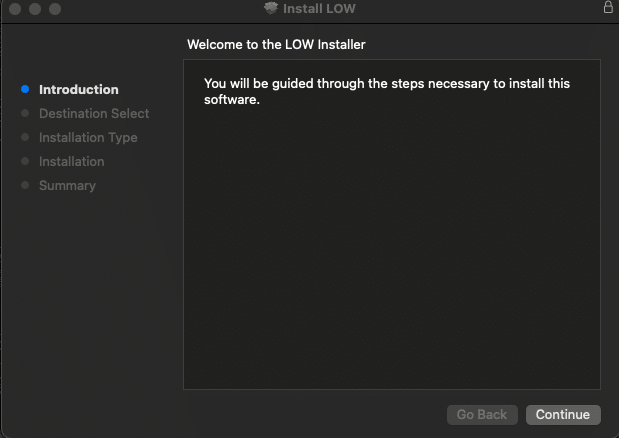
3. Sélectionnez le pack que vous souhaitez installer et cliquez sur « continue »
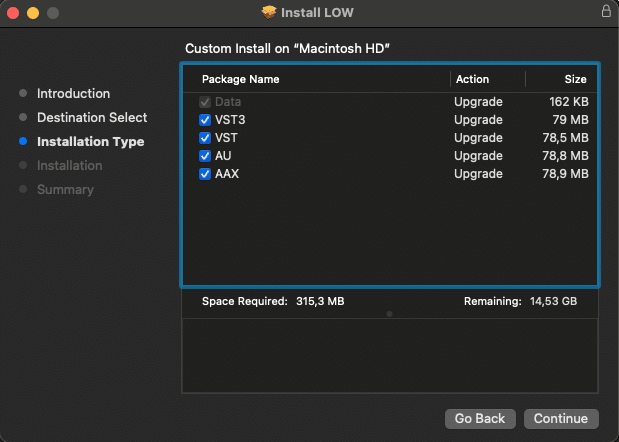
4. Cliquez sur « Install »
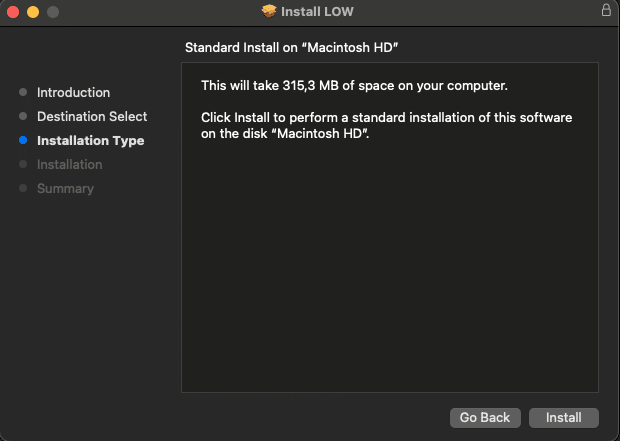
5. Cliquez sur « Close » et redémarrez votre ordinateur
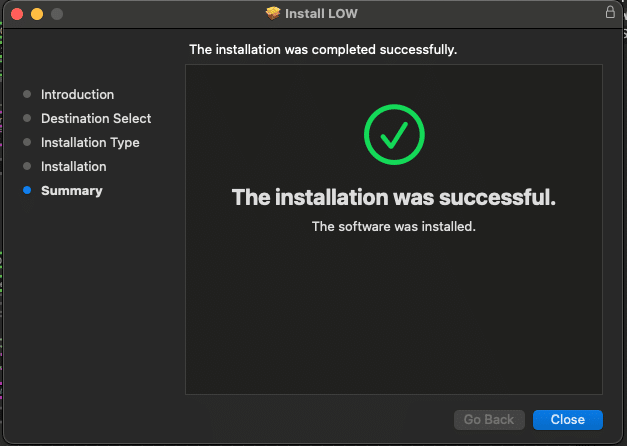
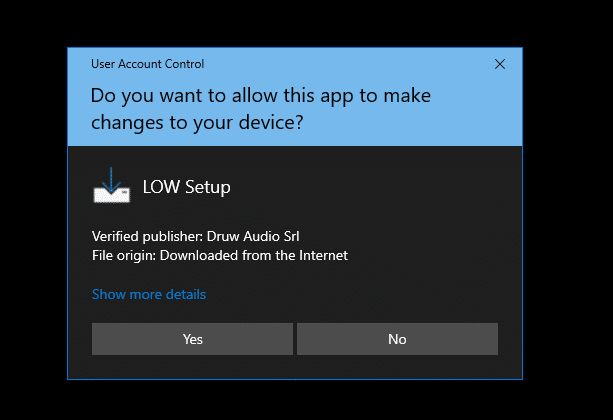
Install VRAC... for Windows
1. Download the zip file and unzip the installer file to a folder of your liking.
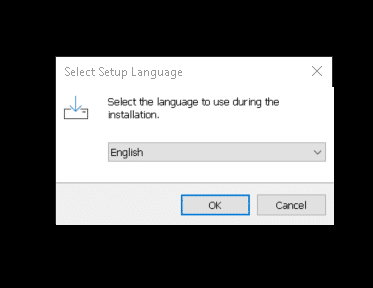
2. Ouvrez-le et sélectionnez la langue à utiliser lors de l'installation puis cliquez sur « OK »
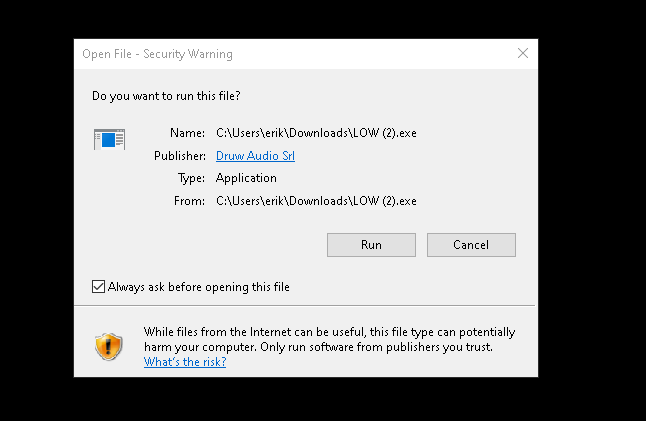
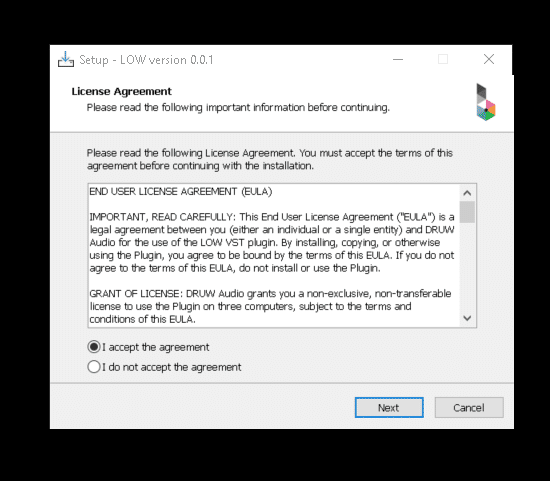
3. Lisez attentivement le contrat de licence (EN), sélectionnez si vous l'acceptez ou non, puis cliquez sur « Next »
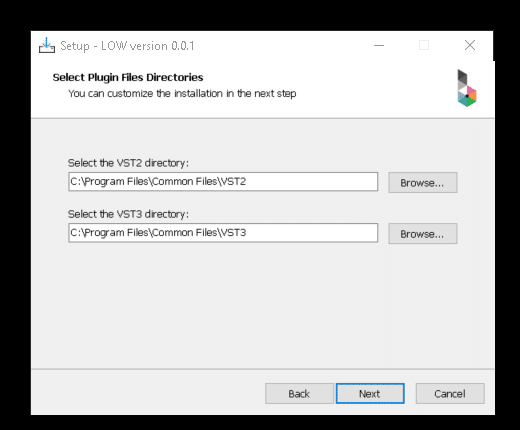
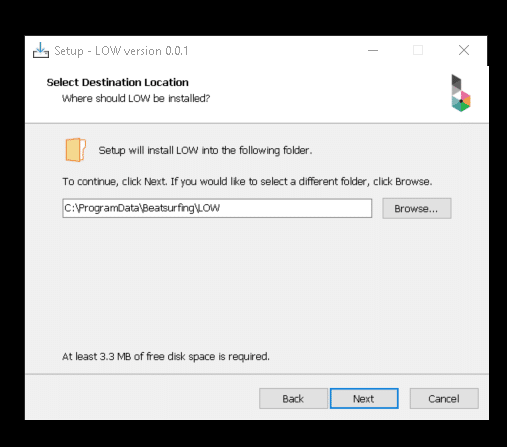
4. Choisissez le répertoire pour le VST, VST3, AAX, puis cliquez sur "Next".
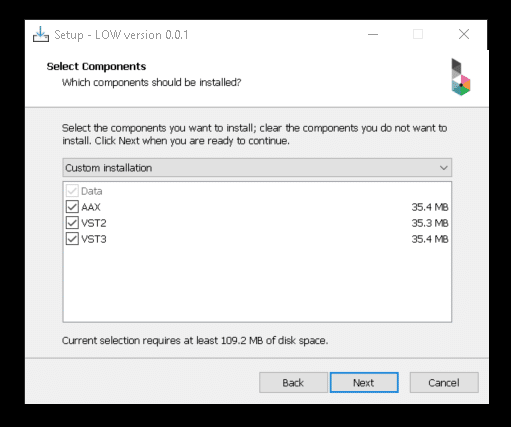
5. Sélectionnez les composants que vous souhaitez installer, assurez-vous de disposer de suffisamment d'espace sur votre ordinateur pour les installer. Cliquez ensuite sur « Next ».
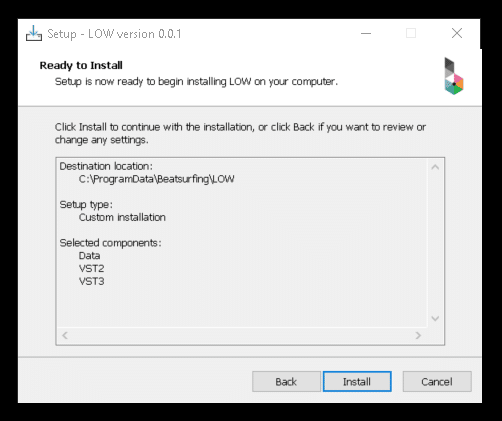
6. Après avoir vérifié vos choix, cliquez sur « Install ».
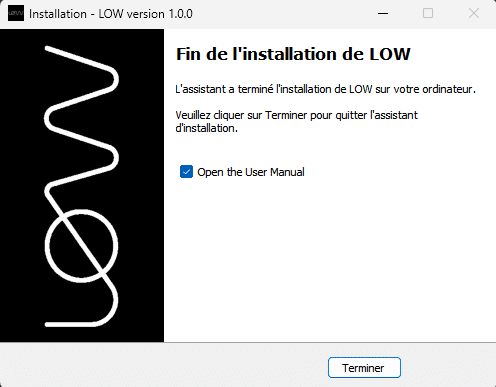
7. La configuration est maintenant terminée, vous pouvez fermer la fenêtre en cliquant sur « Finish ».
Activate VRAC on 3 appareils
After purchasing VRAC your License key appeared on your Licenses page: https://beatsurfing.com/my-license/
Remarque : Chaque licence peut être activée sur 3 appareils pour macOS ou Windows.
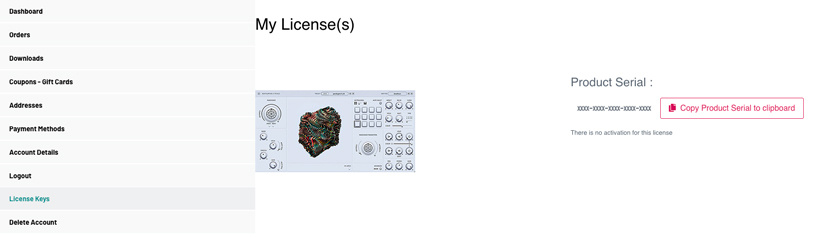
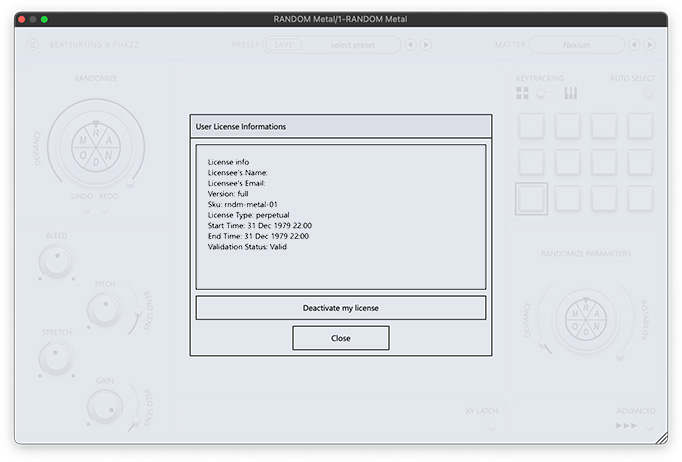
1. Copiez votre numéro de licence
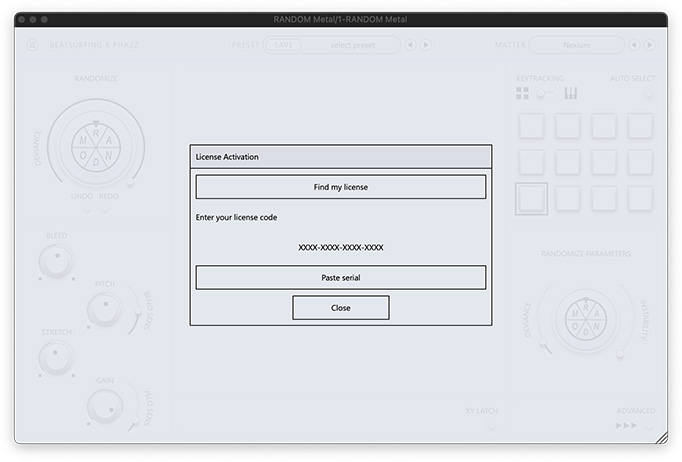
2. Open VRAC from your DAW
3. Collez votre numéro de clé de licence lors du lancement de RANDOM Metal

Guide de l'utilisateur
Trouvez les réponses à vos questions dans notre VRAC user guide pdf file.
Vous n'avez pas trouvé ce que vous cherchiez ? Consultez notre base de connaissances et si vous ne trouvez pas votre réponse, envoyez un email à support@beatsurfing.com.
Restez informé!
Recevez une notification lorsque nous publions un nouvel article.
Inscrivez vous à notre newsletter.