Logo VRAC Black for Web

VRAC - Drumify Any Sound

One sound – One drum kit.

Source-Based

Cohesive

Original

Waveform - black
arrow right VRAC by BEATSURFING

VRAC PRO is coming soon!

Auto-slicing, input recording, 16 pads, advanced settings, multi-out…

Turn one sound into a cohesive drum kit.

Import or record any sound, then select the fragment you want to transform. For each drum pad, choose the articulation you want: Kick, Snare, Clap or Hat to generate an entire drum kit that shares the same DNA.

With intelligent audio slicing and powerful sound shaping.
VRACが変換する あらゆるオーディオソースを into unique kicks, snares, claps and hi-hats.

録音、楽曲、テクスチャー、フォーリー、ラジオ、ASMR、またはライブ入力を使ってみよう。 
VRACはあなたのオーディオに潜むドラム的な素材を検出し、スライスして、新鮮でプロダクションに即したサウンドに作り変えます。


MIDIグルーヴを作成し、ヒットさせよう Learn、そしてあなたのソース素材から生み出された無限のドラムバリエーションを探求しよう。 

カスタムエンベロープと、タイトでパンチの効いたサウンドからルーズでウォッシュアウトしたもの、あるいは完全に予想外のサウンドへと変化させる表現豊かなXYモーフィングシステムで、結果を自在に彫刻しよう。


VRACはあなたの代わりに音楽を作るためにここにいるのではありません。
他の誰も持っていないサウンドをあなたに届けるために、ここにあります!

Meet VRAC, the Drumify Instrument

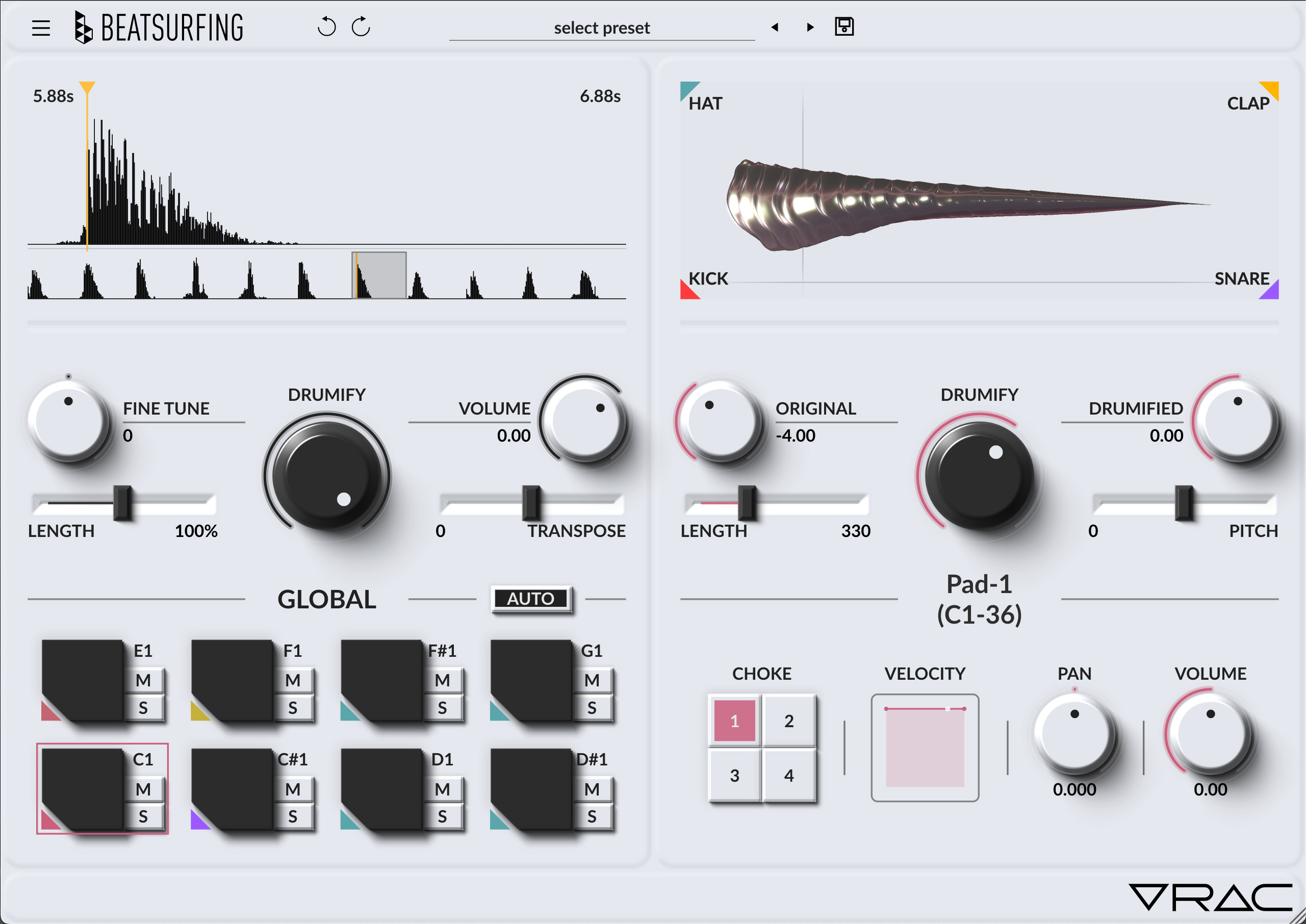
VRAC is a sample-based drum machine designed to turn any sound into a drum kit. Drop a sample, set the sample start and shape each hit by morphing between kick, snare, hat and clap models. VRAC turns raw audio into punchy, original beats built for the stage, the studio or both.

Why VRAC?

Instant kits: Original drum kits in minutes, not endless sample browsing.
Raw-to-Drums: Turn raw audio into playable, expressive drum material.
Morphing Models: Morph between kick, snare, hat and clap models to shape every hit.

VRAC-UI-SNARE-Faceplate

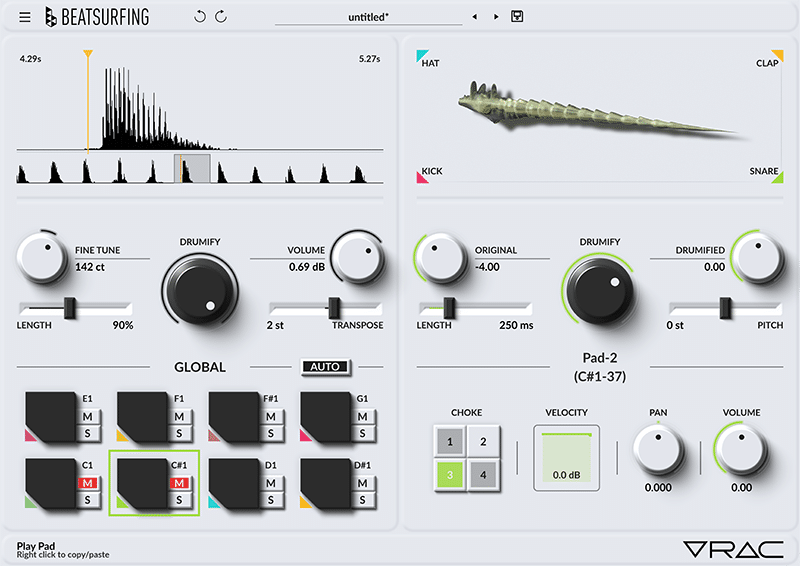
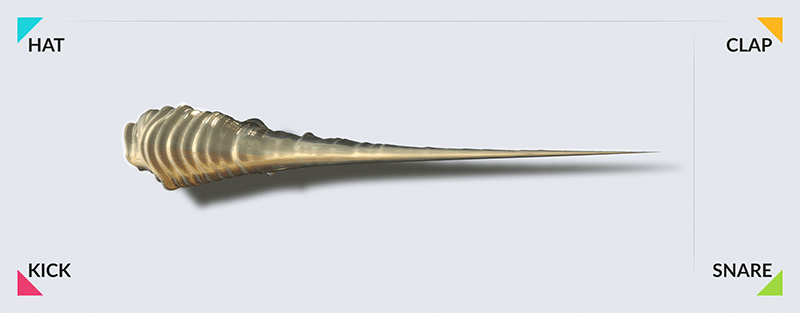
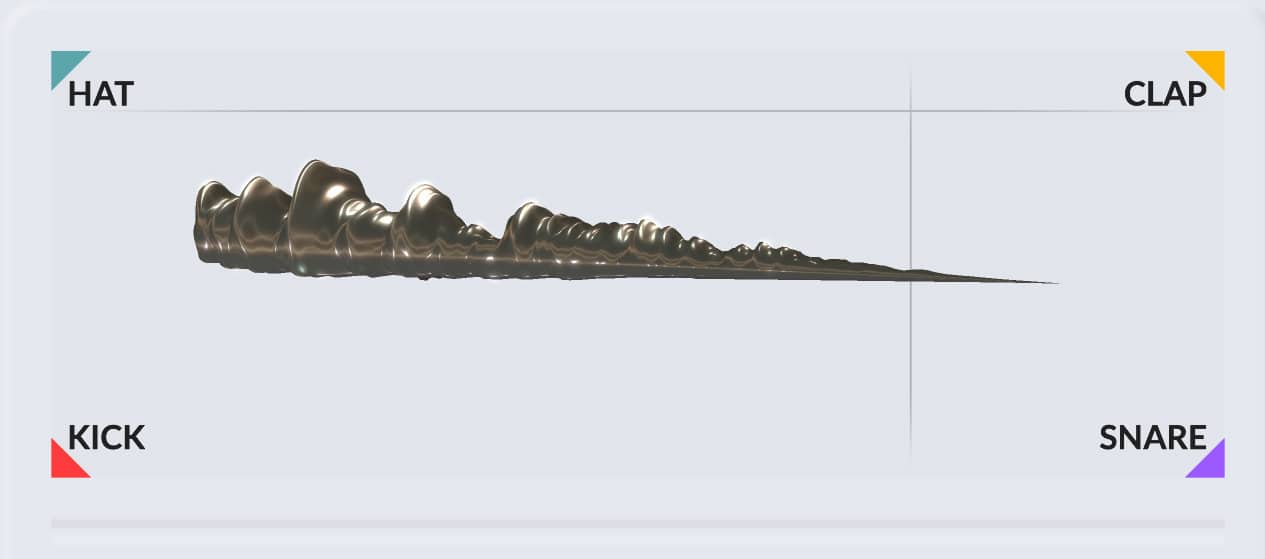
XY : Explore Drum Articulations

Navigate seamlessly between Kick, Snare, Clap and Hat articulations to discover the perfect drum character hidden inside your sound.

Explore a continuous space of drum articulations and discover sweet spots for your source material.

Sampler view from VRAC by BEATSURFING

主な特徴

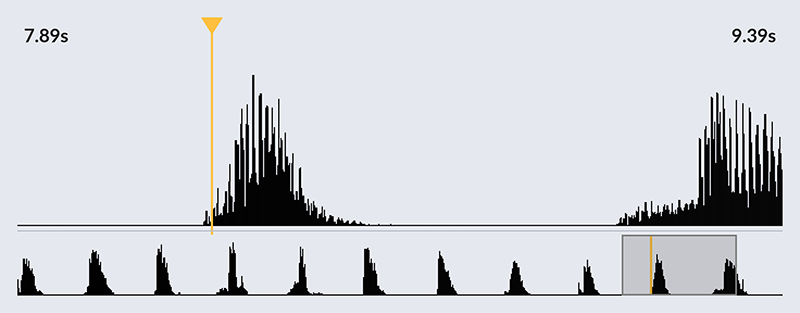
Set the sample start: Choose your percussive moment and turn it into a playable slice.
Drumification Models: Morph between kick, snare, hat and clap profiles to sculpt every hit.
Adjust drumification: Adjust the blend and the intensity of the drum model.
Global shaping: Shape the entire kit with global controls.

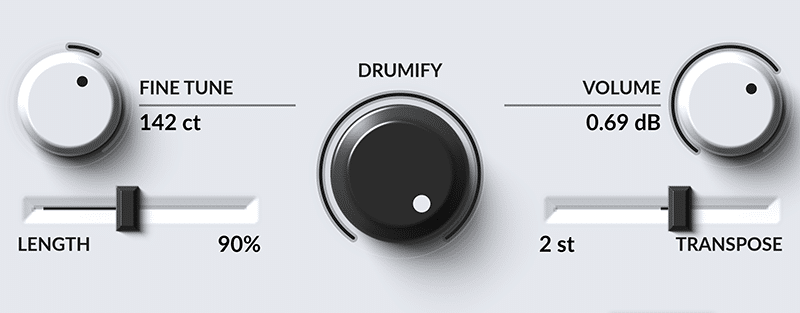
Drumify Amount​

Turn the Drumify control to move seamlessly from your original sound to its fully Drumified version. Use it globally or fine-tune each pad independently to preserve just the right amount of vibe from your source.

Navigate seamlessly between Kick, Snare, Clap and Hat articulations to discover the perfect drum character hidden inside your sound.

Explore a continuous space of drum articulations and discover sweet spots for your source material.

Set the sample start: Choose your percussive moment and turn it into a playable slice.
Drumification Models: Morph between kick, snare, hat and clap profiles to sculpt every hit.
Adjust drumification: Adjust the blend and the intensity of the drum model.
Global shaping: Shape the entire kit with global controls.

VRAC: Before & After — Hear the Difference

Toggle between the ‘Original’ and ‘Drumified’ signals below to hear exactly how VRAC can shape any type of sounds.

ビデオ

Discover VRAC plugin in action

FIELD RECORDINGS · SONGS · FOLEY · ASMR · TEXTURES · ANYTHING · FIELD RECORDINGS · SONGS · FOLEY  · ASMR · TEXTURES · ANYTHING · FIELD RECORDINGS · SONGS · FOLEY · ASMR · TEXTURES · ANYTHING · FIELD RECORDINGS · SONGS · FOLEY · ASMR · TEXTURES · ANYTHING · 

コンセプト


VRACはあなたのオーディオに潜むドラム的な素材を検出し、スライスして、新鮮でプロダクションに即したサウンドに作り変えます。

どのように機能するのか?

あらゆるソース

Field rec, song, texture, ASMR…

Arrow VRAC right

検出

Transient detection finds potential drum material

Arrow VRAC right

成形

Custom dynamic shaping through XY morphing system

Arrow VRAC right

DRUMIFY

Turn any sounds into kicks, snares, claps & hi-hats

Installation requirements for VRAC

Windows

Windows 10 以降

2GHz Pentium IVプロセッサーまたは同等品

最低23MBのディスク空き容量

以下のいずれかの形式のインストゥルメントプラグインをサポートするDAW:

macOS

macOS 10.13 High Sierra以降

Intel もしくはアップルシリコンプロセッサー

最低54MBのディスク空き容量

以下のいずれかの形式のインストゥルメントプラグインをサポートするDAW:

IMPORTANT-READ CAREFULLY: This End User License Agreement (“EULA”) is a legal agreement between you (either an individual or a single entity) and DRUW Audio srl, also known as BEATSUFINRG (DRUW Audio) for the use of their plugin(s) (“Plugin”). By installing, copying, or otherwise using the Plugin, you agree to be bound by the terms of this EULA. This EULA has no relation to any separate purchase agreement when the Plugin was purchased.

By accepting this Agreement and/or installing or otherwise using the Plugin, you acknowledge that you have read this EULA, understand its terms and conditions, and agree to be bound by such terms and conditions. If you accept this EULA on behalf of a corporation, company, or entity other than an individual, you declare that you are authorized to do so.

1. DEFINITIONS

1.1. “Plugin” means DRUW Audio’s audio software products, bundles, or any other related DRUW Audio products, such as sample packs, frozen beats or loops and any associated documentation.

1.2. “Intellectual Property Rights” means collectively, copyright rights, trademark rights, patent rights, trade secrets, moral rights, rights of publicity, authors’ rights, goodwill, and all other intellectual property rights as may exist now and/or hereafter come into existence and all renewals and extensions thereof, regardless of the territory or jurisdiction.

1.3. “Use” means storing, loading, installing, executing, or displaying the Plugin as intended according to the terms of this EULA.

2. GRANT OF LICENSE

DRUW Audio grants you a non-exclusive, non-transferable license to use the Plugin on three different devices, subject to the terms and conditions of this EULA.

3. INTELLECTUAL PROPERTY RIGHTS

The Plugin and any copies that you make are the intellectual property of DRUW Audio and are protected by copyright laws and international copyright treaties.

You are granted the right to use the Plugin’s Sound Content to create original musical works, sample packs, or drum kits. Any original audio material, musical composition, or sample created using the Plugin is your property, provided that:

  • The resulting work involves significant creative processing or transformation.
  • The Sound Content is not redistributed in its raw or original form.
  • The Sound Content is not used to develop, train, or produce another virtual instrument, sample library, or sound engine.

Example: If you create a drum kit using processed drum sounds from the Plugin, you hold the rights to that kit and may sell it commercially. However, you may not extract the raw sounds and use them as part of another instrument or sample library.

4. RESTRICTIONS

4.1. You may not rent, lease, sublicense, distribute, assign, or otherwise transfer the Plugin or this EULA. You may not copy or modify the Plugin, except as expressly permitted by this EULA. You may not reverse engineer, decompile, or disassemble the Plugin.

4.2. If the Plugin contains or includes audio content such as samples, sound sets, presets, and/or audio loops (“Audio Content”), you may use such Audio Content to create your own original soundtracks for your commercial or non-commercial projects. You may freely broadcast and/or distribute your own soundtracks that were created using the Audio Content. However, you may not distribute the Audio Content on a standalone basis, nor may such Audio Content be repackaged in whole or in part as audio samples, sound libraries, sound effects, music beds, audio plugins, virtual or other music instruments.

5. TRANSFERS

5.1. You may transfer the Plugin by contacting DRUW Audio. The transferee must have an active BEATSURFING account. Your license will automatically terminate upon any transfer of the Plugin. Upon transfer, you must: (i) completely unregister your license from the Plugin. The transferee must accept the terms and conditions of this EULA as a condition to the transfer.

5.2. A license to Use the Plugin for free, as a beta version, or labeled NFR (“Not For Resale”) may not be sold or transferred.

6. SUPPORT AND UPDATES

DRUW Audio may provide support and updates for the Plugin. Support and updates are provided at the sole discretion of DRUW Audio, and DRUW Audio has no obligation to provide support or updates. contact support@beatsurfing.com.

Licensee agrees that it is Licensee’s responsibility to implement Updates in a commercially reasonable time to the extent advised by DRUW Audio. Licensee acknowledges that any losses to the features or functionality of the Plugin due to Licensee’s own delay in implementing any Updates shall be no fault of DRUW Audio.

7. DISCLAIMER OF WARRANTIES

The Plugin is provided “AS IS” without warranty of any kind, either express or implied, including, but not limited to, the implied warranties of merchantability and fitness for a particular purpose. DRUW Audio does not warrant that the functions contained in the Plugin will meet your requirements or that the operation of the Plugin will be uninterrupted or error-free.

8. LIMITATION OF LIABILITY

In no event shall DRUW Audio be liable for any special, incidental, indirect, or consequential damages whatsoever (including, without limitation, damages for loss of business profits, business interruption, loss of business information, or any other pecuniary loss) arising out of the use of or inability to use the Plugin, even if DRUW Audio has been advised of the possibility of such damages.

9. TERMINATION

This EULA will terminate automatically if you fail to comply with any of the terms and conditions of this EULA. Upon termination, you must immediately cease using the Plugin and destroy all copies of the Plugin.

10. GOVERNING LAW

This EULA shall be governed by and construed in accordance with the laws of the city of Liège, Belgium without regard to its conflict of laws provisions.

11. ENTIRE AGREEMENT: 

This EULA constitutes the entire agreement between you and DRUW Audio with respect to the Plugin and supersedes all prior or contemporaneous communications and proposals, whether oral or written, between you and DRUW Audio.

If you have any questions about this EULA, please contact DRUW Audio at support@beatsurfing.com.

By clicking “I agree” or installing or using the Plugin, you acknowledge that you have read this EULA, understand it, and agree to be bound by its terms and conditions.

Latest update: March 12th 2025

よくある質問 (FAQ)

VRAC is FREE! so no need to have a trial!

BEATSURFINGの大切なお客様として、いずれかの製品を購入すると、自動的にEarly Bird Programに登録されます。このプログラムでは、新しいプラグインをいち早く試したり、誰よりも先に限定割引を利用したりできます。Early Bird期間は通常、一般公開の約2週間前に設定されており、あなたに先行して楽しむ機会を提供します!

見逃さないようにするために、ぜひ私たちのメール配信に登録してください。そうでないと、限定オファーを逃してしまうかもです!

NO! Since it's free, there won't be any refund!

But usually for any product you bought, yes, you can!
We offer a 14-day refund policy for all our plugins. If you request a refund within 14 days of your purchase, we’ll process it—no questions asked!

返金リクエストを送信する前に、RANDOMのライセンス登録を解除していることをご確認ください。 LØWベースプラグインのライセンスを登録解除してください。

リクエストを受け取り次第、処理には最大72時間ほどお時間をいただく場合がありますので、ご了承ください。

ご不明な点がございましたら、遠慮なくサポートチームまでお問い合わせください。 サポートチームに連絡する!

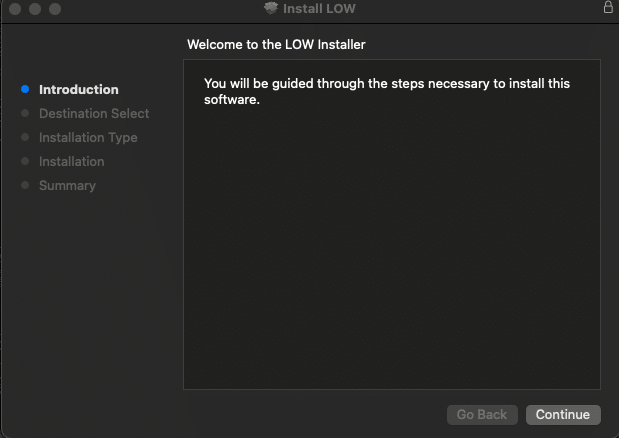
1. BEATSURFING VSTsアカウントからrandom.pkgインストーラーファイルをダウンロードしてください。 BEATSURFING VSTsアカウント ダブルクリックしてインストールプロセスを開始してください。
2.「続ける」をクリック

LOW install for Mac - screen 1

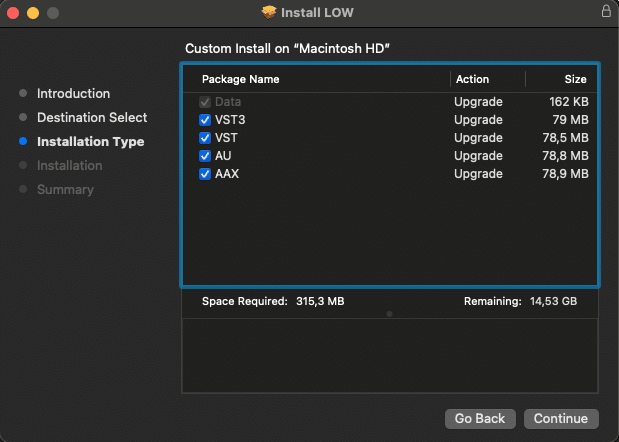
3. インストールするパッケージを選択し、「続ける」をクリックしてください。

LOW install for Mac - screen 2

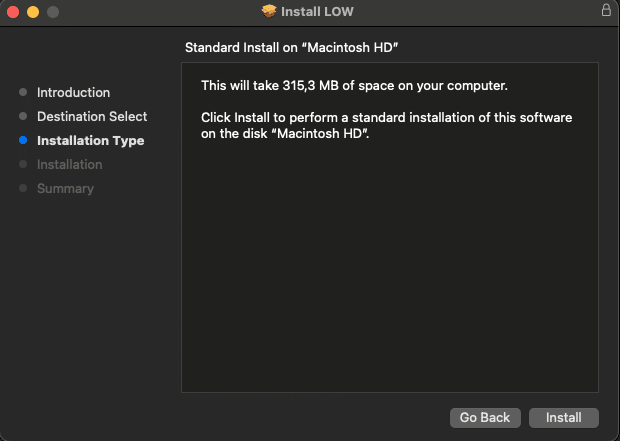
4.「インストール」をクリック

LOW install for Mac - screen 3

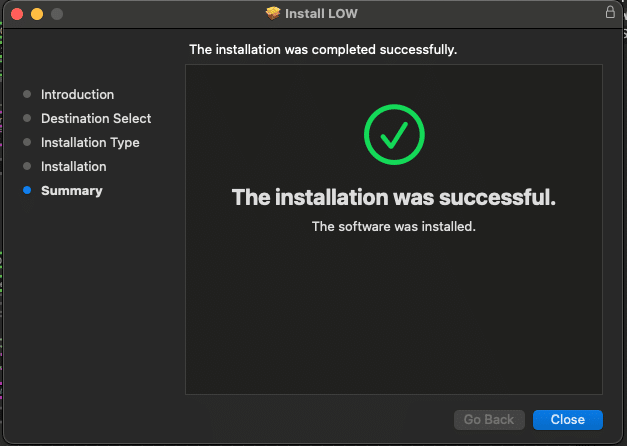
5.「閉じる」をクリックし、コンピュータを再起動してください。

LOW install for Mac - screen 4


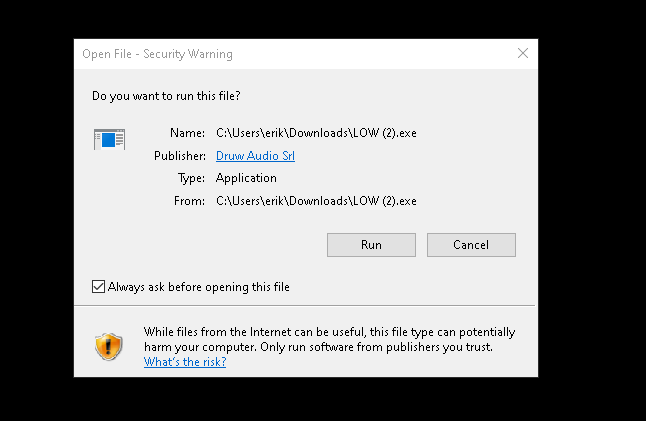
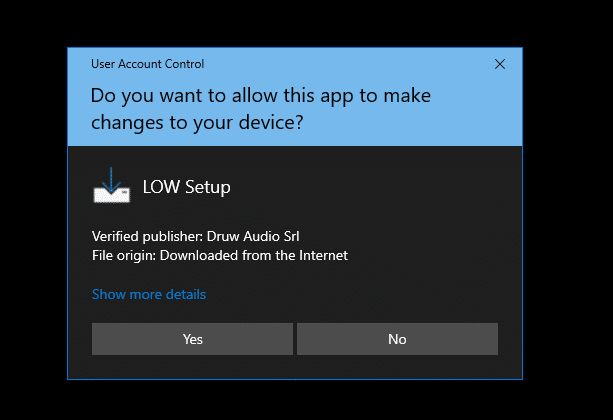
1. Download the zip file and unzip the installer file to a folder of your liking.
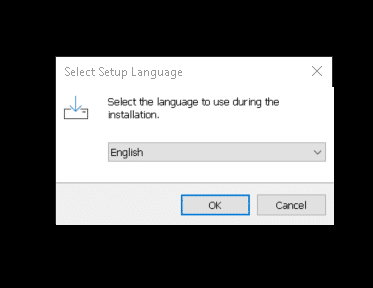
2. インストーラーを開き、インストール中に使用する言語を選択して「OK」をクリックしてください。

LOW install for Windows - screen 1

LOW install for Windows - screen 2

LOW install for Windows - screen 3

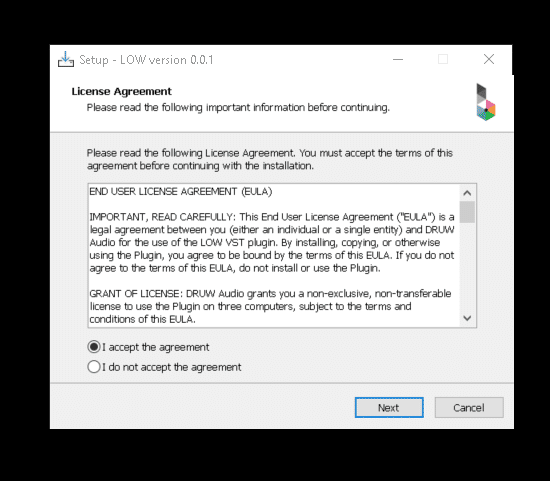
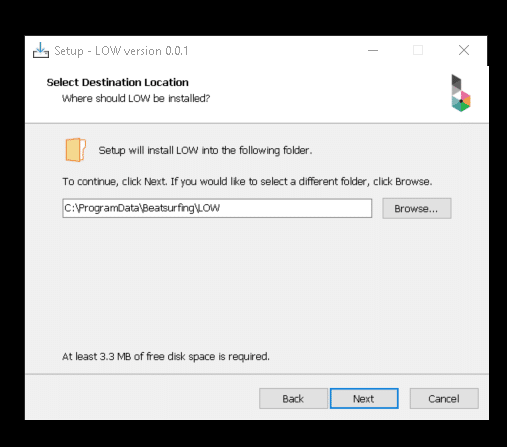
3. 使用許諾契約(英語)をよくお読みの上、同意するかどうかを選択し、「Next」をクリックしてください。

LOW install for Windows - screen 4

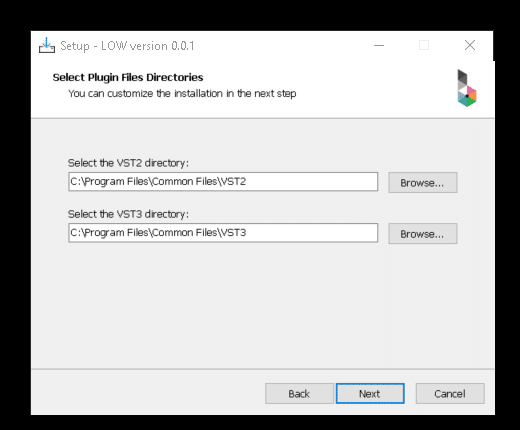
4. VST、VST3、AAXのディレクトリを選択し、「Next」をクリックしてください。

LOW install for Windows - screen 5

LOW install for Windows - screen 6

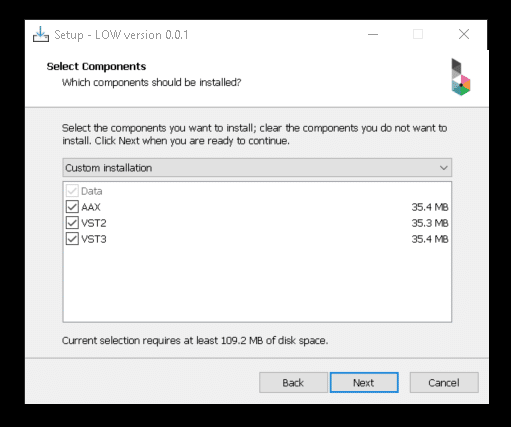
5. インストールしたいコンポーネントを選択し、お使いのマシンに十分な空き容量があることを確認してください。その後、「Next」をクリックします。


LOW install for Windows - screen 7

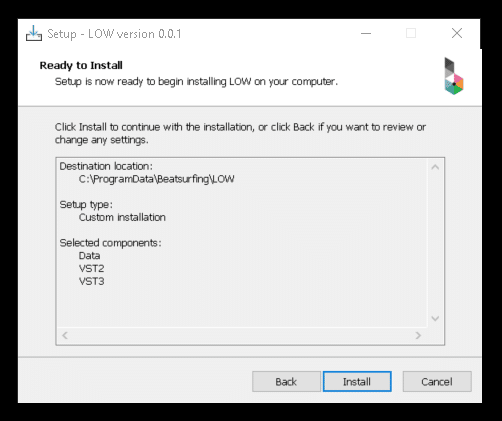
6. 選択内容を確認したら、「Install」をクリックしてください。

LOW install for Windows - screen 8


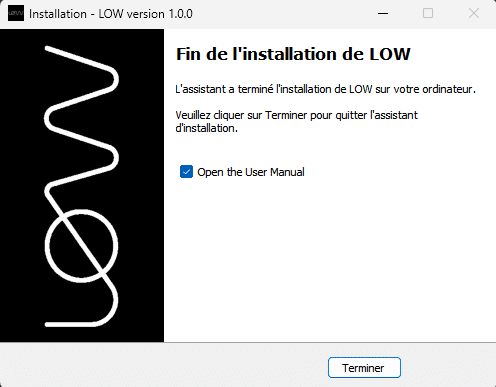
7. セットアップが完了しました。「Finish」をクリックしてウィンドウを閉じてください。

LOW install for Windows - screen 9

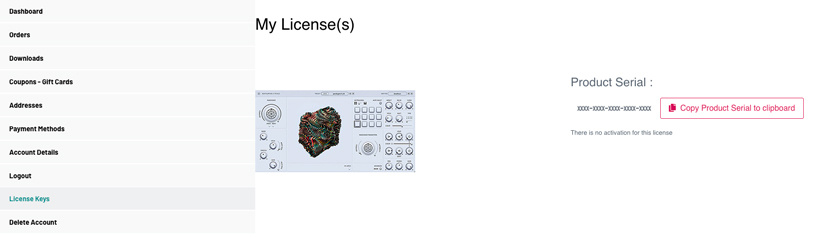
After purchasing VRAC your License key appeared on your Licenses page: https://beatsurfing.com/my-license/
注意: 各ライセンスはMac OS またはWindowsのいずれかで 3 デバイスまでアクティベート可能です。

Get RANDOM metal license key in your account on beatsurfing.com

1. ライセンスナンバーをコピーする
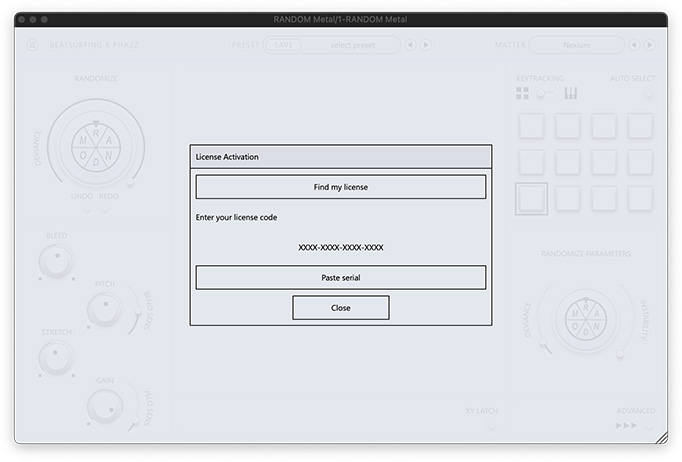
2. Open VRAC from your DAW
3. VSTを起動する際にライセンスキー番号を貼り付けてください。

RANDOM metal installation process - screen 5

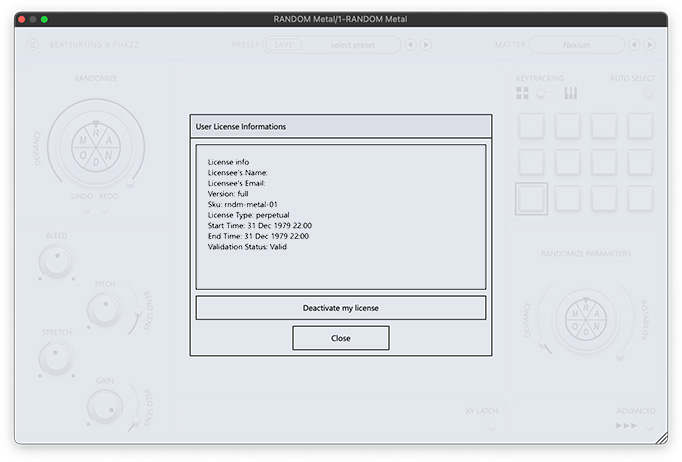
RANDOM metal installation process - screen 6


ご質問への回答は、ユーザーガイドでご確認いただけます。 VRAC user guide pdf file.

VRAC user guide cover

お探しの内容が見つかりませんでしたか? ナレッジベースをご確認ください。 それでも回答が見つからない場合は、サポートへメールをお送りください。 support@beatsurfing.com.

お楽しみに!

新着記事が公開されたら通知を受け取る
最新ニュースやお得な情報を手に入れよう

Support

Login

Favicon BEATSURFING

Organic Bass sounds at its best

RANDOM Metal Sample Packをどちらにお送りすればよいですか?