Logo beatfader plugin by BEATSURFING - White version with transparent background

MAKE YOUR

バンドル

AND SAVE

BIG

MAKE YOUR BUNDLE AND SAVE

BIG

Introducing beatfader: Play beats with any fader, knob, or midi controller.

beatfader is an audio plugin designed to play beats with any DAW and MIDI-enabled controller or DJ mixer.

  • 全てのMIDIコントローラーに対応: Play beats on any fader, knob, or mod-wheel with seamless ease.
  • MIDIアウト to create your own kits or add more sounds to your setup
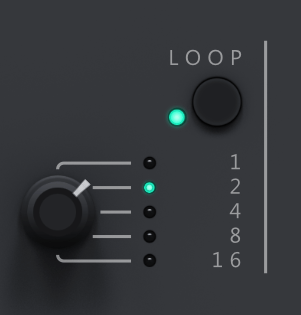
  • ループ 選択可能なループ長で、ビートを簡単にライブループし、パフォーマンスを向上させましょう。
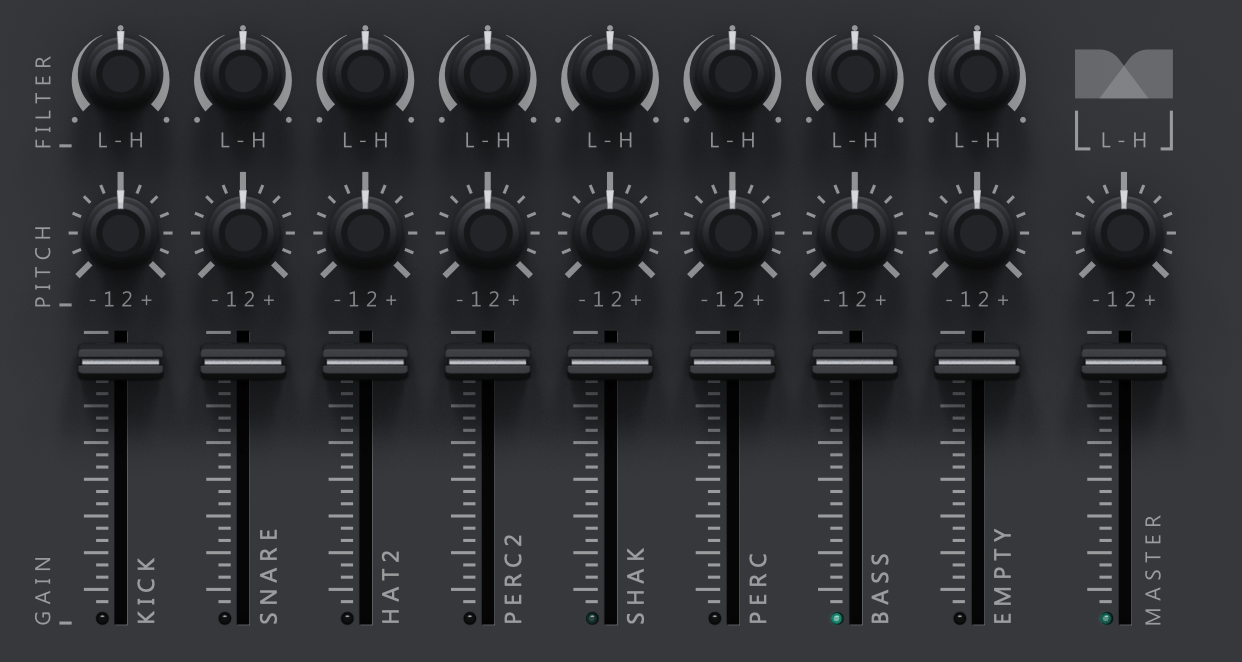
  • Sound Sculpting Mastery: Enjoy individual controls for each sound’s gain, pitch, and filter to tune your beat to perfection.
  • Quantization Customization: Modify the quantization amount to for a whole new feel to your rhythm’s potential.
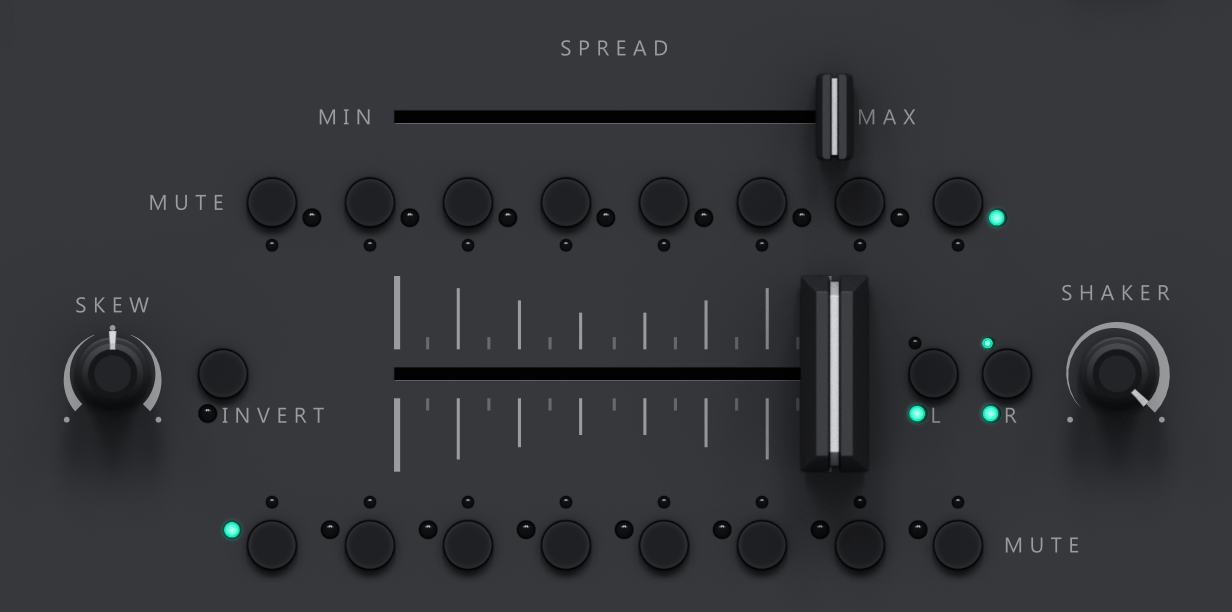
  • Spread the Magic: Adjust the spread to add margins to the sides of the fader, compressing the distribution of the notes.
  • Skew your drums: Turn convention on its head by inverting or skewing notes, offering constant creative versions.
  • Mute for Emphasis: Individually mute each note, opening the door to captivating transitions and breakdowns.
  • Expansive Sound Library: With loads of kits and the ability to save your own making your drum palette is limitless.
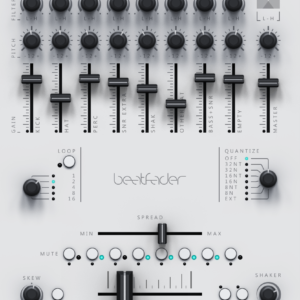
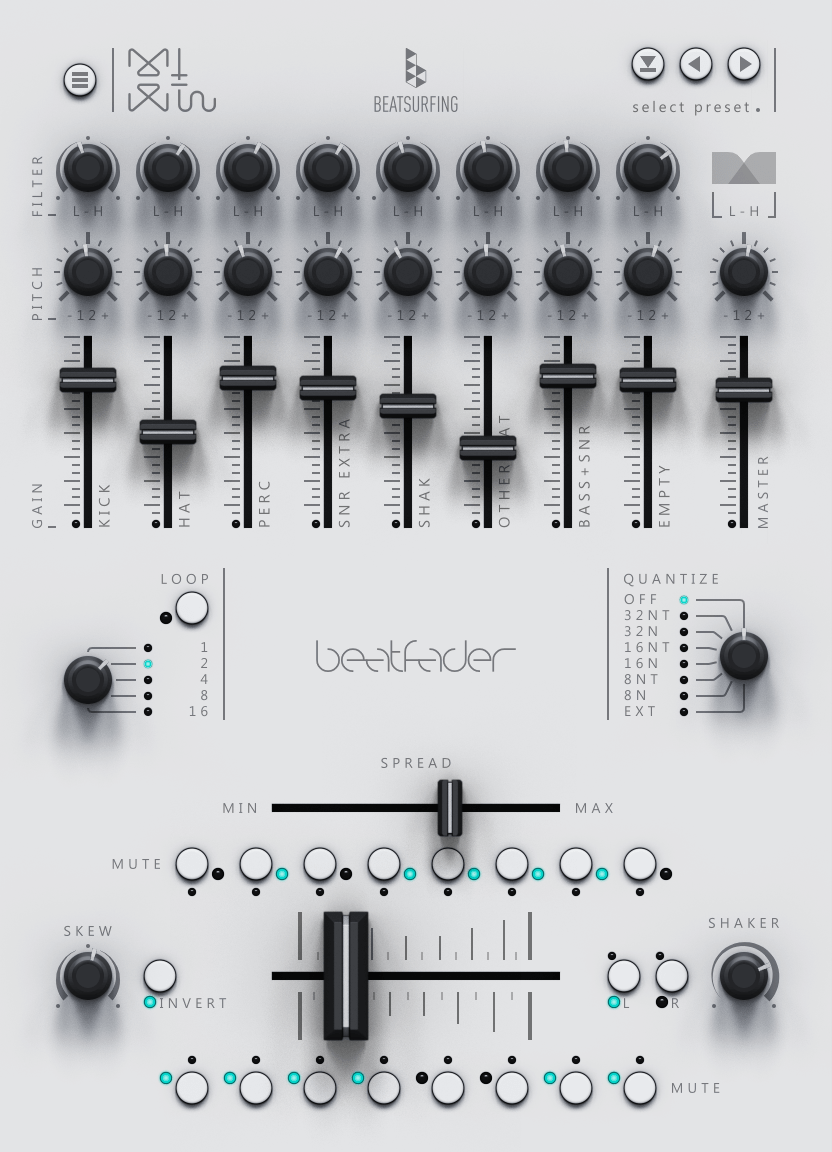
  • beatfader UI - Bright
    元の価格は € 79.00 でした。現在の価格は € 49.00 です。
    Buy it NOW

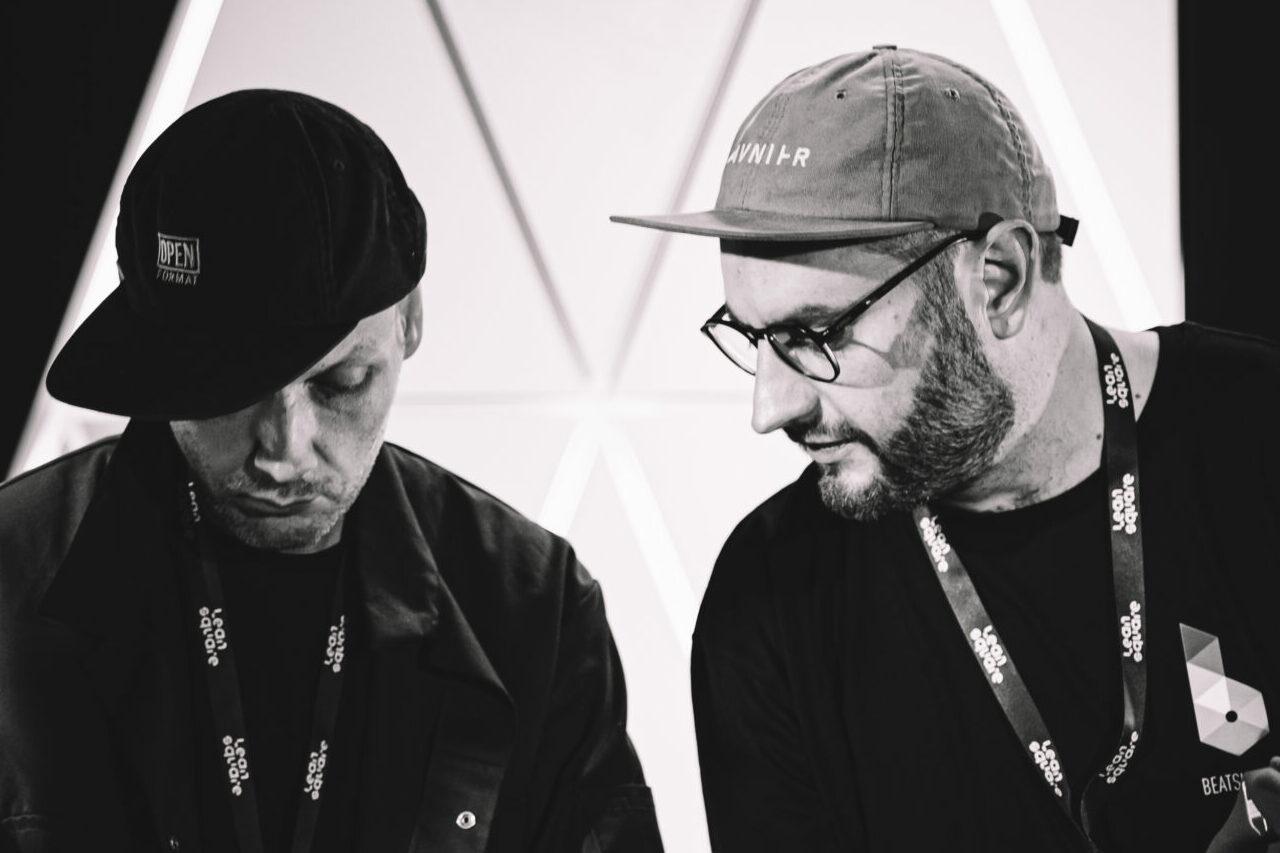
Artists collaboration // Herrmutt Lobby

Hermutt Lobby setting up

It’s the second in-house Plugin (with 7DeadlySnares) fully made by the co-founders of BEATSURFING, Herrmutt Lobby.

The beatfader was one of their first release in 2011. It was then a Max for live patch and was number one in the ableton user library for 2 years.

Now that we began creating plugins, we thought it would be nice to share it in a larger scale and build out the features a bit more.

Discover endless possibilities as you explore
the beatfader features.

beatfader

動作環境

Windows

Windows 10以降
2GHz Pentium IV processor or equivalent
32ビットまたは64ビットVST対応のホスト
最低130MBの空き容量が必要です
フォーマット:VST、VST3、AAX

macOS

macOS 10.13 High Sierra以降
IntelまたはApple Siliconプロセッサ
64ビットVSTまたはAudioUnit対応のホストアプリケーション
最低130MBの空き容量が必要です
フォーマット:AU、VST、VST3、AAX

Quick FAQ

Beatfaderの試用版は提供していませんが、14日間の返金ポリシーがあります。購入後14日以内にBeatfaderがワークフローに合わないと感じた場合、理由を問わず簡単に返金をリクエストできます。リクエストは、以下のメールアドレスにご連絡ください。 support@beatsurfing.comその際は、私たちが返金手続きをお手伝いします。


BEATSURFINGの大切なお客様として、いずれかの製品をご購入いただくと、自動的にアーリーバード・プログラムに登録されます。つまり、最新プラグインをいち早く試せるうえ、誰よりも先に限定割引をご利用いただけます。アーリーバード・プログラムは一般発売前に始まり、一般発売日に終了します。

見逃さないようにするために、ぜひ私たちのメール配信に登録してください。そうでないと、限定オファーを逃してしまうかもです!

はい、可能です!当社ではすべてのプラグインに14日間の返金ポリシーを設けています。購入後14日以内にbeatfaderの返金をリクエストしていただければ、理由を問わず対応いたします!

返金リクエストを送信する前に、RANDOMのライセンス登録を解除していることをご確認ください。 beatfaderのライセンス登録を解除してください。

リクエストを受け取り次第、処理には最大72時間ほどお時間をいただく場合がありますので、ご了承ください。

ご不明な点がございましたら、遠慮なくサポートチームまでお問い合わせください。 サポートチームに連絡する!

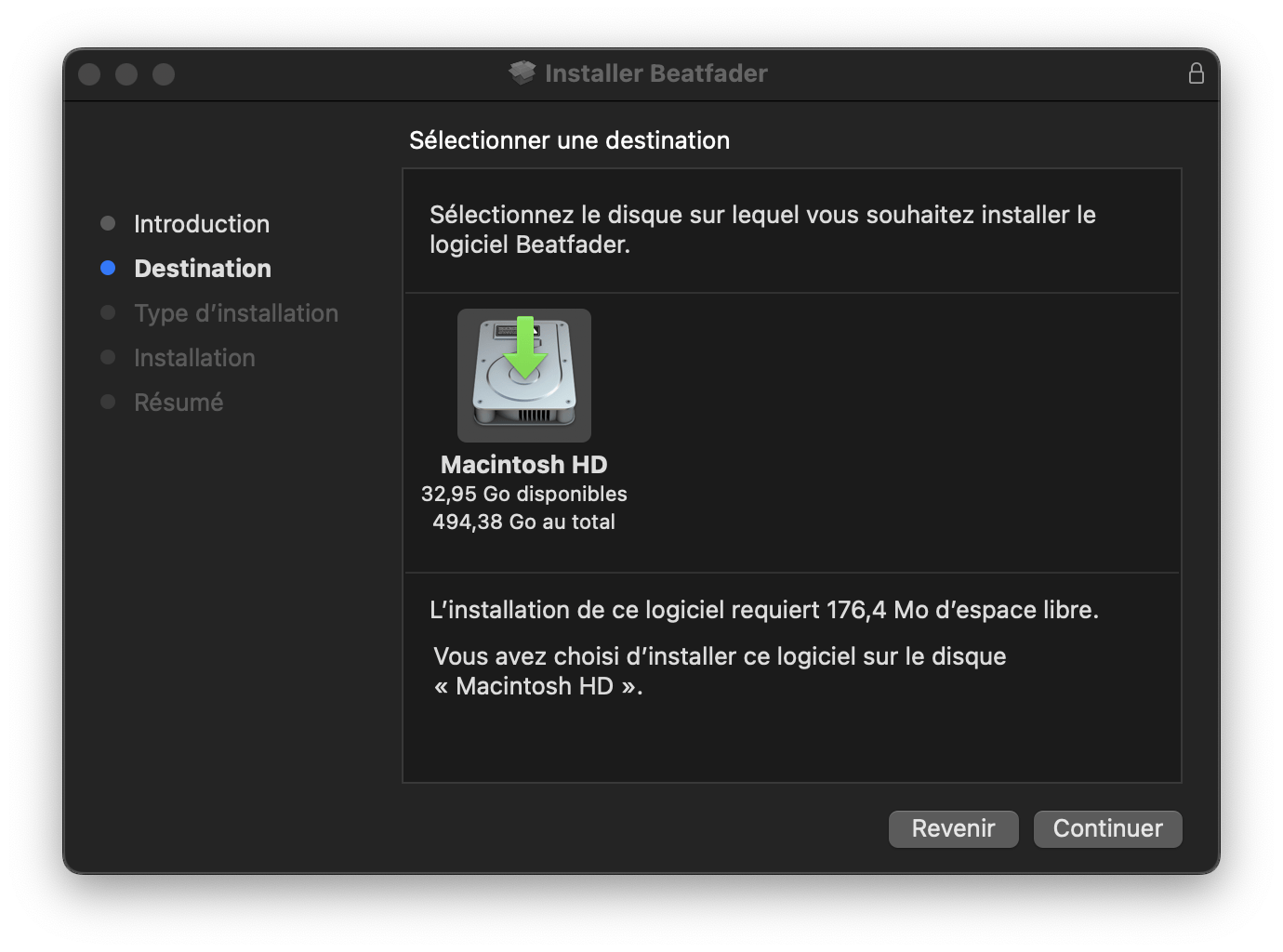
1. BEATSURFING VSTsアカウントからbeatfader.pkgインストーラーファイルをダウンロードしてください。 BEATSURFING VSTsアカウント ダブルクリックしてインストールプロセスを開始してください。
2.「続ける」をクリック
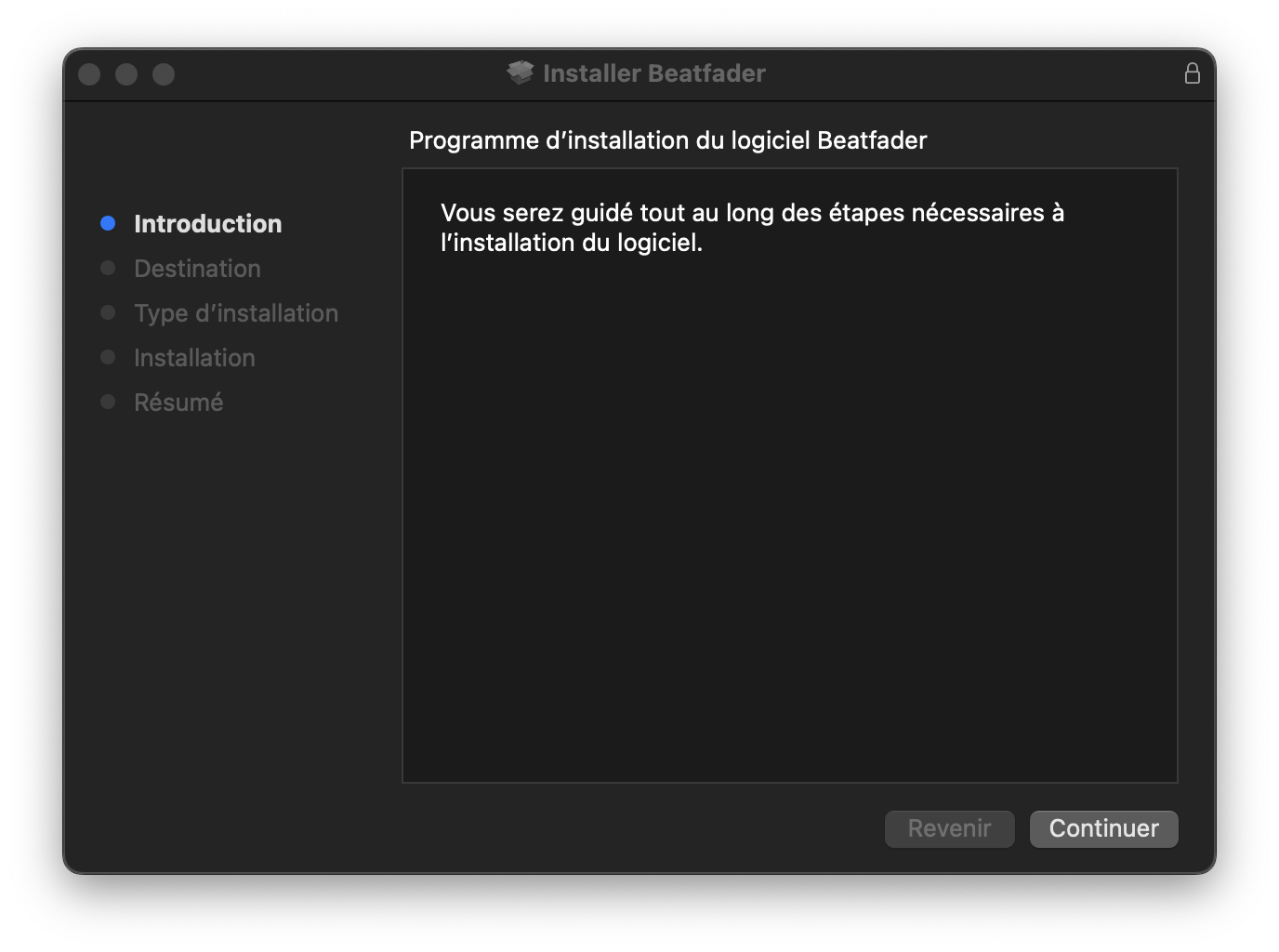
Screen of the Installation process of the beatfader on mac - step 1

3. インストール先を選択し、「続ける」をクリックしてください。

Screen of the Installation process of the beatfader on mac - step 2

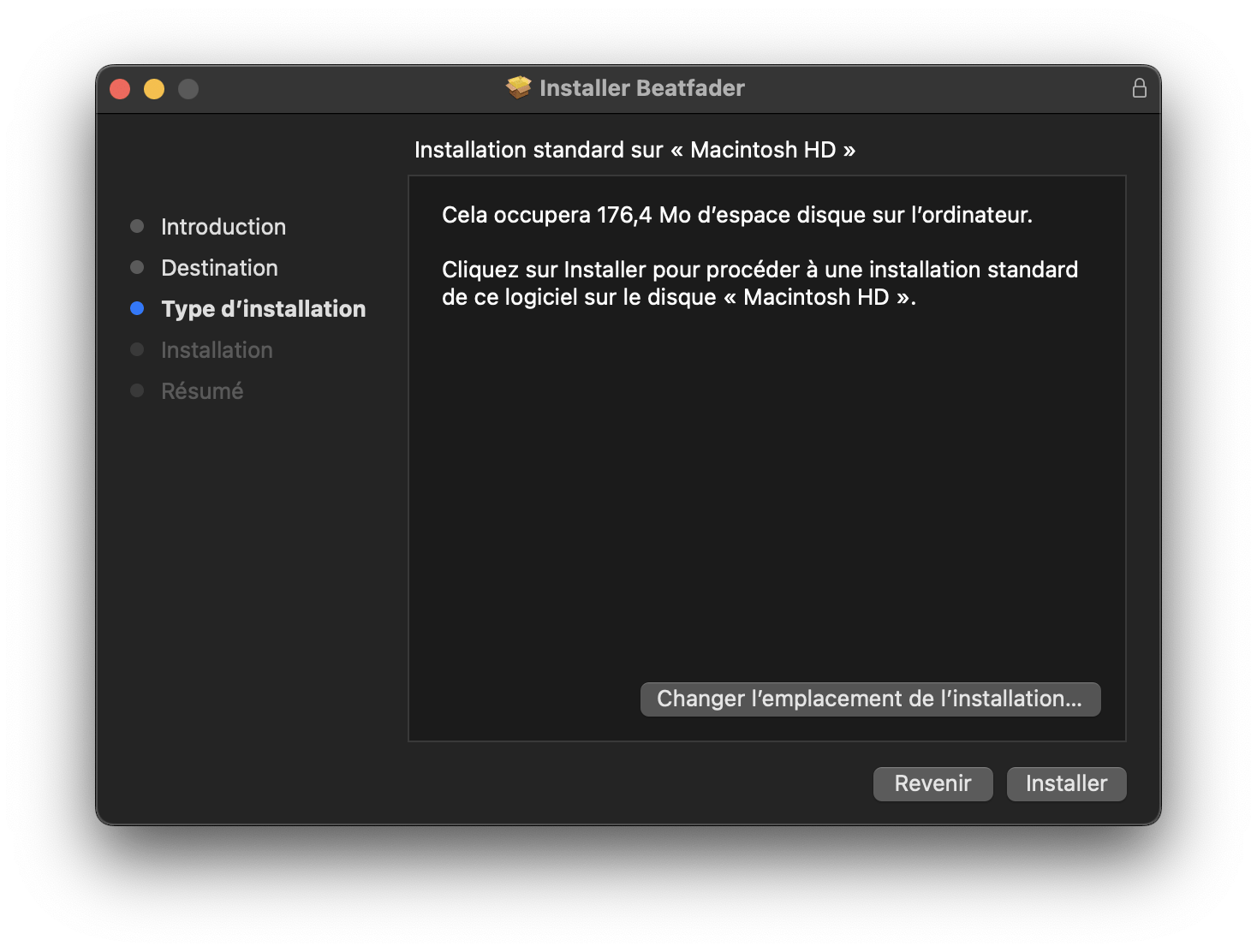
4. インストールするパッケージを選択し、「続ける」をクリックしてください。
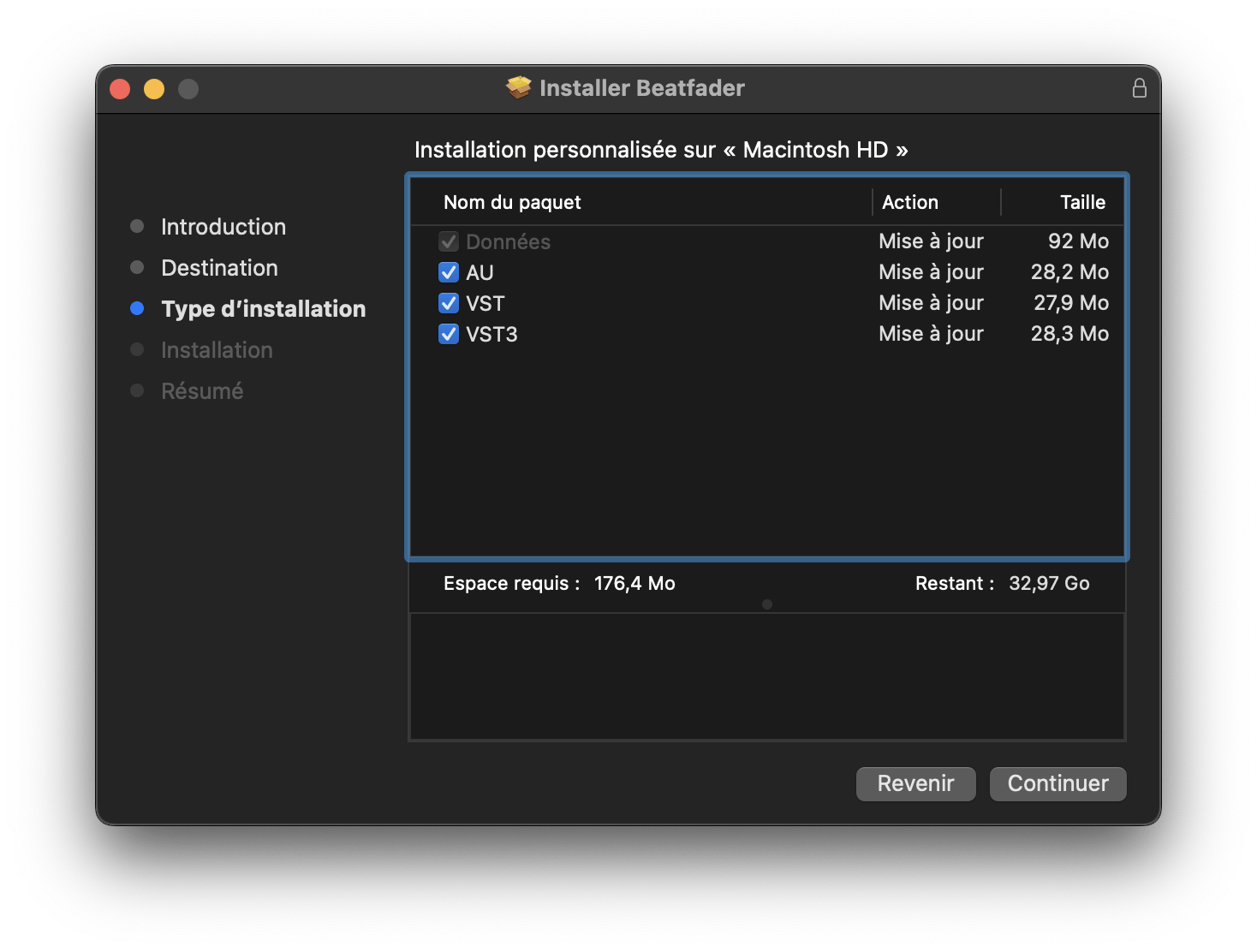
Screen of the Installation process of the beatfader on mac - step 3

5.「インストール」をクリック

Screen of the Installation process of the beatfader on mac - step 4

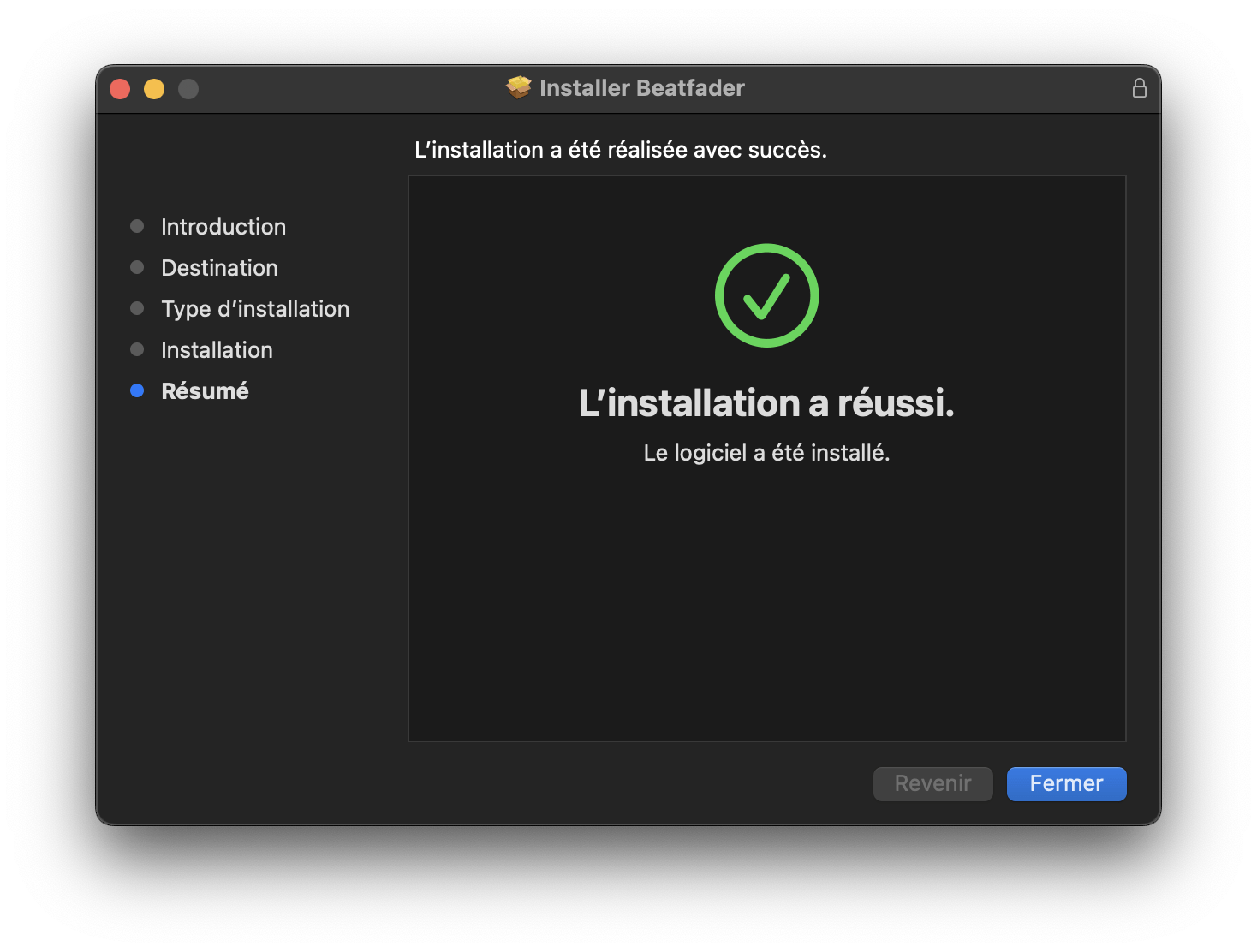
6.「閉じる」をクリックし、コンピュータを再起動してください。

Screen of the Installation process of the beatfader on mac - step 5


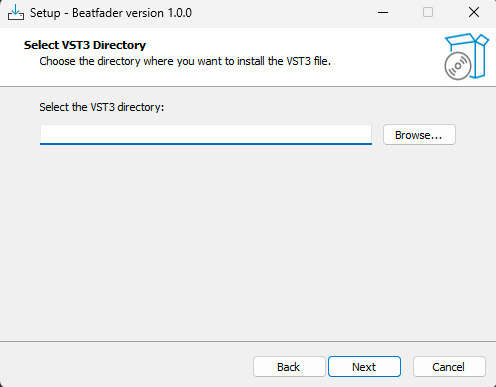
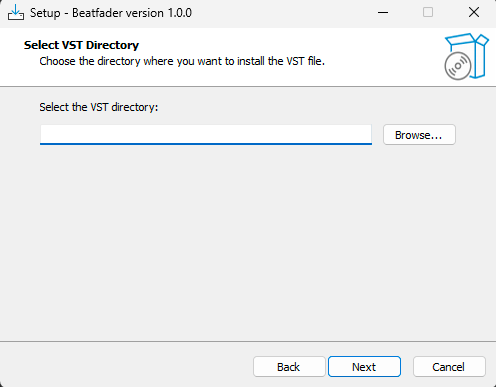
1. beatfader.zip をダウンロードし、インストーラーのファイルbeatfader.exeをお好みのフォルダーに解凍してください。ファイルを開き、VST3をインストールする場所を選択して「次へ」をクリックしてください。
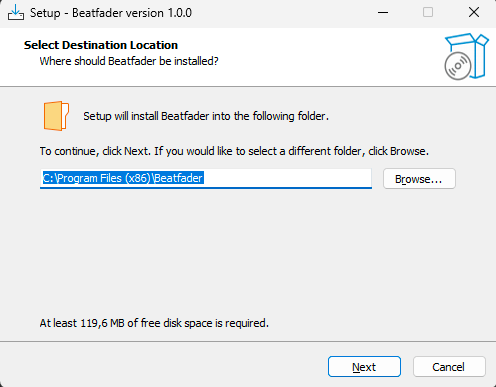
beatfader - PC Installation - step1

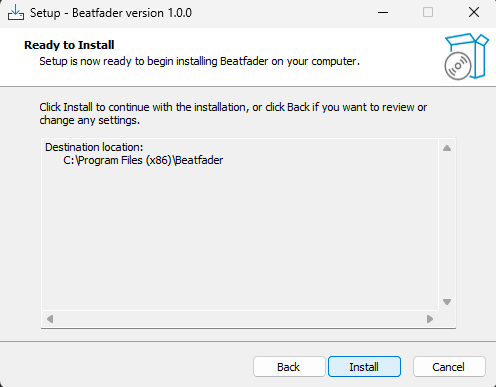
2. VST.VST3も同じ操作を行い、「次へ」をクリックします。

beatfader - PC Installation - step2

beatfader - PC Installation - step3

3.「インストール」をクリック

beatfader - PC Installation - step4

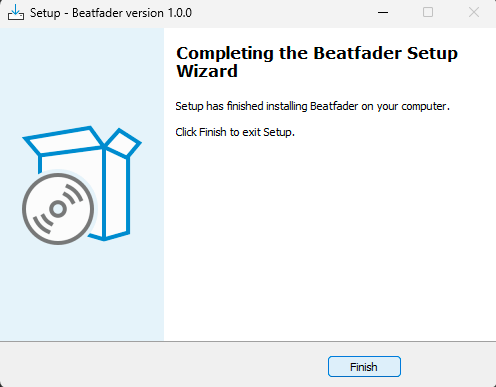
4.「完了」をクリックします

beatfader - PC Installation - step5

- beatfader を購入後、ライセンスキーが「ライセンスページ」に表示されます。 https://beatsurfing.com/my-license/
注意: 各ライセンスはMac OS またはWindowsのいずれかで 3 デバイスまでアクティベート可能です。
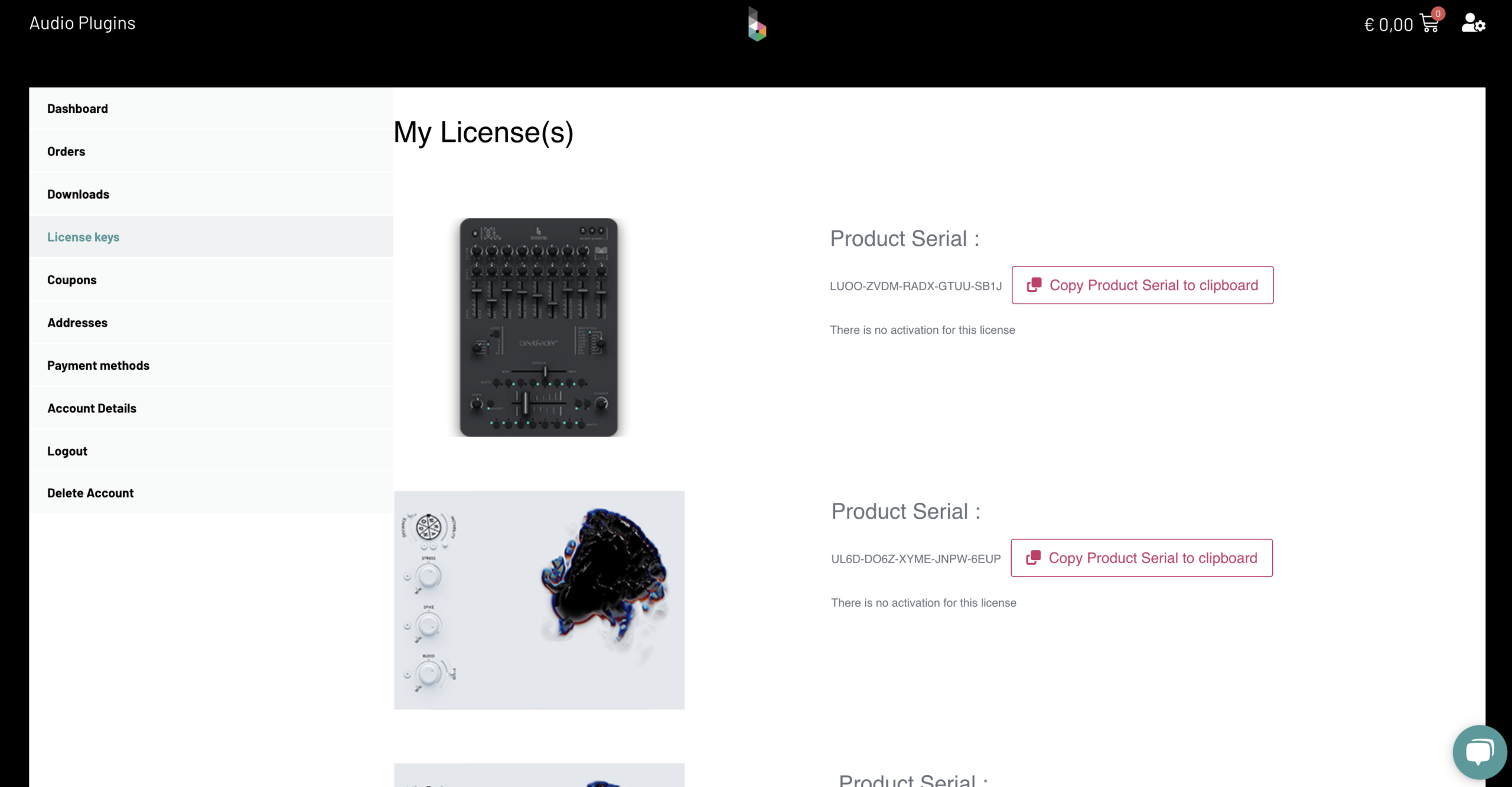
License page for beatfader in your account on BEATSURFING vst website

1. ライセンスナンバーをコピーする
2. DAWからBeatfaderを開きます
3. VSTを起動する際にライセンスキー番号を入力
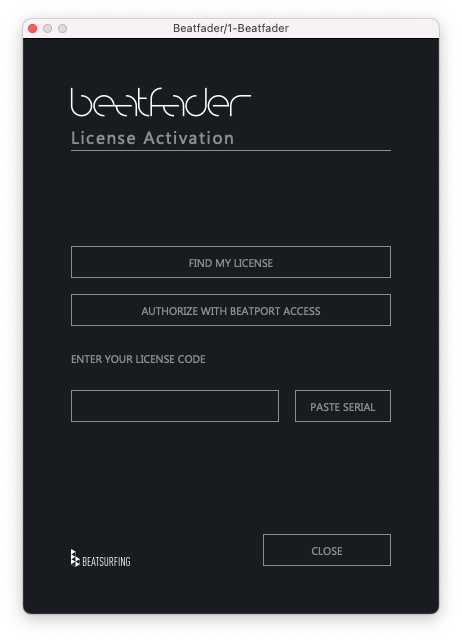
License activation in beatfader


ご質問への回答は、ユーザーガイドでご確認いただけます。 beatfaderユーザーガイド(PDF).
お探しの内容が見つかりませんでしたか? ナレッジベースをご確認ください。 それでも回答が見つからない場合は、サポートへメールをお送りください。 support@beatsurfing.com.

DRUW

ライブパフォーマンス楽器

新規