Help center/7DeadlySnares
User guide
7DeadlySnares
Everything you need to install 7DeadlySnares and shape snares with its 7 engines.
Welcome
Meet 7DeadlySnares
The ultimate snare generator: 7 customizable audio engines, each inspired by one of the seven deadly sins: pride, greed, lust, envy, gluttony, wrath and sloth.
With its many parameters, 7DeadlySnares lets you quickly explore endless possibilities and create snare sounds for any genre, from old-school boom-bap to modern trap, watery or glitchy snares.
Its vast selection of presets covers a wide range of styles, and each one is easy to customize into your own unique sound.
Where to start
Quick start
System requirements
7DeadlySnares runs as a plugin in your DAW on Windows and macOS.
Windows
- Windows 7 or later
- 2 GHz Pentium IV processor or equivalent
- A host that supports 32-bit or 64-bit VST
- At least 335 MB free disk space
- Formats: VST, VST3
macOS
- macOS 10.13 High Sierra or later
- Intel or Apple Silicon processor
- A host application that supports 64-bit VST or AudioUnit
- At least 335 MB free disk space
- Formats: AU, VST, VST3
Quick start
Installation
Download the installer for your system, run it, then enter your license code the first time you open 7DeadlySnares.
Windows
- Download the 7DeadlySnares_X.X.X.exe installer file.
- Install to your preferred plugin folder.
- On first launch, enter your license code.
macOS
- Download the 7DeadlySnares_X.X.X.pkg installer file.
- Follow the steps to install. The plugins are installed to the default location: /Library/Audio/PlugIns.
- On first launch, enter your license code.
After purchasing 7DeadlySnares, your license key appears on your Licenses page: beatsurfing.com/my-account/license-keys.
Quick start
Activating & deactivating the license
Each license you buy lets you activate the plugin on 3 computers at a time.
If you need to run it on another machine, first deactivate the plugin's license on one of your machines.
When a license is deactivated
Your plugin is still usable, but in a frozen state: your existing sessions will load the plugin and its parameters in their last saved state. However, you won't be able to access the user interface to tweak its parameters.
Using 7DeadlySnares
The engines
Each engine comes with a huge number of presets covering a wide scope, ready to be tweaked and tuned to your song. Each one has 4 macros, A to D.
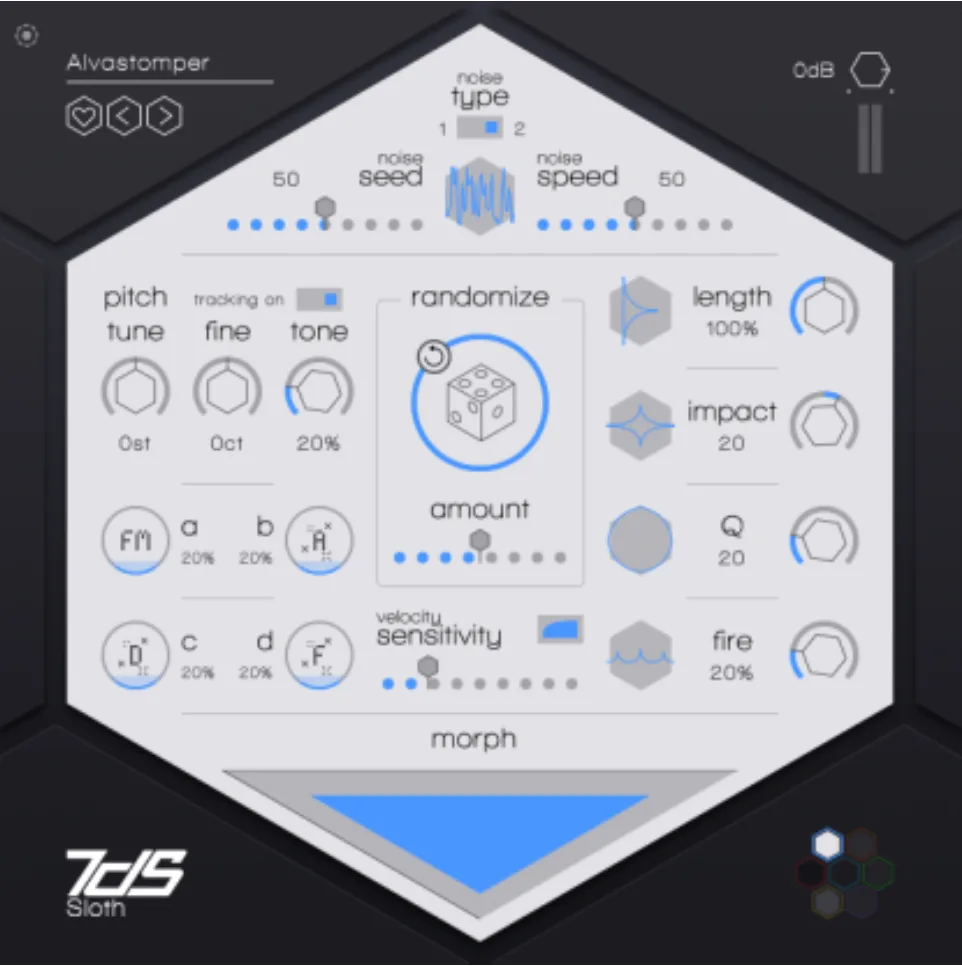
1. Sloth
Based on classic analogue rhythm box snares: a distinctive, snappy attack and a long decay that gives it a characteristic “booming” quality. Prized for its warmth, its character and its ability to cut through a mix.
- A
- Noise-to-body FM amount
- B
- Transient brightness
- C
- Decay brightness
- D
- Tone brightness
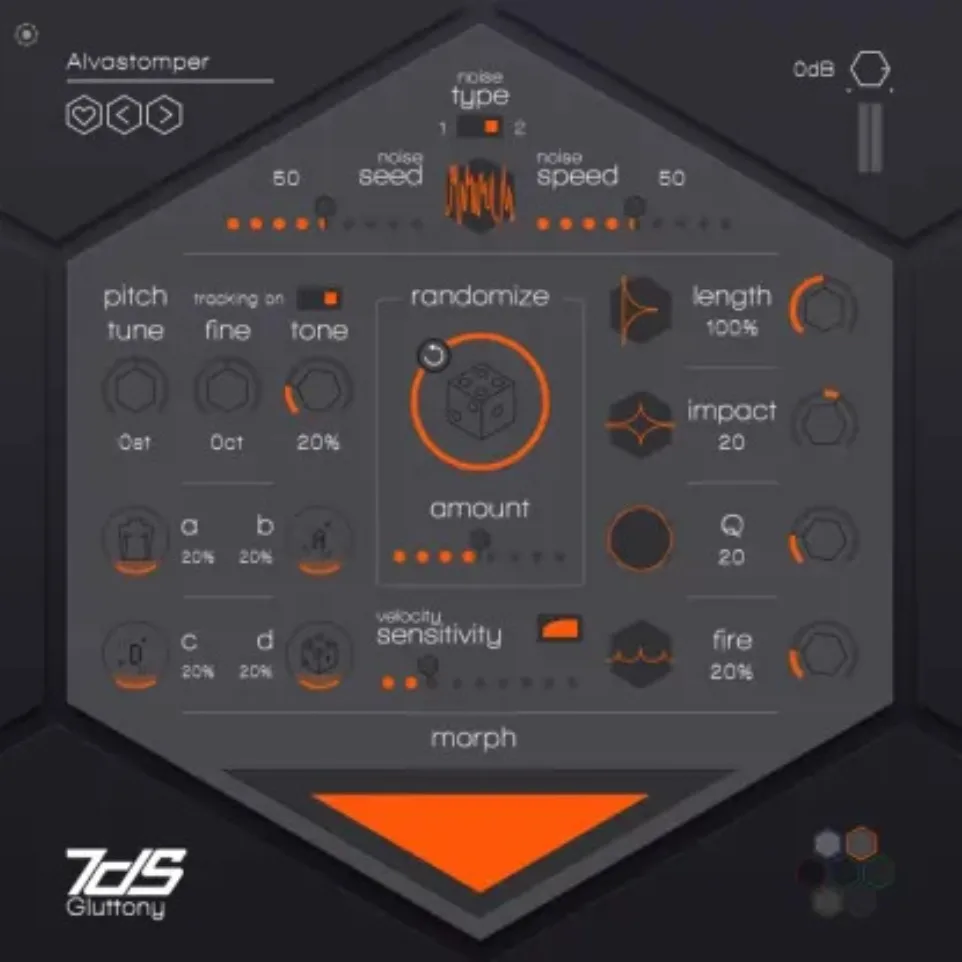
2. Gluttony
Built around Foley samples: great for adding depth and texture to your beats.
- A
- Body amount
- B
- Transient brightness
- C
- Decay brightness
- D
- Noise changes with every hit
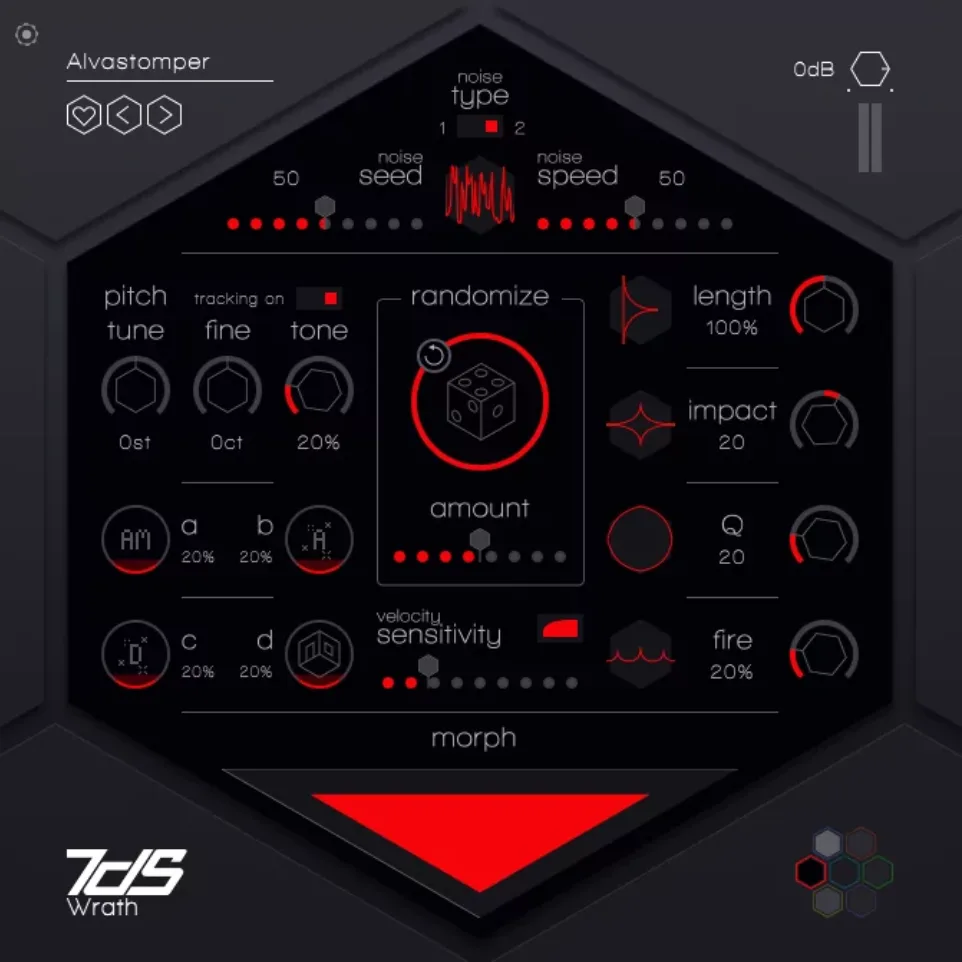
3. Wrath
Old-school boom-bap snares.
- A
- Noise amplitude modulation
- B
- Transient brightness
- C
- Decay brightness
- D
- Room brightness
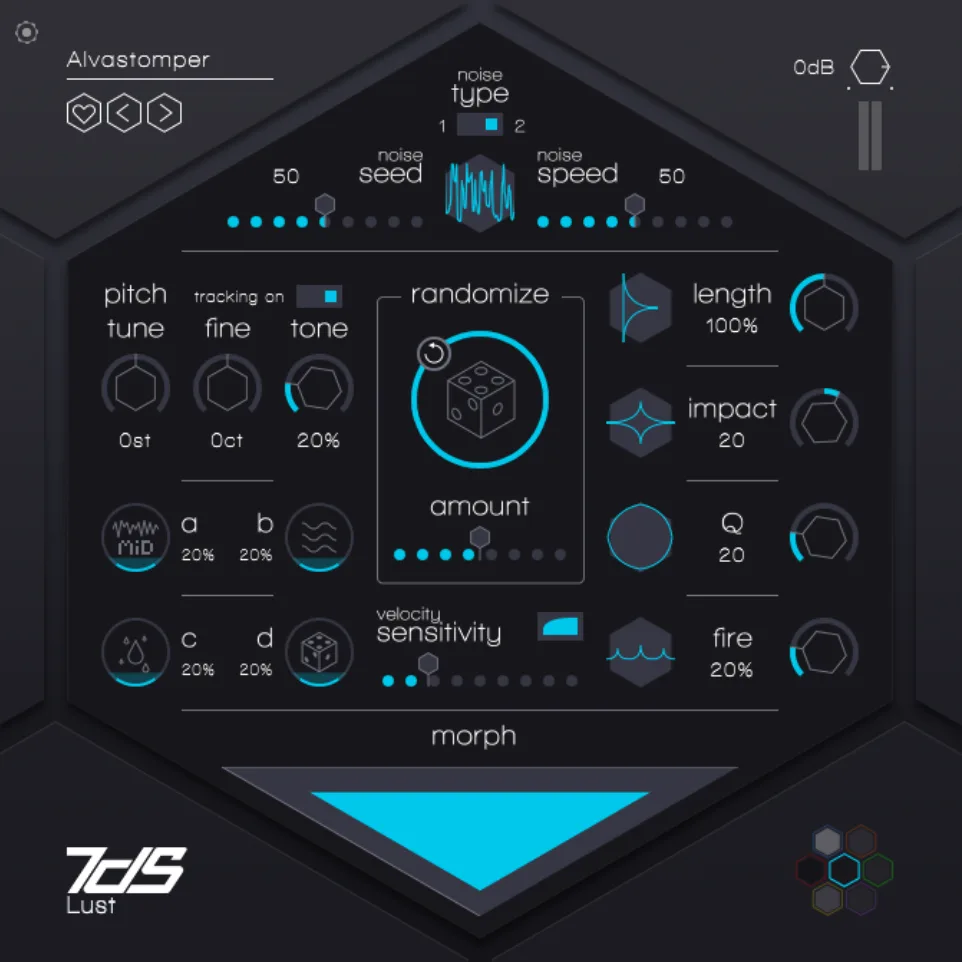
4. Lust
Water-type snares.
- A
- Morphs from a long low-pass and short high-pass filter to a short low-pass and long high-pass filter
- B
- Water type (river, etc.)
- C
- Droplet amount: more droplet sounds after the main hit
- D
- A slight change with every hit
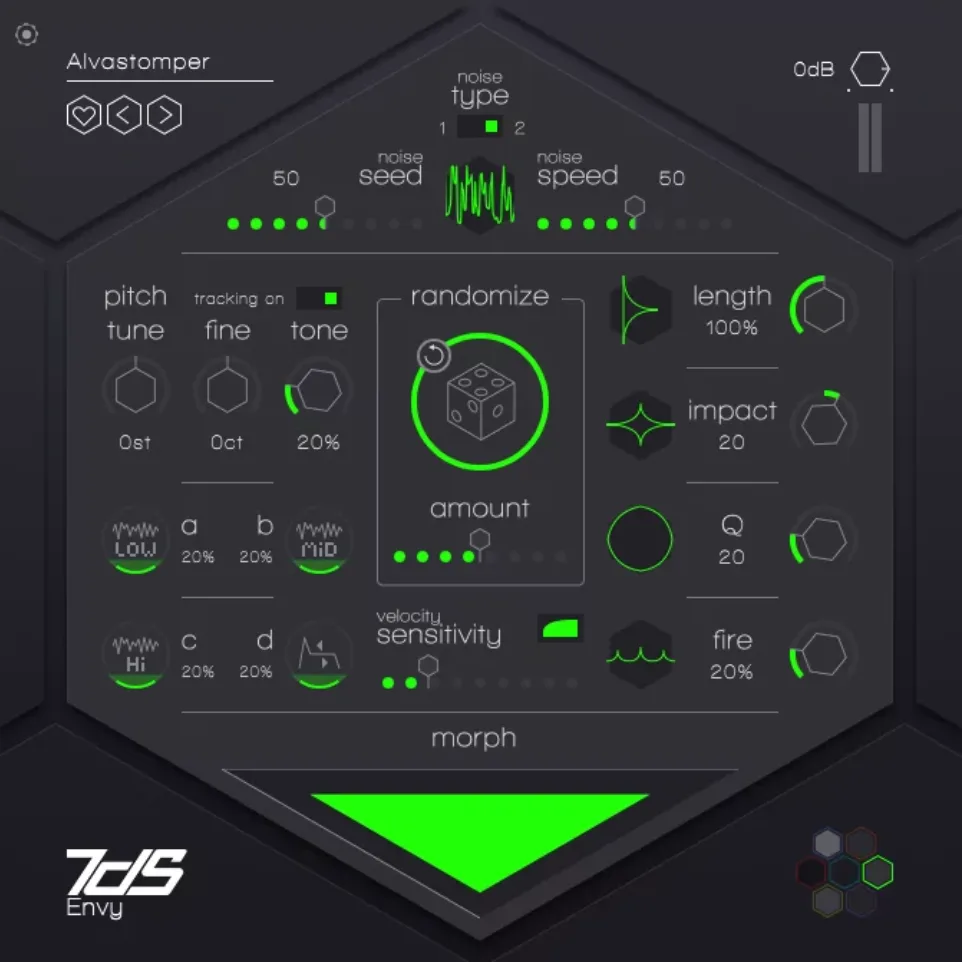
5. Envy
Make everyone envious of your snares.
- A
- Low noise
- B
- Middle noise
- C
- High noise
- D
- Sustain
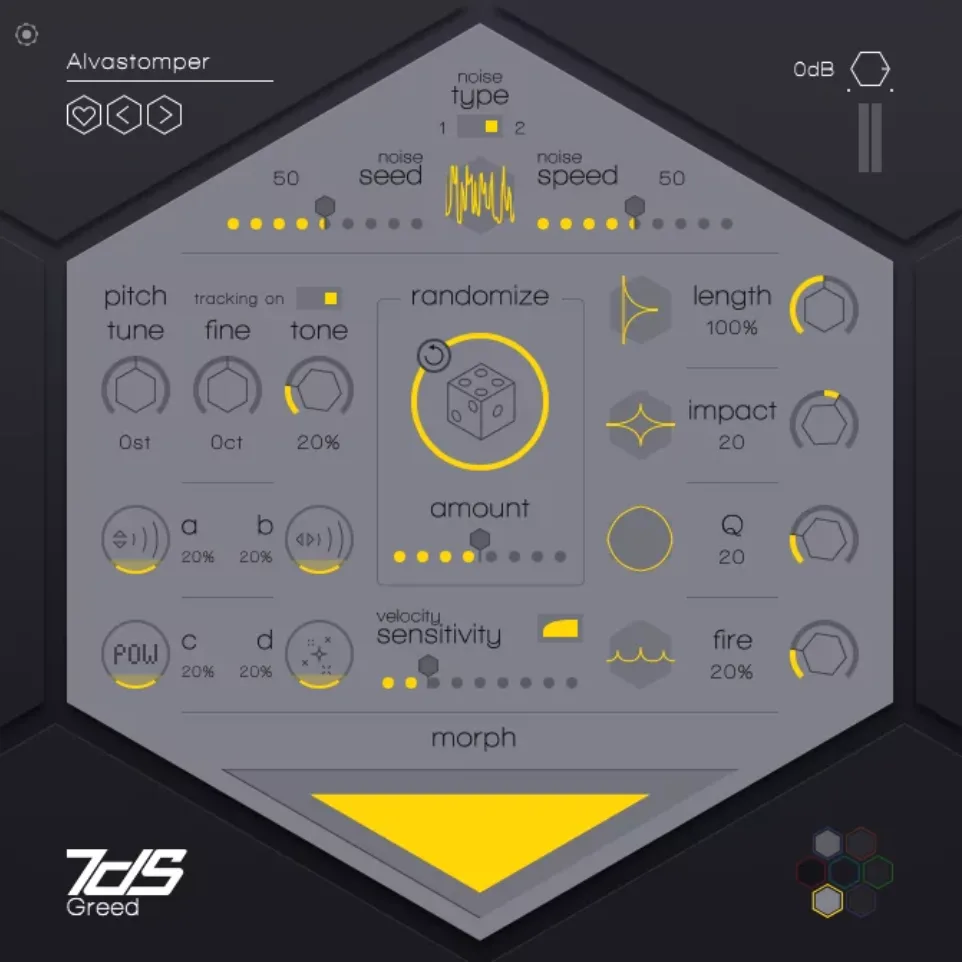
6. Greed
Melodic snares.
- A
- Reverb level
- B
- Reverb time
- C
- Decay curve of the bright content
- D
- Decay curve of the body
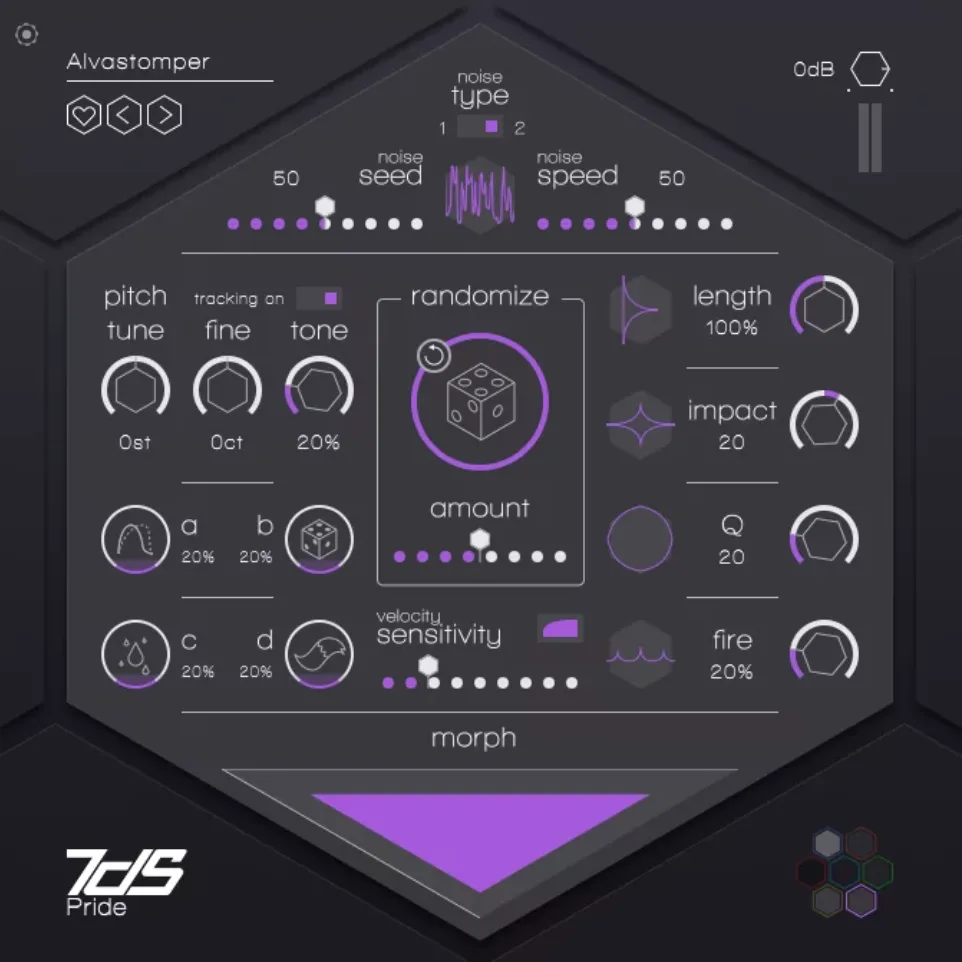
7. Pride
Classic analogue rhythm box snares.
- A
- Amplitude curve distribution
- B
- Amplitude stretch
- C
- Impact duration (works together with the Impact knob)
- D
- A tail you can shape, for infinite possibilities
Using 7DeadlySnares
Common parameters
All engines share a set of common parameters.
- Noise
- Switch between 2 fixed noise sources with Type (they vary for each engine), set the starting point in the noise buffer with Seed, and how fast the buffer is read with Speed (it can affect the pitch).
- Pitch
- Toggle keyboard tracking, set the Tune of the snare (relative or absolute, depending on keyboard tracking), Fine-tune it, and use Tone, which pushes forward harmonics an octave apart.
- Randomize
- Click the central dice to randomize all the parameters. How far the result moves from the current state depends on the Amount slider. The circling-arrow button brings back the previous state.
- Velocity sensitivity
- The slider below compresses the dynamic range of velocity.
- Envelope / filter
- Length stretches all envelopes up or down at once. Impact is a transient shaper: smoother attack, or snappier snares when turned clockwise. Q widens or narrows the frequency range, and Fire increases or decreases saturation and power.
- Morph
- Three altered versions of the current engine sit in the 3 corners of the area: drag the pointer to interpolate between them.
Using 7DeadlySnares
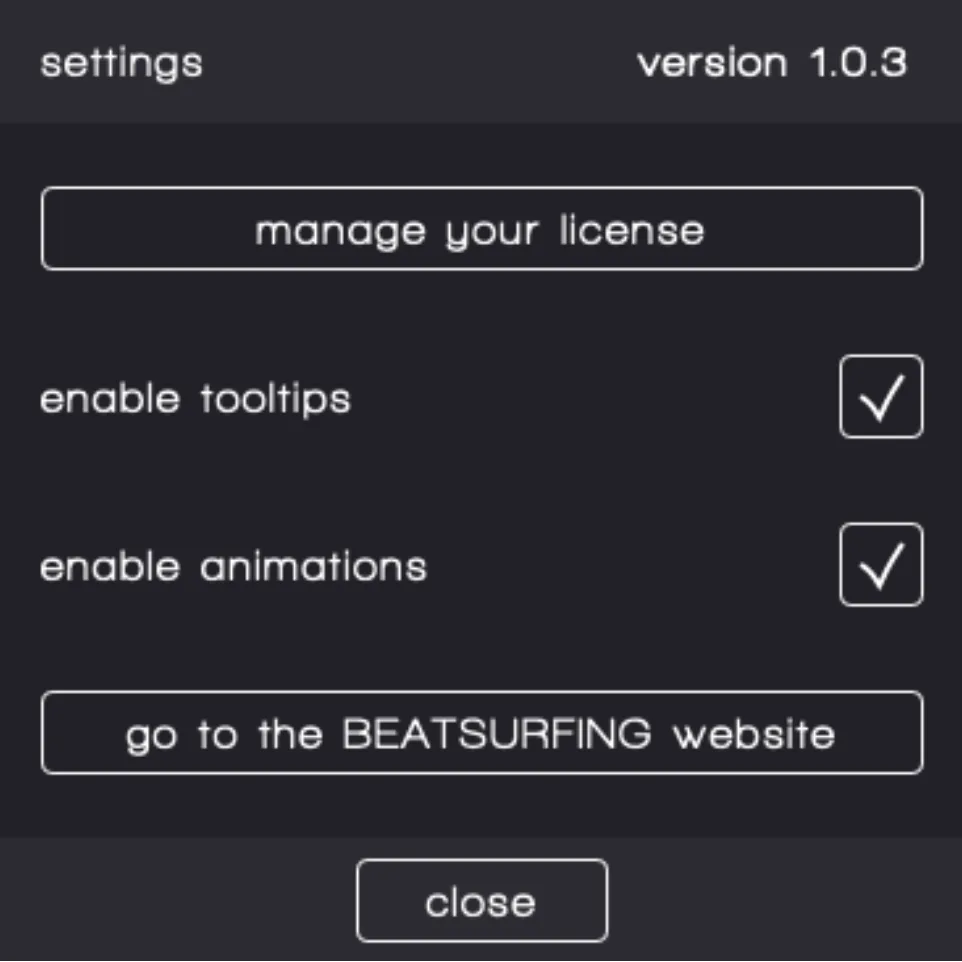
Tooltips
Wondering what a button or knob does?
Turn on Enable tooltips in the Settings tab, then hover your mouse over any parameter to read its description.
Help
Support
Can't find your answer in this guide? Everything else is in the BEATSURFING Help center.
Contact us
Thank you for choosing 7DeadlySnares. Don't hesitate to reach out with any questions or ideas: send us a message from the Help center.
The BEATSURFING team
 Login with Google