Help center/LunchTable
User guide
LunchTable
Everything you need to install LunchTable and play its pen-tapping grooves and one-shots.
Welcome
Meet LunchTable
LunchTable, the Fki 1$t pen-tapping plugin, faithfully reproduces the captivating sounds of pen tapping.
Producer Fki 1$t, known for his work with Post Malone, 2 Chainz, Migos and Travis Scott, teamed up with BEATSURFING to create LunchTable. Create rhythmic beats with the artful tapping of pens, pencils, coins and more, on all kinds of surfaces.
Features
- 4,400+ samples
- Velocity-sensitive for a realistic, organic feel
- Independent velocity control for the impact and the body
- Plenty of sound variations for authenticity
- 116 preloaded grooves, or import your own MIDI clips
- 12 one-shot pads for finger drumming with any controller
- Diverse sounds: desks, pens, coins and many unique surfaces
- Close and room mics for adjustable reverb
- Built-in EQ to refine the sound
- Wide choice of instruments and presets
Where to start
Quick start
System requirements
LunchTable runs as a plugin in your DAW on Windows and macOS.
Windows
- Windows 10
- 2 GHz Pentium IV processor or equivalent
- A host that supports 32-bit or 64-bit VST
- At least 335 MB free disk space
- Formats: VST, VST3
macOS
- macOS 10.15 Catalina or later
- Intel or Apple Silicon processor
- A host application that supports 64-bit VST or AudioUnit
- At least 335 MB free disk space
- Formats: AU, VST, VST3
Quick start
Installation
Download the installer for your system, run it, then enter your license code the first time you open LunchTable.
Windows
- Download the LunchTable_vX.X.X.exe installer file.
- Install to your preferred plugin folder.
- On first launch, enter your license code.
macOS
- Download the LunchTable_vX.X.X.pkg installer file.
- Follow the steps to install. The plugins are installed to the default location: /Library/Audio/PlugIns.
- On first launch, enter your license code.
After purchasing LunchTable, your license key appears on your Licenses page: beatsurfing.com/my-account/license-keys.
Quick start
Activating & deactivating the license
Each license you buy lets you activate the plugin on 3 computers at a time.
If you need to run it on another machine, first deactivate the plugin's license on one of your machines.
When a license is deactivated
Your plugin is still usable, but in a frozen state: your existing sessions will load the plugin and its parameters in their last saved state. However, you won't be able to access the user interface to tweak its parameters.
Using LunchTable
One-shot sample triggering
Most MIDI notes are mapped to built-in patterns, called Grooves, on the left side of the plugin window. You can also trigger one-shot samples.
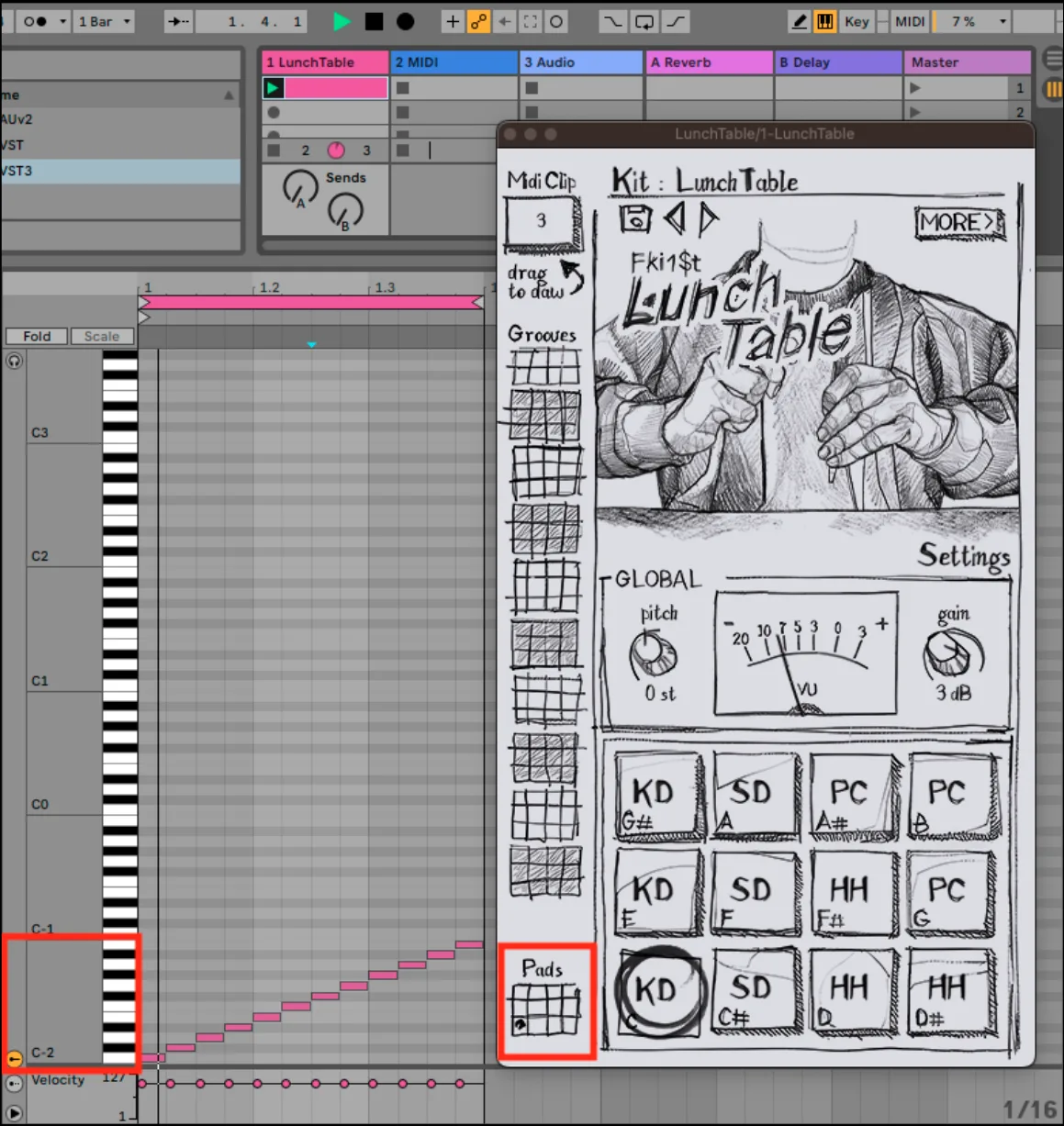
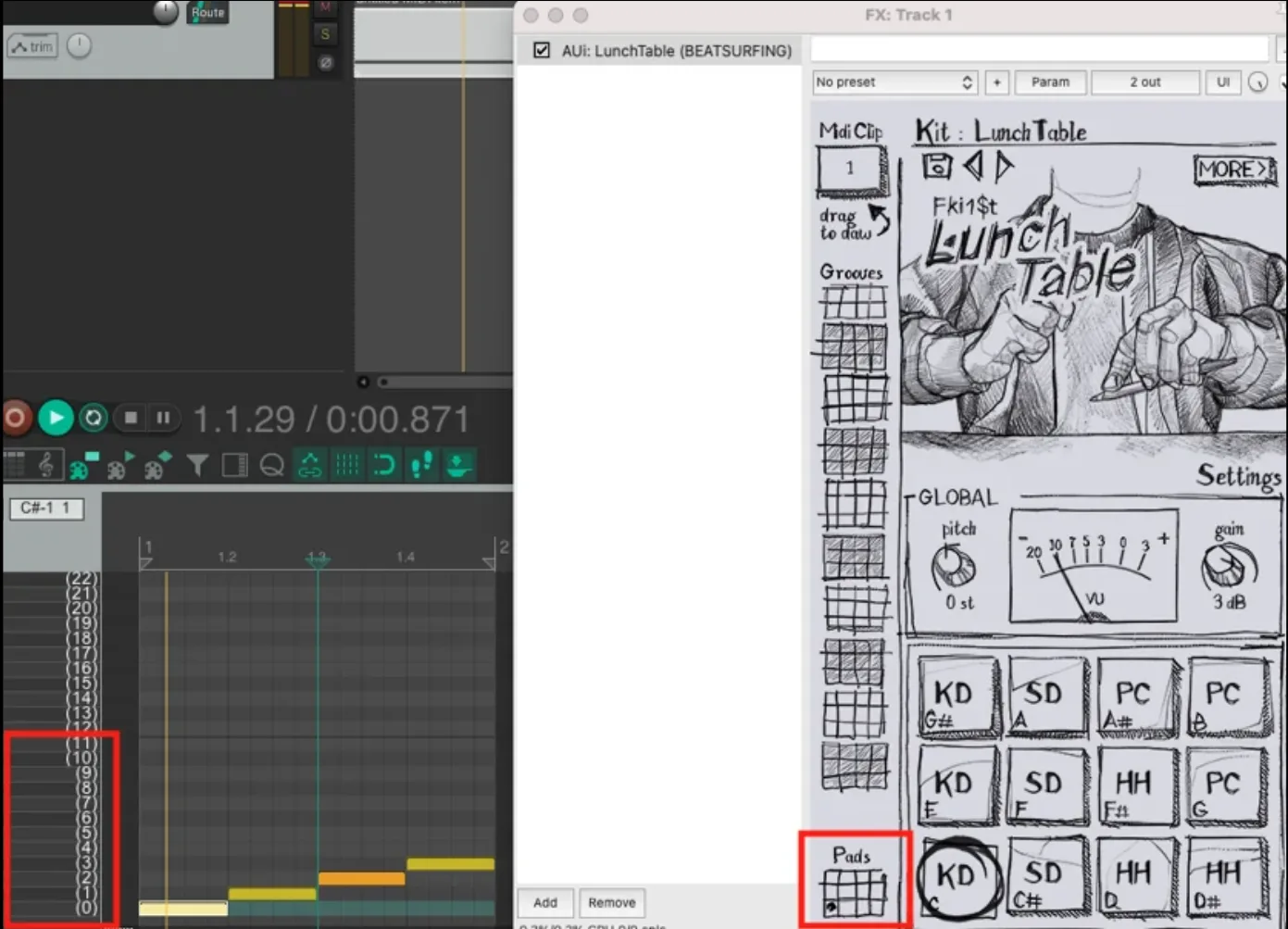
The one-shot samples of the pads are mapped to the 12 lowest MIDI notes. Their name depends on how your DAW displays them.
Ableton Live: C-2 to B-2
Reaper: C-1 to B-1
From a MIDI controller
Make sure the incoming MIDI notes range from 0 to 11. If your controller can't send such low notes, put a MIDI pitch shifter before the plugin to lower the range.
Using LunchTable
Randomization & choke groups
LunchTable offers different kinds of randomization to keep your patterns organic.
Randomize
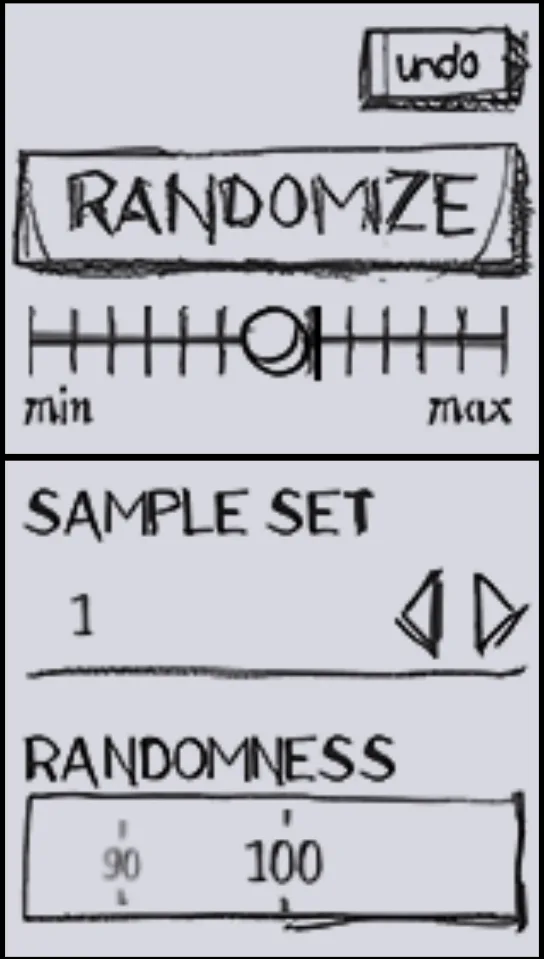
Click Randomize to randomize all the parameters. The min/max slider sets how far the result can move from your original sound. The undo button brings back the previous settings.
Randomness
Randomness humanizes the sound by picking a slightly different sample from the sample set. The value is the probability of triggering a different sample from the selected one.
Choke groups
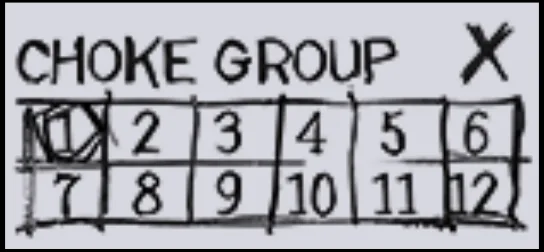
When two elements share the same choke group, triggering one cuts off the other. This reduces overlapping and bleeding sounds.
Help
Support
Can't find your answer in this guide? Everything else is in the BEATSURFING Help center.
Contact us
Thank you for choosing LunchTable. Don't hesitate to reach out with any questions or ideas: send us a message from the Help center.
The BEATSURFING team
 Login with Google