DRUMIFY ANY SOUND

VRAC+

One sound – one drum kit.

Feed it any sound and get back a full drum kit. Auto-slice a sample, find every hit, sculpt each pad.

SOURCE-BASED

COHESIVE

ORIGINAL

GET VRAC+

Original price was: € 149.00.Current price is: € 59.99.
  • 14-day money-back guarantee
  • VST3 · AU · AAX · macOS & Windows
  • 3 activations

MUSIC BRINGS PEOPLE TOGETHER.

Original price was: € 149.00.Current price is: € 59.99.

Hear VRAC+

NAVIGATE BETWEEN 'ORIGINAL' AND 'DRUMIFIED' SOUNDS

Hear exactly how VRAC+ can transform any type of sound into a cohesive drum kit.

1 / 6
Example 1
0:00 / 0:10
Examples

Watch VRAC+

MEET VRAC+

Feed any sound, get a drum kit

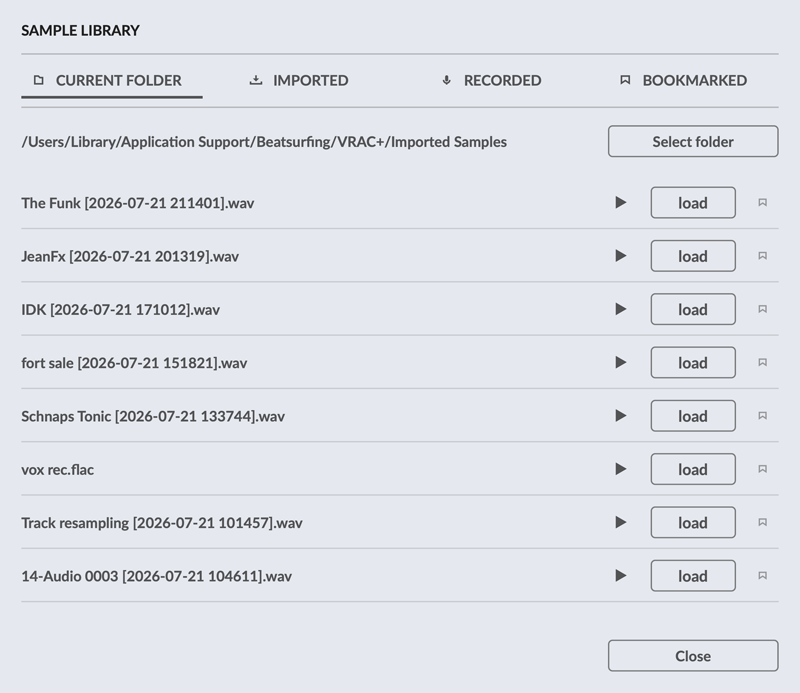
VRAC+ takes the idea of VRAC and gives you the full toolkit to push it further. Load a sample, auto-slice it to find every hit, then design the sound behind each pad, hit by hit, output by output.

16Pads
8Stereo outputs
4Model families
RECFrom your DAW

01 · Load

Any sound becomes drums

Your own recordings, your DAW input or the VRAC+ library: anything can be the seed of a kit.

  • 16 SAMPLE STARTSOne file, 16 sources: a different start point for each pad
  • AUTO-SLICINGThe slicer finds every hit, with a sensitivity control; jump between hits with the arrow keys or land on a random one
  • RECORD INRoute a track or a live input to the sidechain and hit REC: no more bouncing files
  • SAMPLE LIBRARYA curated library recorded specifically for VRAC+
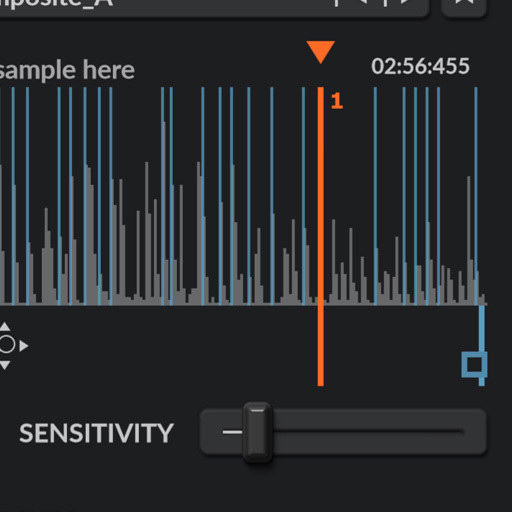
VRAC+ auto-slicing

02 · Shape

16 pads, full control

Double the pads of the free version, and real sound design instead of presets.

  • MODELSMorph across a large bank of kick, snare, hat and clap models
  • PER PADWarp, Impact, Instability, Tone Shift, Super and a 3-band EQ
  • GLOBALTone Shift, Filter, Transpose and Volume for the whole kit
  • DUPLICATECopy settings across pads or models in one click
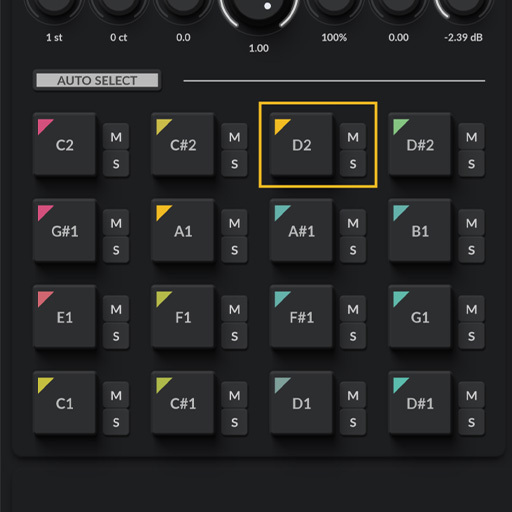
VRAC+ pads and shaping tools

03 · Mix

Built for performance and mixing

Every pad can be triggered, automated and mixed like a proper instrument.

  • MIDI Learn on any parameter
  • Velocity mapped to Volume, Length and Tone Shift
  • Choke groups
  • 8 stereo output pairs: mix the kit like a multitrack session
  • Drag a single pad or the whole kit into your DAW as audio files
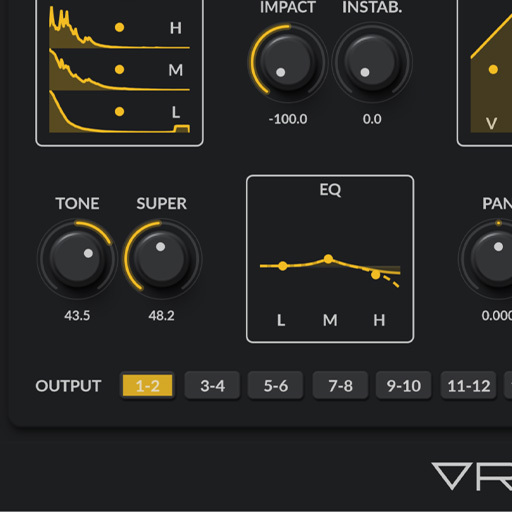
VRAC+ multi-out mixing

SOUND LIBRARY - WE COLLABORATED WITH OLIVIER THYS

We’ve known Olivier Thys for over twenty years. When we started dreaming up VRAC+, it just made sense: we had to build a sound library with him.

Olivier is a professional foley artist based in Brussels, and honestly one of the best in the film world, close to 300 productions under his belt, several nominations, and two Magritte Awards for Best Sound. He brought all of that knowledge, precision, and ear to this library

This library, available in VRAC+, isn’t just a pack of sounds, it’s real cinematic craft, rich and authentic textures ready for you to use and tweak right inside the plugin.

VRAC+ (VRAC Plus) Library close up

UPGRADING FROM VRAC ?

Your presets come with you.

Already using VRAC? Nothing to rebuild: every preset and preset pack you’ve made carries over.

  • VRAC presets and packs open natively in VRAC+
  • VRAC+ presets load in VRAC tooAdvanced settings are simply ignored in the free version.

VRACVRAC+

FeatureVRACtoVRAC+
Pads816
Stereo outputs18
Sample startManualAuto-slicing
Sound designFixed blendFull suiteWarp, Impact, Instability, Tone Shift, Super, 3-band EQ, Global Filter

VRAC vs VRAC+

Import your own samples or record sounds directly from your DAW. Bookmark your favorite recordings for easy access, and use two slice detection modes to quickly turn recordings into playable sounds.

VRAC is free and yours to keep. When you want to go further, VRAC+ lets you record from your DAW, slice your recordings and shape every pad in depth.

Discover VRAC+
Pads
8
VRAC+: 16
Sample start points
1
VRAC+: 16
Sample length
60 s
VRAC+: 60 min
Stereo outputs
1
VRAC+: 8
Pads
16
VRAC: 8
Sample start points
16
VRAC: 1
Sample length
60 min
VRAC: 60 s
Stereo outputs
8
VRAC: 1
Feature VRAC VRAC+
FreeGet it
Original price was: € 149.00.Current price is: € 59.99.
Add to cart
Sound sources
Record from your DAW
Sample librarycurrent folder, imported, recorded
Bookmark your samples
Sample length60 s60 min
Record length2 min
Sample start
Sample start points116
Auto Slicer with sensitivity control
Jump to previous, next or random slice
Add, move and delete slices
Pads
Pads816
Warp3-band dynamic reshaping
Impacttransient shaping
Instabilityrandomness at each hit
Tone Shiftspectral shifting
Supersaturation and stereo width
3-band EQ
Velocity sensitivityVolumeVolume, Length, Tone Shift
Global controls
Global Tone Shift
Global FilterDJ-style low-pass and high-pass
Mix and export
Audio outputs (stereo pairs)18
Drag to export the whole kit

Get VRAC+

VRAC+

VRAC+

Feed it any sound and get back a full drum kit. Auto-slice a sample, find every hit, sculpt each pad.

Original price was: € 149.00.Current price is: € 59.99.
Add to cart
  • 14-day money-back guaranteeNo questions asked, just email support.
  • Activate on 3 computersmacOS and Windows · VST3, AU, AAX
  • Early Bird Program includedTry our next plugins first, with exclusive discounts.

Also included in FULL HOUSE: all 8 paid plugins and 3 sample packs in one bundle.
Goes well with VRAC+

PluginLØW

The bass synth instrument. Shape the depth. Control the motion.

€ 74.50

Add
PluginRANDOM

Infinite sound generator plugin. Craft distinct sounds.

€ 129.00

Add
BundleFULL HOUSE

All 8 paid plugins and the 3 sample packs in one bundle.

€ 349.00

Add

INSTALLATION REQUIREMENTS FOR VRAC+

Windows

Windows 10 or later


2GHz Pentium IV processor or equivalent


At least 1.03 GB free disk space

A DAW that supports instrument plugins in one of these formats:

macOS

macOS 10.13 High Sierra or later


Intel or Apple Silicon processor


At least 1.16 GB free disk space

A DAW that supports instrument plugins in one of these formats:

IMPORTANT-READ CAREFULLY: This End User License Agreement (“EULA”) is a legal agreement between you (either an individual or a single entity) and DRUW Audio srl, also known as BEATSURFING (DRUW Audio) for the use of their plugin(s) (“Plugin”). By installing, copying, or otherwise using the Plugin, you agree to be bound by the terms of this EULA. This EULA has no relation to any separate purchase agreement when the Plugin was purchased.

By accepting this Agreement and/or installing or otherwise using the Plugin, you acknowledge that you have read this EULA, understand its terms and conditions, and agree to be bound by such terms and conditions. If you accept this EULA on behalf of a corporation, company, or entity other than an individual, you declare that you are authorized to do so.

1. DEFINITIONS

1.1. “Plugin” means DRUW Audio’s audio software products, bundles, or any other related DRUW Audio products, such as sample packs, frozen beats or loops and any associated documentation.

1.2. “Intellectual Property Rights” means collectively, copyright rights, trademark rights, patent rights, trade secrets, moral rights, rights of publicity, authors’ rights, goodwill, and all other intellectual property rights as may exist now and/or hereafter come into existence and all renewals and extensions thereof, regardless of the territory or jurisdiction.

1.3. “Use” means storing, loading, installing, executing, or displaying the Plugin as intended according to the terms of this EULA.

2. GRANT OF LICENSE

DRUW Audio grants you a non-exclusive, non-transferable license to use the Plugin on three different devices, subject to the terms and conditions of this EULA.

3. INTELLECTUAL PROPERTY RIGHTS

The Plugin and any copies that you make are the intellectual property of DRUW Audio and are protected by copyright laws and international copyright treaties.

You are granted the right to use the Plugin’s Sound Content to create original musical works, sample packs, or drum kits. Any original audio material, musical composition, or sample created using the Plugin is your property, provided that:

  • The resulting work involves significant creative processing or transformation.
  • The Sound Content is not redistributed in its raw or original form.
  • The Sound Content is not used to develop, train, or produce another virtual instrument, sample library, or sound engine.

Example: If you create a drum kit using processed drum sounds from the Plugin, you hold the rights to that kit and may sell it commercially. However, you may not extract the raw sounds and use them as part of another instrument or sample library.

4. RESTRICTIONS

4.1. You may not rent, lease, sublicense, distribute, assign, or otherwise transfer the Plugin or this EULA. You may not copy or modify the Plugin, except as expressly permitted by this EULA. You may not reverse engineer, decompile, or disassemble the Plugin.

4.2. If the Plugin contains or includes audio content such as samples, sound sets, presets, and/or audio loops (“Audio Content”), you may use such Audio Content to create your own original soundtracks for your commercial or non-commercial projects. You may freely broadcast and/or distribute your own soundtracks that were created using the Audio Content. However, you may not distribute the Audio Content on a standalone basis, nor may such Audio Content be repackaged in whole or in part as audio samples, sound libraries, sound effects, music beds, audio plugins, virtual or other music instruments.

5. TRANSFERS

5.1. You may transfer the Plugin by contacting DRUW Audio. The transferee must have an active BEATSURFING account. Your license will automatically terminate upon any transfer of the Plugin. Upon transfer, you must: (i) completely unregister your license from the Plugin. The transferee must accept the terms and conditions of this EULA as a condition to the transfer.

5.2. A license to Use the Plugin for free, as a beta version, or labeled NFR (“Not For Resale”) may not be sold or transferred.

6. SUPPORT AND UPDATES

DRUW Audio may provide support and updates for the Plugin. Support and updates are provided at the sole discretion of DRUW Audio, and DRUW Audio has no obligation to provide support or updates. contact support@beatsurfing.com.

Licensee agrees that it is Licensee’s responsibility to implement Updates in a commercially reasonable time to the extent advised by DRUW Audio. Licensee acknowledges that any losses to the features or functionality of the Plugin due to Licensee’s own delay in implementing any Updates shall be no fault of DRUW Audio.

7. DISCLAIMER OF WARRANTIES

The Plugin is provided “AS IS” without warranty of any kind, either express or implied, including, but not limited to, the implied warranties of merchantability and fitness for a particular purpose. DRUW Audio does not warrant that the functions contained in the Plugin will meet your requirements or that the operation of the Plugin will be uninterrupted or error-free.

8. LIMITATION OF LIABILITY

In no event shall DRUW Audio be liable for any special, incidental, indirect, or consequential damages whatsoever (including, without limitation, damages for loss of business profits, business interruption, loss of business information, or any other pecuniary loss) arising out of the use of or inability to use the Plugin, even if DRUW Audio has been advised of the possibility of such damages.

9. TERMINATION

This EULA will terminate automatically if you fail to comply with any of the terms and conditions of this EULA. Upon termination, you must immediately cease using the Plugin and destroy all copies of the Plugin.

10. GOVERNING LAW

This EULA shall be governed by and construed in accordance with the laws of the city of Liège, Belgium without regard to its conflict of laws provisions.

11. ENTIRE AGREEMENT: 

This EULA constitutes the entire agreement between you and DRUW Audio with respect to the Plugin and supersedes all prior or contemporaneous communications and proposals, whether oral or written, between you and DRUW Audio.

If you have any questions about this EULA, please contact DRUW Audio at support@beatsurfing.com.

By clicking “I agree” or installing or using the Plugin, you acknowledge that you have read this EULA, understand it, and agree to be bound by its terms and conditions.

Latest update: March 12th 2025

FREQUENTLY ASKED QUESTIONS

We don't have a trial version for VRAC+, but we did a light version: VRAC. And guess what... VRAC is free.

And of course, as usual, if you acquire VRAC+, we do have a 14-day return policy. If you find that VRAC+ doesn’t fit your workflow, you can easily request a refund within 14 days of purchase—no questions asked!
Just email us at support@beatsurfing.com, and we’ll be happy to assist you with the process.

As a valued BEATSURFING customer, once you’ve purchased any of our products, you’re automatically enrolled in our Early Bird Program. This means you’ll always be the first to try out our latest plugins and enjoy exclusive discounts before anyone else. The Early Bird program starts ahead of the public release and ends on the day of the public release.

To make sure you don't miss out, ensure you're signed up for our email updates—otherwise, these exclusive offers might slip by!

Yes, you can! We offer a 14-day refund policy for all our plugins. If you request a refund within 14 days of your purchase, we’ll process it—no questions asked!

Before you submit your refund request, please ensure that you unregister your license for VRAC.

Once your request is received, please allow up to 72 hours for processing.

If you have any further questions, feel free to contact the support team!

1. Download random.pkg installer file from your BEATSURFING VSTs account and double-click it to begin the installation process.
2. Click 'Continue'
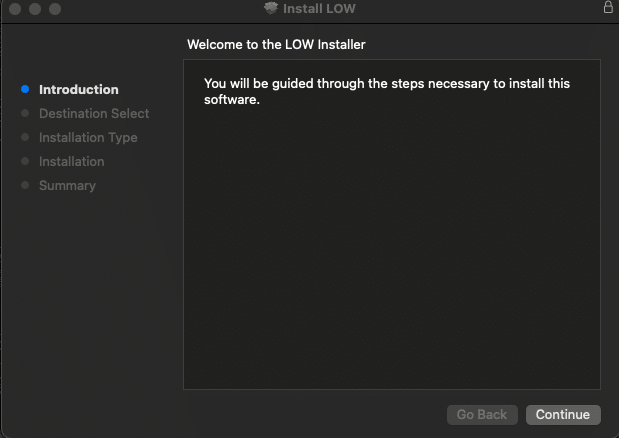
LOW install for Mac - screen 1

3. Select the package you want to install and click 'continue'
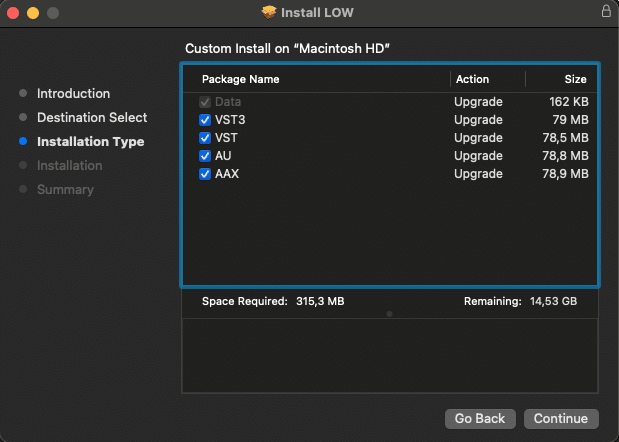
LOW install for Mac - screen 2

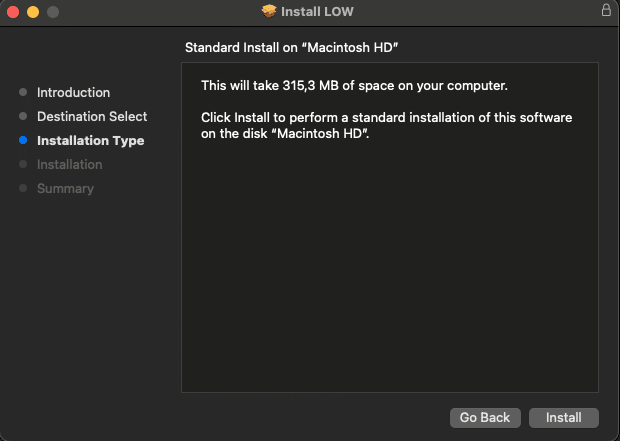
4. Click 'Install'

LOW install for Mac - screen 3

5. Click 'Close' and restart your computer
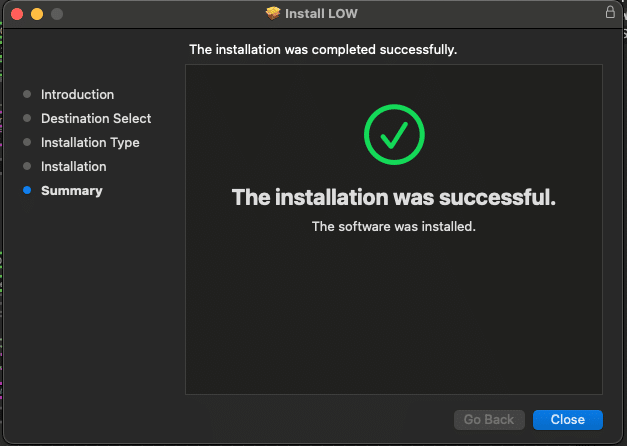
LOW install for Mac - screen 4


1. Download the zip file and unzip the installer file to a folder of your liking.
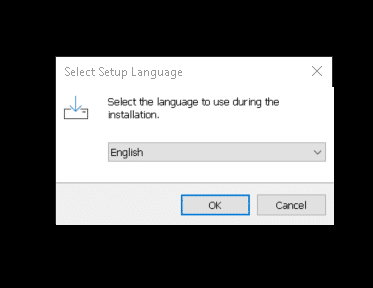
2. Open it and select the language to use during the installation and then click 'OK'
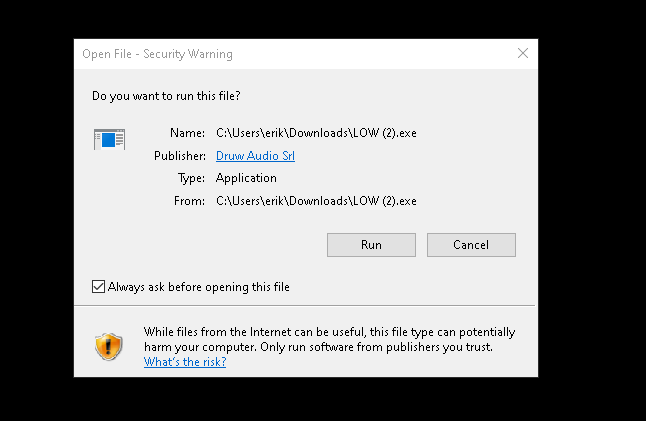
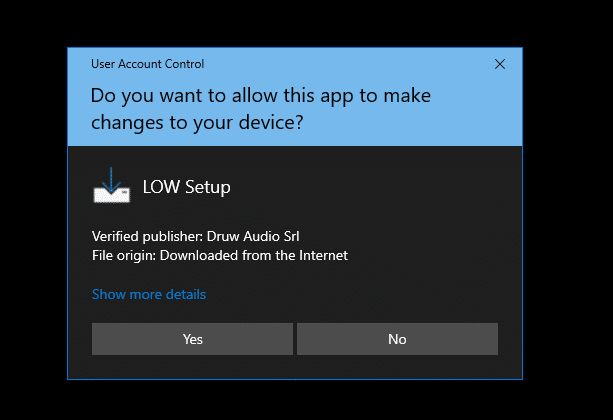
LOW install for Windows - screen 1

LOW install for Windows - screen 2

LOW install for Windows - screen 3

3. Read carefully the license agreement, select either you accept it or not, then click 'Next'
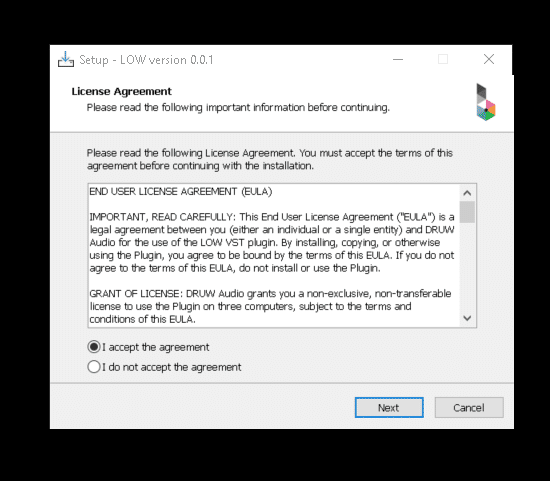
LOW install for Windows - screen 4

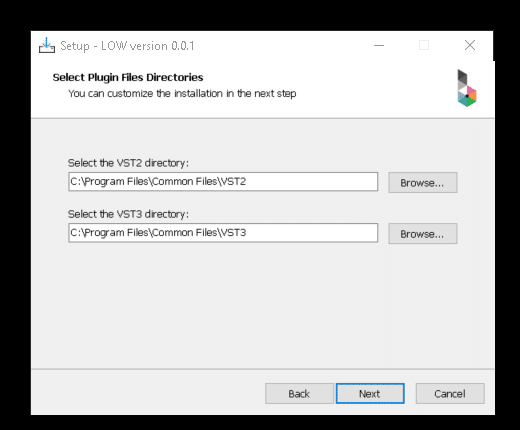
4. Choose the directory for the VST, VST3, AAX, then Click 'Next'
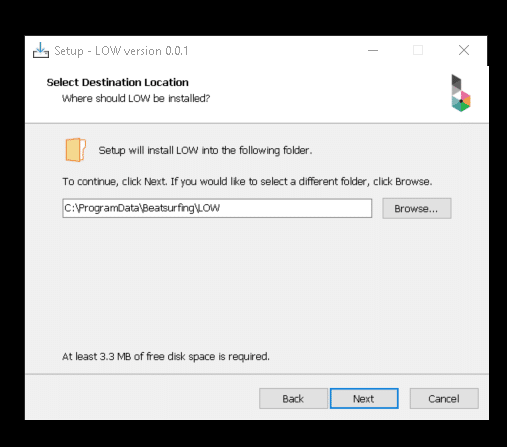
LOW install for Windows - screen 5

LOW install for Windows - screen 6

5. Select the components you want to install, make sure you have enough space on your machine to install them.  Then click 'Next'.
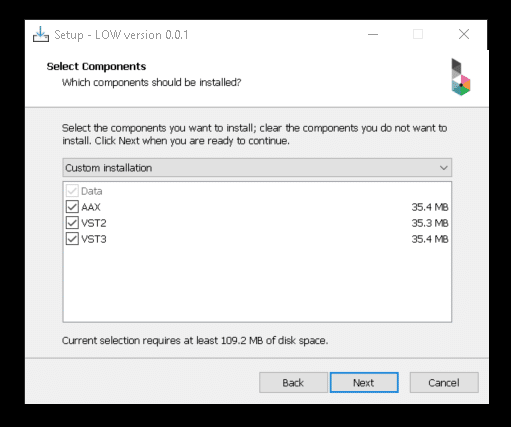
 

LOW install for Windows - screen 7

6. After reviewing your choices, click 'Install'.
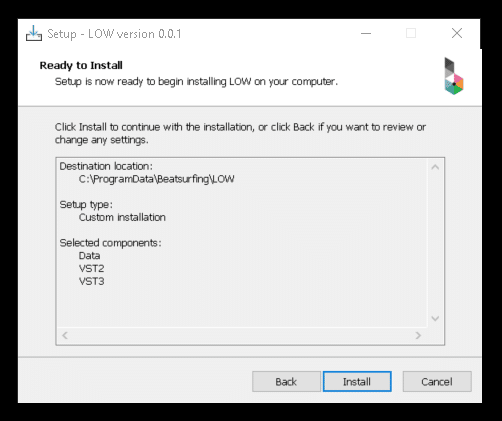
LOW install for Windows - screen 8


7. Set up is now complete, you can close the window by clicking 'Finish'.
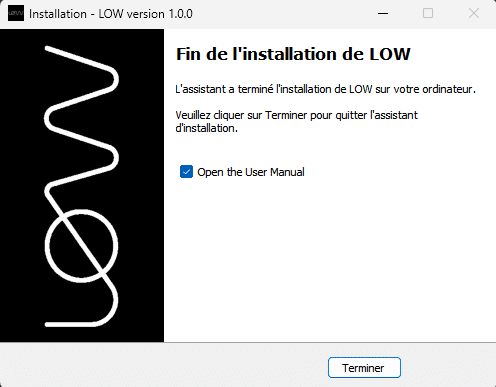
LOW install for Windows - screen 9

After purchasing VRAC+ your License key appeared on your Licenses page: https://beatsurfing.com/my-license/
Note: Each license can be activated on 3 devices either for macOS or Windows.
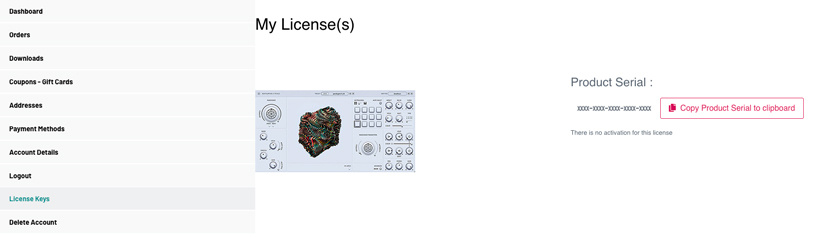
Get RANDOM metal license key in your account on beatsurfing.com

1. Copy your License number
2. Open VRAC from your DAW
3. Paste your license key number while launching the VST
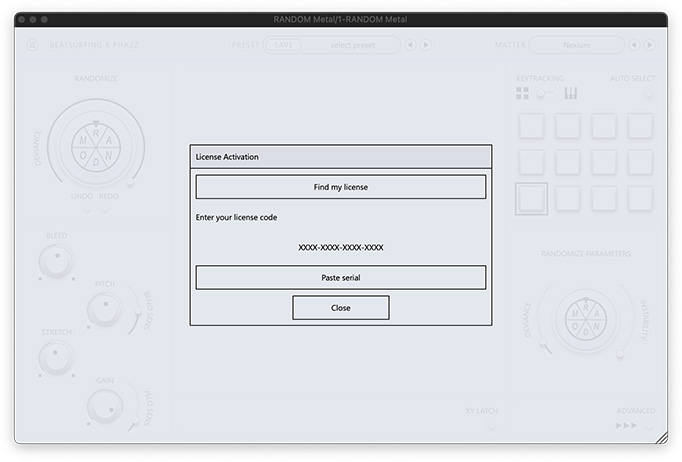
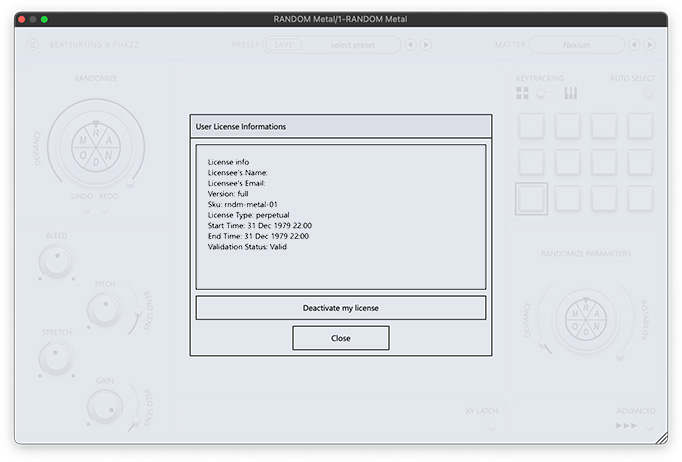
RANDOM metal installation process - screen 5

RANDOM metal installation process - screen 6


Find answers to your questions in our VRAC+ user guide pdf file.
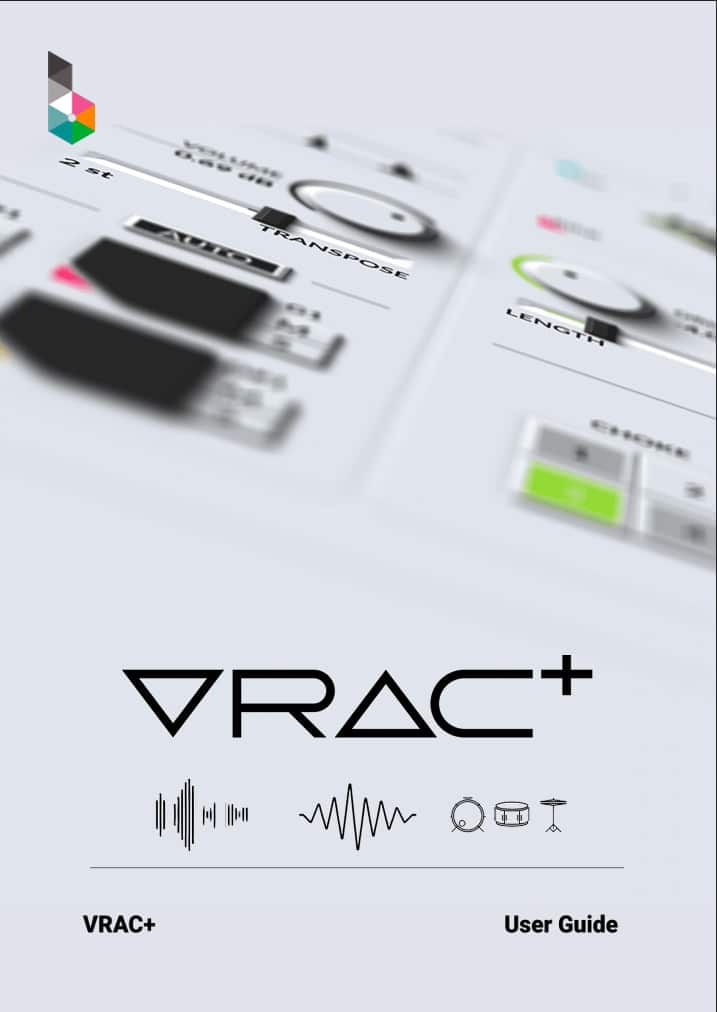
VRAC+ (VRAC Plus) User Guide cover

Didn't find what you were looking for? Check our knowledge base and if you don't find your answer send an email to support@beatsurfing.com.
Support

Login

What would you like to receive?

Where can we send your RANDOM Metal Sample Pack?